Preventing Resizing to Decimal Pixels
I love Figma and have enjoyed used it since the very beginning. It has come on leaps and bounds since since its early days.
However, one pain point that continues to frustrate me is the decimal resizing issue, as detailed here almost exactly four years ago - https://spectrum.chat/figma/general/how-to-prevent-decimal-pixels~a6007961-7415-4c1e-9430-7e420491c446
Despite all the other fantastic enhancements in the platform, it is disappointing that this core issue is still present.
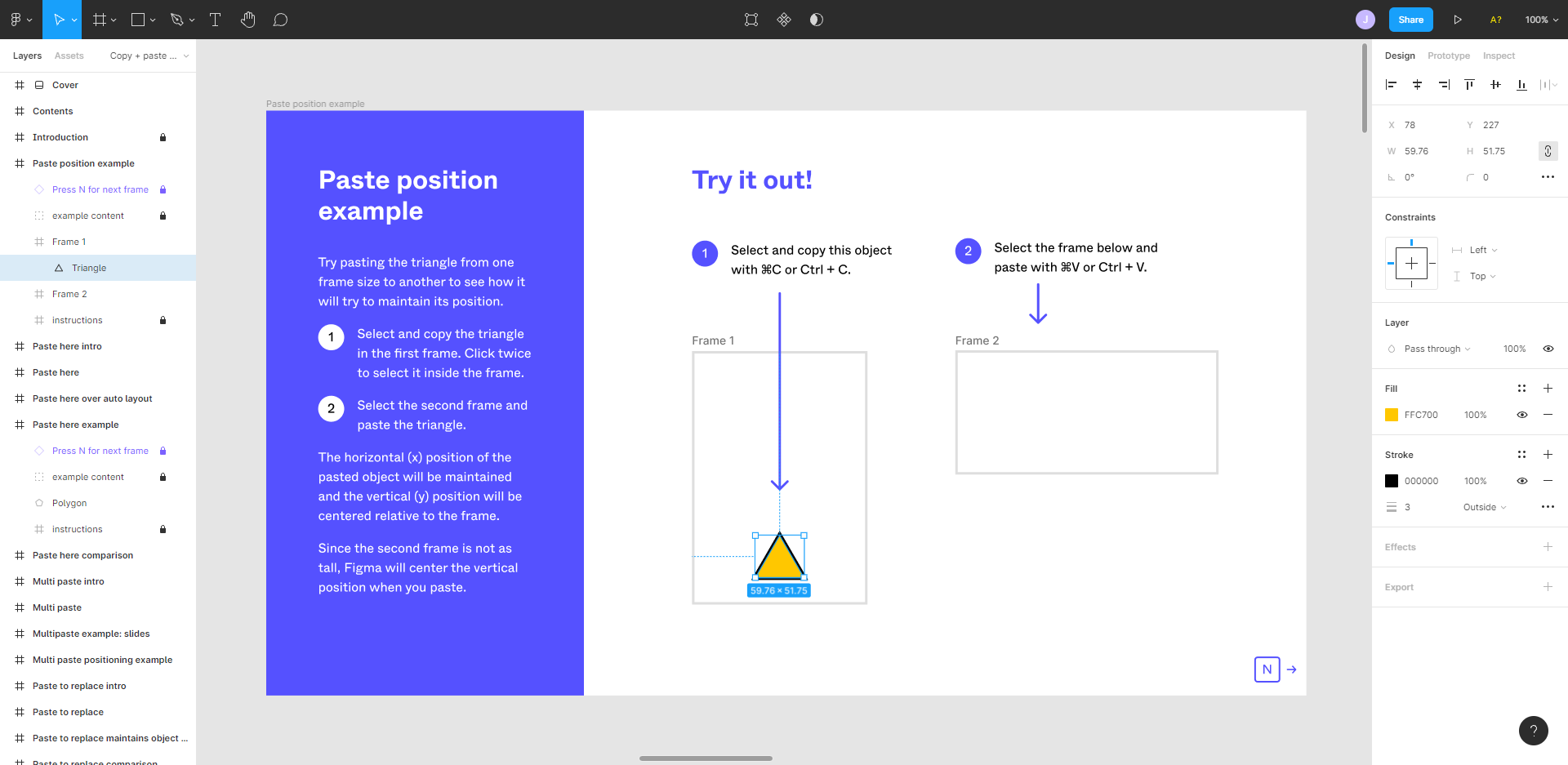
Even in the latest Playground file (produced by your own team) outlining the latest ‘Copy & Paste’ advancements, you can see the problem firsthand, as per the screenshot below.
FAO @Figma & @Figma_Support. Please can I ask that you look at this as a matter of priority. I am sure I am not the only one wasting crucial time, painfully and manually, checking and resizing everything back to integer values.
Thank you.