Connect with other community members, share your work and get inspired.
Recently active
Say hi and let the community know where you’re from, what you do, and anything else fun you’d like to share. 😊
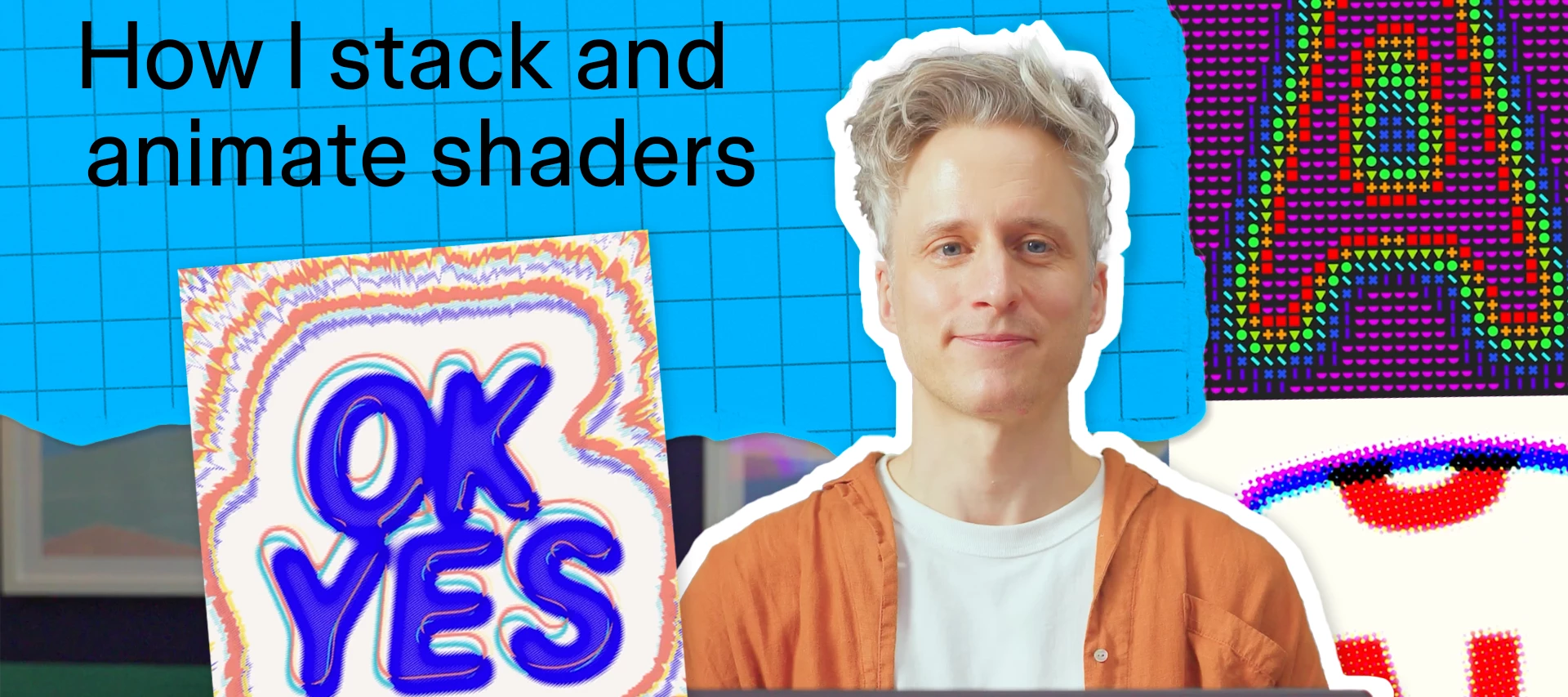
The newest episode of Show Your Work is live on YouTube!In this series, we hand designers the mic to walk through their work, their workflow, and have a little fun along the way. What you'll seeIn the below episode Piers Cowburn, Figma’s Director of Software Engineering, walks through how he's using shaders to bring his typography to life.How Piers approaches shaders as a creative material A peek at his real workflow, tools and thinking Fun examples you can try on your own. Want to watch more? The full Show Your Work playlist has every episode so far, and we have more on the way.Watched it? Tell us what you'd want to see next. We're always taking requests. Show us your creationsThe Figma Forum is a great place to discuss what you learned with others. Has this episode of Show Your Work inspired you to make your own creations? Show us!
Showcase Your Work is that category where you can show off your Figma creations, get feedback on them or simply promote them. Please do keep your posts somewhat related to Figma, avoid spam, and follow our Forum Guidelines, Figma Community Guidelines and Code of Conduct! Examples:✅ You can ❌ Avoid Ask for feedback on a design you created in Figma Design Posting content that does not relate to (or was not built in) Figma products Promote a plugin you’ve built that can help users in their Figma files Promoting products, services and events/meetups Share a Figma Slides template you’ve created Posting job descriptions or hiring calls
Chat and Connect is the category where you can discuss (almost) anything you’d like - related or unrelated to Figma.Is there a design systems concept you’d love to hear other’s thoughts about? Do you want to discuss best practices around design<>dev handoffs (in or outside of Figma Design)? Is your company is looking to hire experienced designers? Are you organizing a design, product management or developer meetup and one of the topics relates to Figma?Go ahead and post it here. Just avoid spammy content, and follow our Forum Guidelines and Code of Conduct!
Hi everyone 👋Quick share: I built Croli, a desktop workspace for anyone whose work now spans design files, code, and AI agents. The idea came from my own loop: Figma in one window, Claude Code in a terminal, Codex in another, and a chat app where I kept re-explaining the same design file for the fifth time.What it does:Puts Claude Code, Codex, Grok, and DeepSeek in one workspace, sharing the same project context Skills, plugins, and MCP servers are configured once, available to every agent A lead agent can split a task across the others — each running in its own session you can inspect Library: every file an agent touches is logged and viewable afterwards Recurring setups (a daily export-and-check, a weekly report draft) can run on a scheduleIt runs on macOS, Windows, and Linux, and it's free during early access. You bring your own AI keys, so there are no usage limits from our side.Site: https://croli.net/invite/?code=ch_ffIt's still early, so I'd really value honest feedback — espec
Hi everyone! My name is Sergey, I have been designing game interfaces for over 8 years.I would like to present to you my small design system for a non-existent RPG game. I created the design specifically for the Figma community, so that everyone can copy the project for themselves and get to know game UX/UI better.Here are some screen examples:Character inventoryCharacter abilitiesQuestsDialogueHudItem description systemThere are a lot more screens!I would be happy to receive feedback or new ideas on what should be added or updated in this system.Check the link: https://www.figma.com/community/file/1615676025515807988/game-ui-dark-fantasy-rpg
Hi everyone. I built Slimline because Figma's export has no WebP or AVIF option, and the compression plugins I tried put export behind a subscription. What it does:Exports WebP, AVIF, JPG, or PNG from any selected layers Keeps each file under a size you set Shows a before and after preview at 100% Runs on your computer, with no account and no server It's free: https://www.figma.com/community/plugin/1685398335415882876/slimline I'd value feedback from anyone who exports images for the web. What's missing for your workflow?
Hi everyone! I've just released Dimnote, a free plugin that adds real-world dimensions to your designs.https://www.figma.com/community/generative-plugin/1687868792745109884/dimnote I made it because I plan my own home projects in Figma, and drawing every dimension line by hand was the slowest part.How it works: Select one or more layers Pick units (mm, cm, m, in, ft) and a scale Click Auto, or choose a side The dimensions are normal Figma layers, so you can restyle them to match your drawing.I built the whole plugin with Figma Agent, which was a fun experiment in itself.I'd love feedback: what's missing for your workflow?
Putting a design onto an angled or foldable device screen usually needs Photoshop. Here’s how to do it without leaving Figma, using the Free Transform plugin.What you needA device mockup image (foldable, tilted, anything) The design or screenshot you want to place on itStepsDraw a shape over the device screen with the Pen tool, one point per screen corner. An open foldable needs 6 points; an angled one needs 4. Select the shape and open Actions (⌘K / Ctrl+K), then run Free Transform. In the plugin, choose Fit to Quad. Click your design. It’s warped onto the shape with correct perspective, and the preview updates live. Export as Image or Vector, or come back later and re-edit.TipsPlace the shape points exactly on the screen corners for a clean edge. Keep your design at the same aspect ratio as the screen to avoid stretching.Free Transform is free on Figma Community. Fit to Quad is a Pro feature (Early Bird up to 50% off until Nov 30).👉 Plugin: https://www.figma.com/community/plugin/164
Figma’s native transform is affine only, so true perspective (moving each corner independently) usually means a trip to Photoshop. Here’s the in-Figma workflow I use, plus a quick timing comparison.The usual round-tripSelect the frame → Copy as PNG (⇧⌘C) Paste into Photoshop → Free Transform (⌘T) → right-click › Distort → drag the corners → Enter Right-click the layer › Copy SVG → paste back into FigmaIt works, but the result comes back as an image fill, so text and colors are no longer editable.Doing it inside Figma with Free TransformSelect the frame or layer you want to transform. Open the Actions menu (⌘K) and run Free Transform (or Plugins › Free Transform). Choose Distort (or Perspective) from the mode dropdown. Drag the four corners in the plugin preview. With Live Preview on, the result updates on the canvas as you drag. In Output, choose Vector (or Image), then click Export. The result is placed next to your source as vector paths, so you can select a text path and change its
I've been building a library of website templates in Figma called Moirai. Each one is a full multi-page site for a type of business, such as financial advisers, estate agents or software companies. Colours, type and spacing are set up as variables, so changing the brand in one place updates the whole file.Each template has desktop and mobile designs, and opens on a Start Here page that explains how the file is organized.Each template also comes as a coded site, for anyone who'd rather start from code than build from the design.
Hi everyone! I design interfaces and build them myself, and I got tired of copying values from Figma into my Tailwind theme after every change. So I made tailwind-dictionary, a free open-source CLI.How it works:In the Variables panel, right-click a collection → Export modes. Figma gives you one *.tokens.json file per mode. Point tailwind-dictionary to those files in one config.json. Run npx tailwind-dictionary and get a Tailwind CSS theme: colors, radii, spacing, fonts. Light and Dark modes become themes that switch with data-theme.References between variables are resolved, color objects become hex, and numbers get units, so rounded-4 is exactly 4px like in the design.You can try it without installing anything: paste your own Figma export into the playground and see the theme and a light/dark preview. Everything runs in the browser, your tokens aren't sent anywhere.The design system I built it for is free in Figma Community too: styles and components.Links: GitHub · How to export varia
Hi, I’m Alisa, 16-year old student from the Bay Area who’s organizing a 24-hour game jam hackathon in San Francisco: Haven SF!On November 14th-15th, we’re organizing Haven San Francisco, a 24-hour high school game jam for 100 teens. Haven is dreamed up by Hack Club, a global coding 501(c)(3) nonprofit supported by AMD, Dell, and GitHub. Figma is powering all of our marketing and branding right now, and we would love to possibly partner with Figma through a sponsorship or donation (we’ve been struggling to find a point of contact). In particular, we’re looking for swag, financial donations, or other in-kind donations!If interested, I'd love to send over more information or schedule a call. We’d love to get into contact with anyone who can get us started with this process. To learn a little more about sponsoring us, please view the attached sponsor prospectus.- Alisa + The Haven SF Team!
A QA ticket came in yesterday saying our secondary buttons looked muddy on staging.I checked the codebase and found a weird hardcoded rgba value instead of our updated surface-muted token. The front-end team was just manually copying hex codes from Figma inspect mode again. Our tokens.json file was three weeks behind our design files. It happens every single sprint when things get busy.I got fed up with chasing these sync issues so I put together a tool to automate the handoff. I am Alexander and I created Design System Sync.Now whenever we tweak a variable in Figma, it just opens an automatic pull request directly in GitHub with the exact CSS diff. It completely killed the endless "is this the latest hex code" Slack threads.You can try the plugin here:https://www.figma.com/community/plugin/1561389071519901700?utm_source=figma-forum&utm_medium=post&utm_campaign=bothttps://ds-sync.netlify.app?utm_source=figma-forum&utm_medium=post&utm_campaign=botHow do you stop develope
Hey everyone 👋 Quick share: I made a Figma plugin called Turbo PDF Exporter & Compressor that exports compressed PDFs without leaving Figma. The idea came from my own annoyance. An image-heavy file would export at 50-100 MB, and then I'd be uploading it to some online compressor and crossing my fingers that the links and quality survived. With the plugin you pick your frames, choose a DPI (72 / 150 / 300) and export. On one of my own files it went from 61.3 MB to 16.4 MB, so about 73% smaller. Files with fewer images can drop even more, even up to 90%, but it really depends on the file. It also keeps links clickable, embeds fonts, lets you reorder pages, and runs locally, so nothing leaves your machine. There's bleed, crop marks and CMYK in there too if you do print stuff.Free version gives you 10 exports with the Pro features, then those are paid.Plugin: https://www.figma.com/community/plugin/1591036283049218597/turbo-pdf-exporter-and-compressorMore details: https://www.sonicwork
Dear Billing team,The services on the invoices listed below were purchased and paid by our company, SIA "Nozomi Health", a VAT-registered business in Latvia. The invoices are issued to "NOZOMI" at a Belarusian address (village Borovaya, 1, main building, 223053 Minsk, Belarus), which is not our company, and do not show our registration and VAT numbers.Please re-issue these invoices (with credit notes for the originals, where your system requires them) with the following customer details:[invoice redacted by forum moderator to remove PII]
Hey everyone 👋 Exporting PDFs from Figma has always been slow and heavy for me. A file with a lot of images easily ends up at 50-100 MB, takes a while to export, and then I'd have to run it through an online compressor and hope the links and quality survived. So I built a plugin that exports compressed PDFs directly inside Figma: Turbo PDF Exporter. You open it, it picks up all your top-level frames, you sort them how you like, choose a DPI preset (72 / 150 / 300 / 300-prepress), and export. What it does:compresses your PDF by up to 90% while keeping vectors sharp exports multi-page files quickly, and Figma stays responsive while it works adds bleed (mm, cm, in) and automatic crop marks for print-ready files converts to CMYK, RGB, or Grayscale, with DPI presets (72, 150, 300, 300-prepress) sorts pages by name, layer order, or visual layout or custom order keeps your prototype links clickable, with optional link outlines embeds fonts so the PDF looks the same everywhere password-protec
Hi Figma Community!I recently received an email inviting me to apply to speak at Config 2027, and I'm excited about the opportunity.I'm a UI/UX designer based in Pakistan with experience in AI-powered mobile and desktop applications. I'm interested in presenting a talk about AI-assisted product design and finding a co-speaker to collaborate with on the proposal and presentation.I would appreciate your help with a few questions:1. Email recipients: Was the Config 2027 speaker call email sent broadly to Figma users worldwide, or was it targeted to a specific audience?2. Pakistan recipients: Is there any publicly available information about how many people in Pakistan received this email? Even an approximate figure would be helpful.3. Invitation criteria: What factors determine who receives the email? Is it related to Figma account activity, community participation, professional experience, or marketing email subscriptions?4. Co-speaker eligibility: Can I apply with a co-speaker who did n
Hello everyone,I’m happy to be part of the Figma Community. As a new member, I look forward to learning from other designers, exchanging ideas, and participating in discussions about UI/UX design, prototyping, and collaborative design workflows.I’m interested in exploring Figma’s features, discovering useful design techniques, and learning how others approach different creative challenges. I believe that sharing knowledge and experiences can help us improve our skills and create better user experiences.I’ll do my best to follow the community guidelines, respect different perspectives, and contribute helpful and relevant insights to discussions.Thank you, and I look forward to connecting with everyone and learning from this community!
Has my monthly limit been reached?
Figma’s built-in layer blur spreads the same amount in every direction. Real motion blur needs a direction and a trail, and it’s sharp at the front and fades out behind. Most people end up in Photoshop or After Effects for that, then export and re-import every time the design changes.Here’s how I do it inside Figma with Motiv Blur, a plugin I built.What you need: any layer, group or frame (a product shot, an icon, text, an illustration) and the Motiv Blur plugin. Step 1: Select your layerClick the object you want to put in motion. Any layer, group or frame works. Step 2: Run Motiv BlurOpen Actions (⌘/Ctrl + K), type Motiv Blur and press Enter. The plugin opens with a live preview of your selection. Step 3: Tune the blurWith Live Preview on, the canvas updates as you drag:Angle: the direction of motion Distance: how long the trail is Tail size: shrink the tail for a sense of depth and speed Tail / Head clarity: fade the trail out, keep the front crispYou can also drag the TAIL and HEAD
Hi everyone. I'm the maker of Photogma, a solo side project. Full disclosure: it's paid, with a free tier (details below).I built it for Figma designers who still receive PSDs and don't want to rebuild them by hand.The first two images are listing illustrations made from a demo file (a made-up serum ad): the headline comes in as a Figma text layer, gets rewritten, and goes back to PSD still as text. PSD/PSB → FigmaText: font, size, tracking, leading, mixed styles, point and paragraph text; rotated text stays editable Shapes: live rectangles (with per-corner radius) and ellipses, pen paths, gradient fills, dashed strokes Layer, clipping and group masks, plus vector masks on shape layers; blend modes Figma also has (others, like Dissolve, fall back to Normal); each artboard as its own frame Drop/inner shadows become Figma effects; color/gradient overlays become fills on text and shapes and are baked into image layers; glows are approximated with shadows Layer-style strokes become editabl
I built a VectorStock plugin for Figma—would love your feedbackHi everyone! I’m a Figma user and part of the VectorStock team. I’ve been working on bringing our SVG vector library into Figma, and I’m happy to share the new plugin with you.It lets you search for illustrations, icons, logo elements and other editable artwork, then add them directly to your Figma file. There are 1M+ free SVGs, alongside a larger collection of paid assets.You can search with keywords or describe the subject, style and colours you have in mind using AI-powered search. This helps you find existing artwork, which you can then recolour, resize and customise in Figma.Try VectorStock for FigmaHopefully it’s useful in your workflow. I’d love to hear what you think—particularly anything that feels awkward, features you’d like added, or ways we could improve the search. We’ll do our best to take your suggestions on board.Thanks for taking a look 🙂
Hi everyone. I built Sourceline because Figma shows a component's variants, but not which of your team's files use it. People have asked for this in Suggest a feature since 2021: https://forum.figma.com/suggest-a-feature-11/see-where-component-is-used-find-component-instances-across-files-17758 Sourceline is a widget you place next to a main component in your library file. It shows:How many team files and instances use the component Which of those files are active, quiet, or inactive A High, Medium, or Low impact badge, before you publish a change Every file that uses it, latest edit first, with its Dev Mode statusYou set it up once per library file. Results are saved in the file, so teammates see them without signing in. Later scans read only the files that changed.Two limits to know: the first scan takes about 4 minutes for every 60 files, because of Figma's API rate limit, and instances nested inside other instances are counted where their main component lives.It's free: https://www
Putting a design onto a tilted laptop or phone screen usually means leaving Figma: export, open Photoshop, Free Transform, export, re-import… and repeat every time the design changes.Here’s how I do it now without leaving Figma, using a plugin I built called Free Transform.What you need: a mockup photo, your design (any frame or image on the canvas), and the Free Transform plugin.Step 1: Draw the screen shapePick the Rectangle tool (R) and draw a rectangle roughly over the laptop screen. Double-click the rectangle (or press Enter) to edit its points. Drag each of the 4 corners onto the matching corner of the screen in the photo.You now have a 4-point shape that follows the screen’s perspective.Step 2: Open Free TransformKeep the shape selected, open Actions (⌘ / Ctrl + K) → Plugins & widgets → Free Transform.Step 3: Fit to Quad, then click your designIn the Transform tab, click Fit to Quad (next to Distort). The button changes to “Select a top object…”. Now click your design on the
Already have an account? Login
Enter your E-mail address. We'll send you an e-mail with instructions to reset your password.