Catch up on Figma’s latest news and Product Updates.
Recently active
Today, we launched new ways to build and collaborate with code, capture and share context, and build with real data and content. Here’s everything we shared at Config India 2026:Code layers: Create interactive, code-backed prototypes on the canvas by converting a design frame, importing a GitHub repo, capturing your website with the Figma Chrome extension, or prompting from scratch. Rolling out now in open beta. Creating and editing within a code layer will be free on paid plans through November 4. Learn more. Specs: Bring written intent, visual exploration, and technical details together for your team and your agents with Figma Specs, a native home for context. Rolling out now in open beta on paid plans. Payload in Figma: Make now natively scaffolds a Payload backend, giving your app a CMS, database, media, APIs, auth, and an admin panel, turning a prototype into a production app. Figma hosts it all, so your content and data live in the same place as the designs that shape them. Rolli
We’re thrilled to announce that our updated Community Forum is officially live! 🎉After weeks of planning and testing, we’re excited to share a redesigned space that’s more user-friendly, vibrant, and easier to navigate. Take a look at the following topics to learn more about: FORUM GUIDELINES WHAT’S NEW What’s New (TL;DR)?Enhanced navigation for a smoother and more intuitive experience. 🚗 New (and simplified) category structure that helps you easily find relevant conversations and resources. 📂 Improved search capabilities: the new search is faster and makes it easier to find exactly what you need across the Forum (and Help Center). 🔍 A refreshed design that feels very Figma What’s Next?To help you make the most of the Community Forum, we’ve put together this Welcome Guide [Welcome Guide Link]. Dive into the fresh layout and discover all the new features. We’d love to hear your thoughts! 📝 Feel free to leave any questions or feedback in the [Feedback Thread Link]. Our team is here
Hi everyone, welcome to our Community Forum! 🎉This is a place for our community (that’s you!) to connect, ask and answer questions, share feedback, and collaborate.Please take a moment to review our Forum Guidelines! We want to make sure this space stays organized and that conversations stay constructive. Community GuidelinesThe BasicsBy participating in this community, you agree to adhere to our Code of Conduct. Along with this, we ask that you follow these simple rules:💟 Be kind and respectful We encourage healthy debates and constructive conversations. However, harassment, threats, personal attacks, discrimination, or trolling of any kind will not be tolerated. This is a safe space for people of all backgrounds and beliefs.✨ Keep the forum organized Search for similar topics before posting to avoid duplicates, and ensure your post is in the correct category.Need help? Check the topic “What’s New in the Figma Forum”.🚫 No spam While sharing your work is encouraged, please avoid e
Select area is an AI image editing tool that lets you select part of an image to isolate or erase it. You can now click an object in an image and Figma selects it for you, so you no longer have to trace around it by hand. Available on the macOS desktop app only.Download the macOS desktop app.
Connect Google Drive to the Figma agent and Make to bring your existing file context into Figma, and create new Drive files without leaving your file. Use the Google Drive connector to summarize research insights, reference real data, or pull in assets to edit on the canvas. Connectors are now available on all Figma plans, including Starter. Add Google Drive and other connectors from the plus menu in the prompt box when you collaborate with Figma agents. Learn more.
We’re excited to introduce the first group of Figma Forum Ambassadors! 🎉Forum Ambassadors are community members who consistently share useful, high-quality answers and help others get unstuck in the Forum. You’ll see them around the Forum answering questions, sharing what they know, and helping make the Forum a place to connect and learn from others.You’ll be able to recognize Forum Ambassadors by their Forum Ambassador badge and profile signature.We’re starting with a small group and will use what we learn to shape the program over time.Please join us in welcoming our first Figma Forum Ambassadors: @Aayushi @Haroll @kmeza @Avokadomos @Ondrej_Pavlicek @Tim_hfg1 ✨
RESOLVED — Image uploads are now re-enabled on the Figma forumFile and video uploads are temporarily unavailable in the Figma Forum. We don’t yet have an ETA for when they’ll be restored.In the meantime, you can upload files to a service like Google Drive, Dropbox, or OneDrive and include a link in your post. For videos, you can also use YouTube or Vimeo. Please make sure the sharing permissions allow others to view them.Thanks for your patience!
Frame presets for iPhone Duo and iPhone 18 are now available wherever you can select a mobile frame in Figma. The new frame presets are available in:Properties panel when creating a new frame Properties panel when creating a code layer Prototype settings Make preview device picker Code layers full screen viewLearn more here.
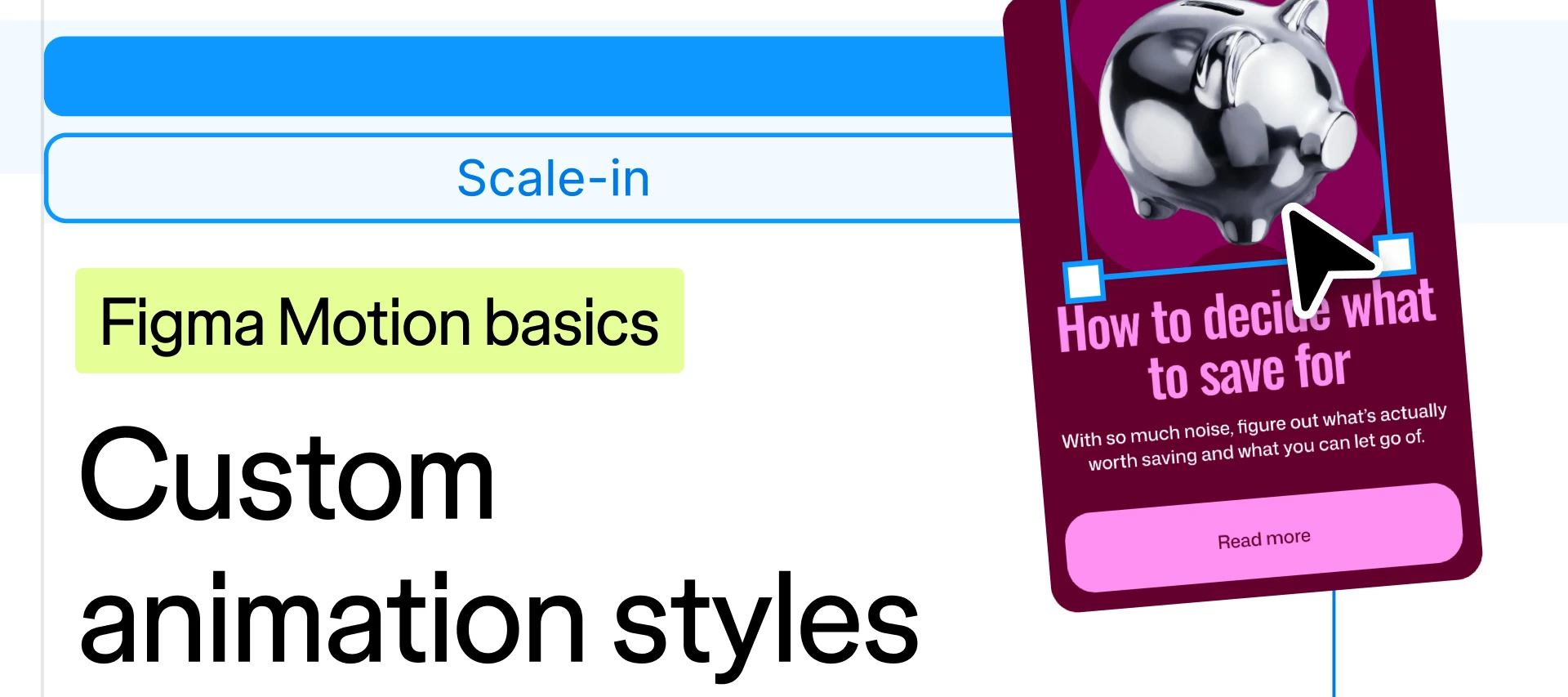
Figma Motion has released custom animation styles and Figma is ready to help you learn how to configure your own custom animations. Custom animation styles let you define your brand’s motion language and create reusable animations that can be applied to any object. Check out our Figma Motion Basics video on Custom animation styles on YouTube! What you'll seeHow to configure animations in Figma Motion Create reusable animation styles How to publish animation styles to a design library Want to watch more? In this series, we walk Figma users through how to navigate and create in Figma Motion. With topics spanning timeline, motion paths, shaders, and more.The full Figma Motion Basics Playlist has every episode so far, and more to come!Watched it? Tell us what you'd want to see next. We're always taking requests.
Motion becomes more reusable, expressive, and portable this release, giving teams a faster path from first keyframe to polished, handoff-ready animations. Save the patterns you use most and carry them across files without rebuilding the same animations by hand. Stay in Figma to layer audio onto your keyframes, create text animations, or export supported animations as Lottie. Custom animation styles make motion repeatable.Save an animation style with custom easing, duration, and other variable-backed properties, and apply it across your designs Combine styles into richer animations saved and reused as a single pattern Publish animation styles to your libraries so every file draws from the same sets Apply animation styles automatically with Figma agent and coding agents via MCP or SkillsAudio joins the timeline.Drag an audio file onto any motion clip or timeline Trim, split, and reposition audio against your keyframes to get the timing right Export audio alongside your animation in MP4 a
New improvements to Figma’s mobile app for smoother collaboration and navigation. Here’s what’s new:→ Page dropdown: easily access and switch between pages→ Frame preview slider: quickly move between frames → Share links: to the exact page or frame you’re viewing→ Export individual frames and images: to your phone to share, with format and size options→ Resume where you left off: reopen exactly where you left off, no need to re-navigate Download the app here
Vertical wrap is now available when auto layout is set to vertical flow. Build multi-column layouts that stay responsive as content is added, removed, or adjusted.What’s new:→ Overflow content wraps into a new column instead of extending past the frame.→ Matches CSS flexbox behavior, bringing auto layout closer to CSS.Learn more.
Tune in live on September 30 at 9:00am PT / 12:00pm ET for:→ New live drops. Be the first to learn about updates across Figma including Figma Motion and more.→ Live feature demos. Explore how we combine the latest Figma functionality into creative workflows→ Community spotlight. Get inspired by the best work from across the Figma Community→ Recent launches roundup. Catch up on updates you might have missedYou won’t want to miss it.👉 Register now
Hi Figma Forum — we rolled out some changes that will make organizing team files more flexible and intuitive.A Figma workspace organized with nested folders.As more work happens in Figma, files can get harder to find. In the coming weeks, we’ll introduce folders, so you can structure files to mirror the ways your teams work.Here’s what’s changed:Projects become folders. All files in Teams will live in folders. Any previous reference to Projects in the UI will be renamed to Folders. Subfolders and colors. Nest folders and assign folders colors to create hierarchy. Simpler sharing. Subfolders inherit access from the folder above it by default, or you can limit access to specific people.What’s not changing:Workspaces and teams — these structures will stay exactly the same as before. Who can access folders — the same people who had access to the project before have access to the folder now. This includes Connected projects, now called Connected folders. Creating, moving, and sharing folder
Hey all! We’ve introduced nested replies on the forum. You can now reply directly to a specific comment within an existing topic, making conversations easier to follow. Give it a try and start a thread within a thread! 🧵
Opacity can be updated at scale in the variables modal and applied on top of any color without detaching.→ Alias opacity while the color stays linked to your library, instead of needing to detach and adjust opacity by hand.→ Set opacity on a color variable using a number variable, and scope them specifically for use in color variables.→ Easily update opacity across disabled states, overlays, scrims, and more.Learn more
At Config, we launched the ability build your own custom generative plugins and shaders by prompting the Figma agent. Now, you can do more with those generative plugins and shaders with animations and interactions, publishing capabilities, and access to the code. Animated and interactive shaders: Prompt the agent to build a custom shader effect or fill that incorporates motion and is reactive to mouse movements. Learn more. Community publishing: Share your generative plugins and shaders with the world by publishing them for others to use on the Figma Community. Learn more about Community publishing for shaders and Community publishing for generative plugins. Internal publishing: Share private generative plugins and shaders with your organization to standardize effects or tool usage. Only available on Organization and Enterprise plans. Learn more. Code viewer: View and download the code for any shader and your own generative plugins, right in Figma. Learn more. MCP updates: View and mak
Vector editing on the canvas now feels more direct. Erasing and recoloring work the way you'd expect, so you can shape vector work by hand without breaking your flow.With the new eraser and paint bucket updates, you can:🧹 Erase vector paths directly to clean up stray marks or reshape existing artwork🎨 Choose a color or gradient, then drag to fill or recolor multiple regions at once⌨️ Press Shift+E to switch to the eraser in vector edit mode or Draw modeNote: The existing Shift+E shortcut for the Prototype tab in Design mode stays the same, so nothing changes there.Learn more about the eraser and paint bucket tools in our Help Center.
Auto layout's auto spacing now has two new options, “Around” and “Evenly”, alongside the existing default auto spacing behavior now called “Between”.These match spacing patterns CSS already supports including:→ Between: even gaps between items, nothing at the edges. Same existing default functionality, renamed to match CSS terminology.→ Around: even gaps between items, with half that gap at each edge.→ Evenly: every gap is identical, including the edges.Learn more
Text wrap makes your text responsive with two new styles: Balance and Pretty. Set either on a text layer, a text style, or an individual paragraph in the text settings.→ Balance: distributes text evenly across lines. → Pretty: avoids a single word stranded alone on the last line.Learn more about this update here.
Auto layout now works more like CSS, so what you design lines up more closely with what actually gets built.Small differences between how auto layout and CSS handle layout meant developers had to add workarounds at handoff to make the built version match the canvas. This update closes those gaps.Existing frames stay on the legacy version unless you choose to update. New frames get the updated version automatically. You can switch back to the legacy version until January 2027.Learn more here.
No more waiting for one edit to finish before starting the next. You can now generate multiple AI image edits at the same time via the tool bar and keep designing while they load.→ Keep working while AI image edits run in the background. → Track progress with updated loading states and icons.Learn more in the help center.
Config 2026 is all about expression — expanding what's possible with new tools and materials you can use directly on the Figma canvas. Here's a quick rundown of everything we’re shipping and what's coming soon.✨Available in open beta 🚀Check your seat/plan for eligibility.Figma Motion: Create precise, expressive animations in the timeline or with the Figma agent. Build out reusable systems, and ship dev-ready animations. Custom shader effects and fills: Prompt the agent to build WebGPU shaders directly on the canvas. Save and reuse your custom effects and fills, or export via MCP to other platforms. You’ll also find Figma-created shaders available in all plan types. Find in the new left nav. Weave tools in Figma Design: We’ve launched a curated list of Weave tools in Figma Design to accomplish AI image generation tasks. Run AI image tasks (swap backgrounds, add logos, change aspect ratios) without leaving your design file. Find in the new left nav. Figma agent updates: Now in ope
Tab groups let you group, color, expand, and collapse tabs in the Figma desktop app. Stay organized without losing track of which file you’re looking for.→ Label groups by project, theme, or workflow.→ Color-code groups to keep them distinct at a glance.→ Collapse and expand groups to stay focused as you work.Available to all users on the desktop app. Learn more.
Check designs compares your designs against your design system, flags what's off, and suggests the correct fix in one click. Catch drift as you work, run a QA pass before handoff, and keep every file synced to your design system with:Variable and style suggestions flags hard-coded color, text, radius, and spacing values and replaces them with the correct design system token. Accessibility suggestions flags color contrast violations and replaces them with WCAG 2.0 AA or AAA-compliant colors. Library mismatch detection flags tokens and components from unsubscribed libraries. Detached component detection flags components detached from their source library.Check designs is available on Organization and Enterprise plans. Learn more
Already have an account? Login
Enter your E-mail address. We'll send you an e-mail with instructions to reset your password.