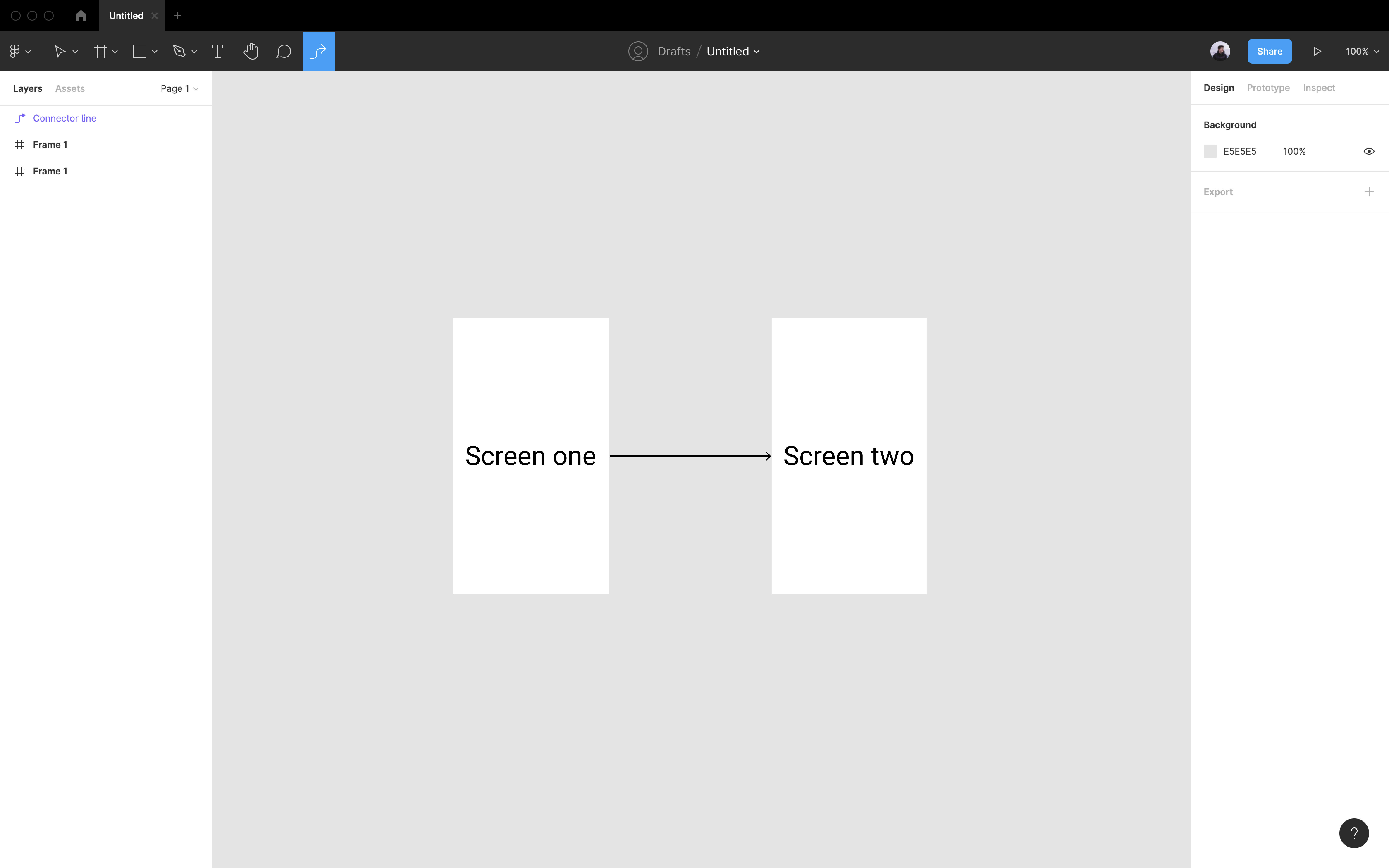
FigJam connectors in Figma

  • April 21, 2021
  • 159 replies
  • 17131 views

Show first post

159 replies

claireab
  • June 8, 2024

Really want the ability to make user flows and diagrams with the dynamic arrow functionality directly in the Figma file instead of copying in from FigJam. The way the boxes already contain text and the arrows snap to the boxes is incredibly helpful when I’m showing both a user flow and hi fidelity screens.


juandematei
  • New Member
  • July 26, 2024

Creating flows and diagrams is a crucial aspect of the developer handoff process, and having this functionality integrated into Figma without the need for workarounds or paid plugins would be extremely beneficial.


Carla_Marinescu

I completely agree! Is this something that is on the radar to implement into Figma? I have to create my flows in FigJam and then copy them over into Figma to have the nice connectors and comments in between the lines.


chendedezzz
  • New Member
  • August 22, 2024

FigJam connectors are no longer working well in Figma. My community post attached.

Request to Revert Changes to Fig Jam Connectors in Figma - Ask the community - Figma Community Forum

longshot20240822095748


Ivan_Alekseev

Same issue here. omg, instead of make it native, working good with components, it seems they just broke it. 🤦‍♂️

Figma, please hear us. Why people are still using 3rd party plugins for the feature that already exist? Fix it please.


y_toku
Figmate
  • Community Support
  • September 2, 2024

Hi all,

Thanks for your patience. We’ve recently learned from some users that clearing the cache can resolve this issue. Could you try clearing the cache and then restart the Figma app?

Let us know if the issue still persists!

Thanks,
Toku


Julian_Alexander

Hi team, has anyone had success in adding a connector arrow layer inside a component’s layers in Figma? I’m not talking about visually “connecting” elements/components using the arrow/s, but actually trying to contain the layer inside a Component or Component Variant. We use the FigJam connector arrows in Figma constantly, but I’ve only just discovered you can’t have a connector arrow inside a more complex component’s layers. The use case in this situation is creating components out of workflows for versioning reasons to track changes better and keep the client/dev spaces seperate.


Michal14
  • October 10, 2024

Hello, I would love to have an option to work with FigJam capabilities right in my Figma file. For instance to create a flow diagram with FigJam components right where I design the screens.

Hope that’s clear 🙂,
Regards


Oliver10
  • October 16, 2024

Please please, add connectors to Figma. User flows are our bread and butter, and I hate having to use plugins or copy and paste from FigJam all the time.


Taimosa_Eregie

Hi Figma

please consider bringing sticky notes and connectors to Figma design because:

  • they’re currently supported in Figma design

  • they’re very useful for annotating designs and documenting high-fi user flows


xiajun08140410

为什么现在的直线连接两个图形不能拐弯了?我有时候想在figma上做一些简单的思维导图


Racine_Romaguera

I am working on designing a family tree, and being able to use native Connectors in Figma that I can snap to objects within another component (like a photo and name below it) and then save as components is critical to my work. Whenever I try to create a component that includes a Connector copied over from FigJam, that connecter disappears. PLEASE give us this feature soon!


Jimmy_Noyes

It is so easy to connect flows with arrows in FigJam, and find it frustrating this feature isn’t yet available in Figma. I have found myself pasting screens from Figma into FigJam to connect, and then back again so I can edit as a Figma file. Not an ideal workflow, but it cuts out needing to use a plugin or add manual static arrows, which can both be time consuming and frustrating to have to do. All that said, creating complex flows is so necessary to be able to do as a product designers, and should be much easier to do in Figma.


David Zhao
  • New Member
  • February 15, 2025

For anyone still wrestling with connectors in 2025, I made this plugin Superconnector—Automatically draw FigJam Connectors in Figma. It’s not a first-party solution, but it makes a few things easier:

  1. You can create connectors directly inside your Figma file without needing to open FigJam.
  2. Turns finicky manual copy-and-drag jobs into one-click operations (e.g. instantly draw a connector flow between origin and destination nodes, similar to Autoflow).
  3. Connect child nodes nested inside component instances.
  4. Switch between elbowed and straight-line connectors in Figma.
  5. In the premium version there’s also the option to create any FigJam shape inside of Figma.

I use it often in my own work to save time and wrist strain in the absence of a better native solution.


tony-coccaro
  • New Member
  • April 23, 2025

We need this feature in Figma! I use connectors A LOT to produce flows based on Mockups. ​@David Zhao Great plugin, Figma should integrate your idea! Set the right price once for all and sell it to the Figma Staff 😉


Briston
  • New Member
  • May 2, 2025

​​​​​​

If you're looking for a way to bring FigJam-style connectors into your Figma workflow, I’ve built a Figma plugin for that.

https://www.figma.com/community/plugin/1497662430674423590/flowconnect

  • Set any connector source you want within your Figma file

  • Add text labels to your connectors

  • Customize the style of each connector

  • Connect any two objects—components, instances, or anything else

  • Switch easily between elbow, straight, and curved connectors

  • Smart arrow switching when objects move

  • Save presets and use it whenever needed (Premium)


Frank_K
  • Active Member
  • July 17, 2025

I tried to copy some shapes and connectors with text to Figma and find that they’ve added node types for these two: CONNECTOR and SHAPE_WITH_TEXT, these types are not in plugin documentation yet.
I think Figma will add support for connectors and shape_with_text to Figma officially in the next updates.
I was trying to add RTL Support to the connector label for RTL PLZ Plugin, but its node properties are incomplete and I hope they provide characters property or something like that to allow updating connectors label with the plugin.
image

Sadly years on and still no connector lines :(


Jefferson Costa

Instead of implementing a useful feature, they go and add a glass effect. Congrats, Figma 👏🏻👏🏻


Frank_K
  • Active Member
  • July 18, 2025

Much like the poorly implemented annotation cards recently (I built my own components for this in about 5 minutes and they work better!) The crazy thing is you can copy figjam connector lines into your design files so all they need to do is enable them as a component. 


Pedro Ivo
  • New Member
  • August 5, 2025

I’ve been an avid “Give me Figjam Connectors” plugin user in the last few years and I’m very sad to report that all plugins that used native Figjam connectors stopped working once Figma updated their API. 

I think it’s about time that this become a native Figma feature. This was by far the most used plugin I’ve ever used to document and share with Developers how apps worked. 


Personally, I’ve used Figjam connectors because it gave me the option to quickly link to screen by using the shortcut cmd + p and typing “Add connector”.


Lehel_Babos1
  • New Member
  • August 10, 2025

The fact that Figma hasn’t implemented this after YEARS is nuts. But they also recently broke more or less every plugin that was at least helping us fill this gap. Great. Sure glad we got glass effect in the effects menu now tho 🤙


Wendy3
  • New Member
  • August 11, 2025

.


Anton_Andrianov2

Figma, please add connectors as a standard feature in Figma (like as FigJam)

You're adding a lot of great features to Figma, but you're still not adding such a simple and much-needed one. Why is that?

Designing flows in Figma is currently very inconvenient. Even Pixso has had this feature for a long time already


Anton_Andrianov2

Even Pixso has had Connectors for a long time already. Figma is no longer the same as before =/


Harri_Granholm
  • New Participant
  • August 20, 2025

This would be the biggest time saver ever, forget about AI. I’ve wasted so many hours editing flow connectors manually… Please do it 🙏