

Dave2
April 15, 2021

Variable cursor in prototypes

  • April 15, 2021
  • 71 replies
  • 39604 views

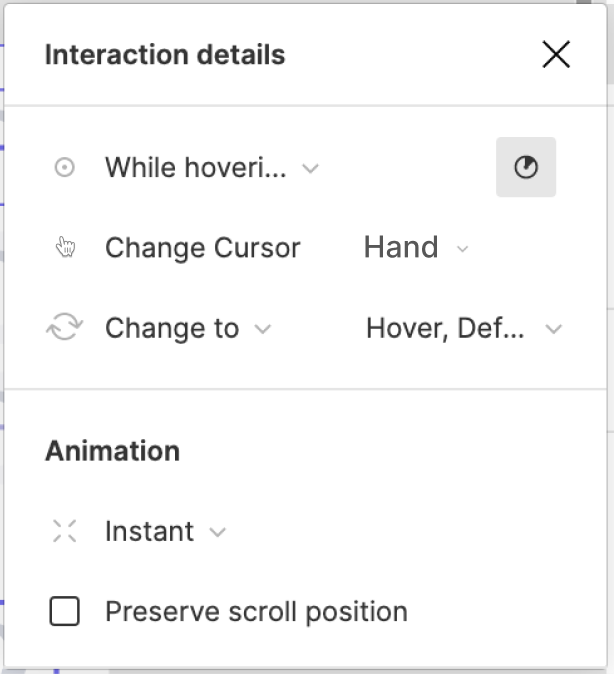
Currently, in prototype the cursor appears to be either ‘pointer’ (for everything) or ‘hand’ (if a click interaction set up on an element). I would like to be able to change this to a text cursor, when hovering over an input field in my proto. Affordance is a very important part of UI so surprised theres no way to do this? Of course can hack it by adding an image of a cursor, but then you end up having that plus the actual cursor on screen & it makes things worse. Should be an easy feature to add and would be very much appreciated!
71 replies

Sam_Rousseau
November 21, 2022

+1 - would love to be able to change the cursor. I find that during UR, users scan the page and more easily find the clickable areas in the prototype, because the cursor is changing.

I currently consider this a confound in our UR - I have been trying to add more clickable areas to represent reality more, but it makes prototyping much longer.

Margot_Gabel
Active Member
December 9, 2022

Adding other existing ideas to this thread. We often show desktop and mobile prototypes in the same page and therefore do not set any device type, just the max height. This results in mobile prototypes being shown to clients with a desktop cursor which is not very realistic…

Using Figma since 2018.
Stephen_Beck
December 20, 2022

+1!! I have solid need for: upon click → change mouse cursor to custom cursor

Thoggo
January 12, 2023

Adding to the thread – I’m looking to record a prototype demo showing a mobile app concept, so I need the touch indicator cursor, but I’d prefer not to use a phone frame to keep it independent of any specific device. (The Android Large frame is actually pretty generic, but all the device frames require a device-specific frame size and aspect ratio.)

This appears to be a pretty standard ability among other prototyping tools, so it would be nice to see Figma fill this gap.

himanshuag
New Member
March 29, 2023

Meanwhile, it would also be good if Figma can let us choose the right cursor pointer in prototype player. Having an arrow pointer for phone/tablet/touch-device mocks is unnatural. Principle has circular tap cursor.

Russell_Navin
New Participant
March 30, 2023

+1 Looking forward to this hopefully being a thing!

unfuzzy
April 15, 2023

This would be helpful, I add the device frame later when I’m making video mocks.

The way I get around it now is by setting a touch device (in prototype options) that’s too large for the design. So I get the touch cursor, but without a device eating into my screencap.

Rebekka_Karrengarn
May 10, 2023

need this feature!

June 5, 2023

+1 - custom cursor would be great!!!

bradbice-pluralsight
New Member
September 1, 2023

This is especially important in prototypes as default behavior for some controls should change the cursor (i.e. buttons should be arrows, not hand pointers)