

AlexPrykhodko
January 27, 2021

Jumping to a specific page/frame using a search box

  • January 27, 2021
  • 52 replies
  • 24867 views

1. Describe the problem your experiencing and how your idea helps solve this

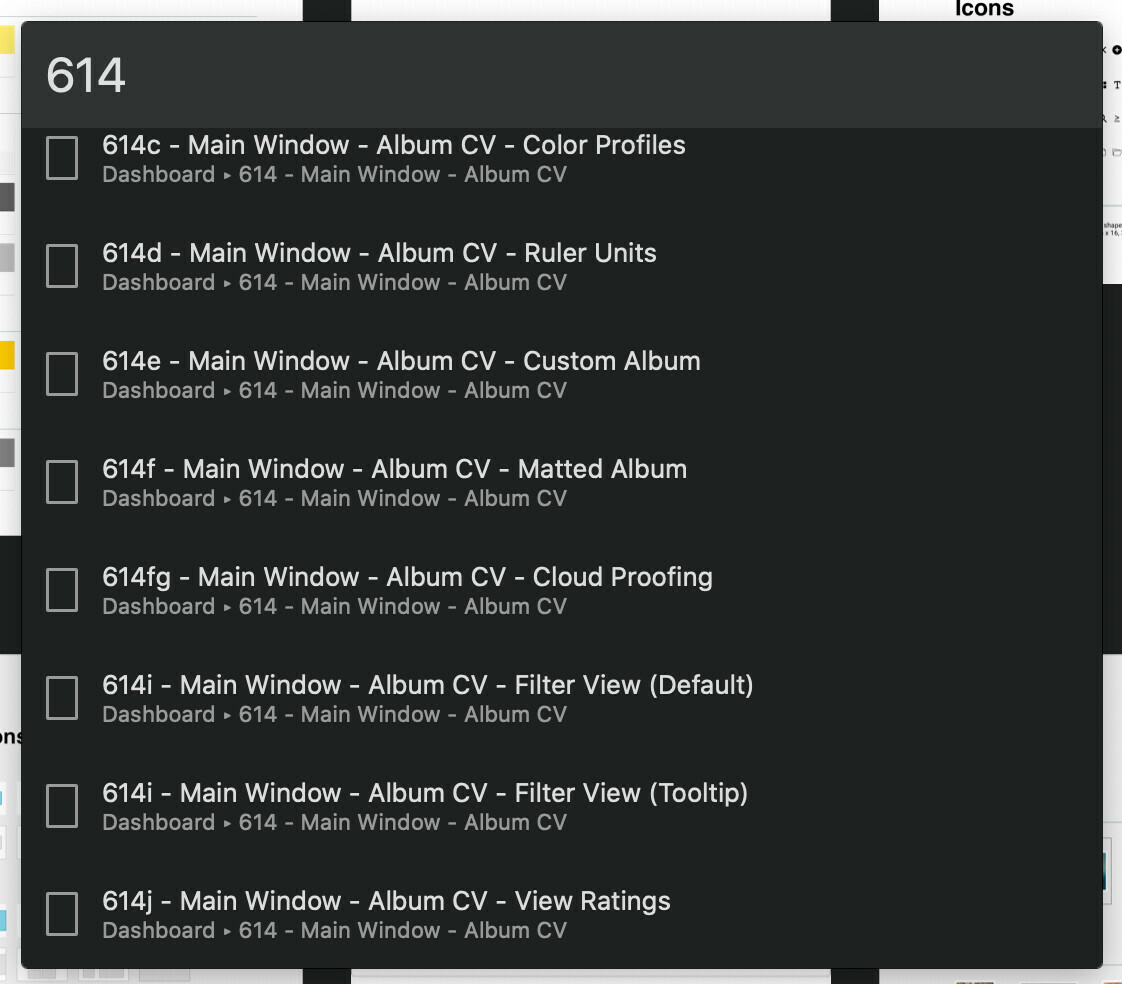
There is no way to search for a page/frame in a given project. A user should be able to quickly jump to an arbitrary page/frame by typing the page/frame name in a search box. Introducing a “Jump to…” feature similar to Zeplin’s CMD+J would solve this problem.

2. Add as much context as possible (screenshots, Figma files, mockups, etc.)

Zeplin’s “Jump to”:
52 replies

Jeff_Cohen
June 3, 2021

Searching by a file’s name is helpful, but It would be fantastic to be able to search WITHIN a file, including pages, artboards and assets.

I have hundreds of files / pages, and thousands of artboards. It’s quite challenging to find the right item at times. Being able to search the artboard or item name would be a huge benefit, as would being able to search text within those pages.

Ben_Smeets
Active Member
June 4, 2021

Same, I have no clue why having a search in a file (layers at least) is so hard. I reported it as a feature a couple of months ago and still no go. But it is so weird because it seems so obvious… Everything in Figma has a search, apart from a file. So weird. I didn’t know how much we depended on the feature.

pcote
New Participant
June 14, 2021

Funny thing is: there’s already a Search bar in Figma… but it’s in the Assets Tab. 🤦‍♂️

image

Jon_Armstrong
July 19, 2021

Large, complex pages in Figma are difficult to navigate in terms of finding layers, groups, and frames using the layers panel.

I’m looking for a layer panel filter with typeahead to filter out everything but the layer, frame, group, component that matches the text typed into the filter so that the layer panel is less difficult to navigate.

Does anybody else need to find a specific frame, group, object, component, etc. in the layers panel but instead of quickly locating the thing you’re looking you spend a lot of a time scrolling up and down in the layer panel and/or zooming in and out or panning around the canvas?

I know there was a similar thread last month, but I find it odd that Figma doesn’t have this feature. Sketch has had this for years and it’s a huge help in navigating files created by a large team where you may not have created the file, or the file is older and the page is super complex with tons of layers.

Just a command-f (control-f) to pop the cursor into a search field that would live-filter layers based on the text input. The layers panel would convert to displaying only those that match the search field.

ZOTONGNINOU
July 26, 2021

it seems a bit difficult to navigate between the frames when there are a lot of them

Allow search by frame

Michelle_Lamond
July 30, 2021

Why does Figma make you use plugins for simple features that are a part of every application everywhere? This should be a standard feature, imo.

Adam
July 30, 2021

One guess: It keeps the default software “lighter” and less resource intensive to run.

It’s not ideal but an alternative is something like Photoshop where there are so many features packed into every conceivable space that it becomes a massive bloated titanic that takes 5 minutes to startup.

tree
August 17, 2021

Hahaha,I just realized it,that’s true

ben.wc.ko
August 24, 2021

Besides the Search Layer feature, the share link file strongly needs a search in the “Viewer Mode” Otherwise, the handoff document is inefficient navigation for non-designer users.

Ben_Smeets
Active Member
August 25, 2021

@Josh Sorry, just have to disturb somebody on this. I just can’t wrap my head around it that there is a search almost everywhere in Figma, but not in the layer list. Is this something very complicated to build? Is there some sort of principle choice behind it? I am flabbergasted, but just trying to make “some” noise to hope somebody will see this and just pushes the button on this.

Cheers 🙂