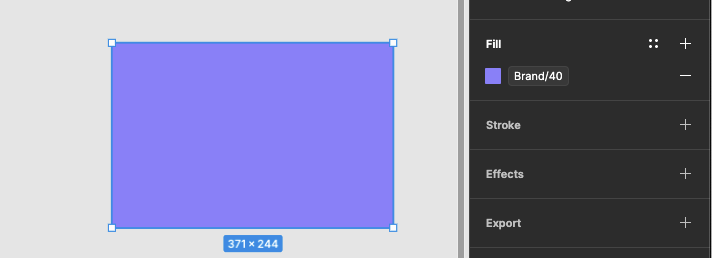
When aliasing a color variable to another (img 1), or using it directly on an element (img 2), we should be able to override the opacity without the need to create a variable for each transparency variation:
I was just switching over a Material Design library and hit this roadblock. Material Design 3 has 5 elevation levels of surfaces, which are defined by a fill of 2 colours: the surface colour, and then a semi-transparent tint of the primary colour in a given percentage for each level of elevation. Right now it’s defined as hex values. If I try to say it’s the variables surface at 100% opacity plus primary at, say, 5% opacity, it just changes it to 100% primary with no way to adjust it.
Figma provides the CSS for the current definition using hex for the colour definitions as:
The lack of an ability to set a transparency level for a color variable means I can’t use the feature fully. Instead I’ll have solid colours using variables, and any tints/mixes using hex literals.
In addition to what Equinusocio shared, our team uses design tokens to express opacity as well. So to expand on the shared example, we might have something like this:
That’s true, but unfortunately it doesn’t solve the problem. When you define a core palette of colours, each core token/variable will be a solid colour, such as –color-brand-10, –color-brand-20 (…) –color-brand-100. Design tokens reference these core variables in semantic tokens – let’s say your standard background colour for buttons and other interactive elements is –color-background-default, which references –color-brand-40.
If you have components like tooltips that overlay other UI elements, and you want to give them transparency, you’d ideally want to use another semantic token like –color-background-overlay, which references the same –color-brand-40 as your other token, but also adds opacity. This currently isn’t possible. Our team is using a temporary workaround by creating semantic tokens with transparency as hard values rather than as references to core variables. In the Tokens Studio plugin, you were able not only to add hard opacity values to semantic tokens, but also create opacity tokens.
Would love this too! In my organisation we would need to reference our Color Primitives and specify the opacity only in the semantic layer. This is currently impossible, I need to create new variables disconnected from the primitive value to achieve this. As it is, this seems to go against the spirit of Variables, would be amazing if this could be added!