mrmrgill
New Member
Jul 29, 2025 3:33 PM UTC
Solved

Font Selection Missing Completely

I ran into an issue after building a prototype, which now needs to be updated with a different typeface, where I cannot see or adjust the font at all.

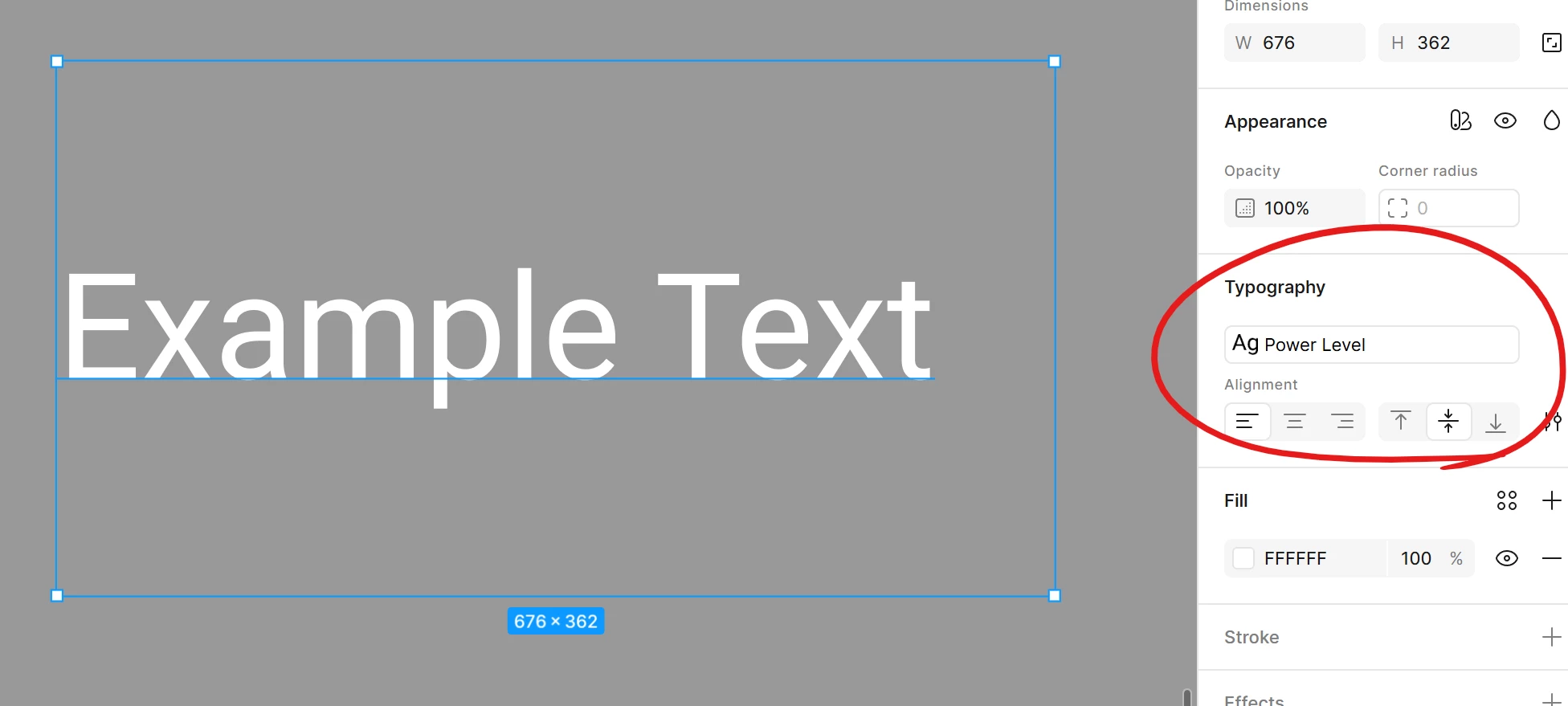
In the file I’m having an issue with I see this on the right side, with text selected:
 

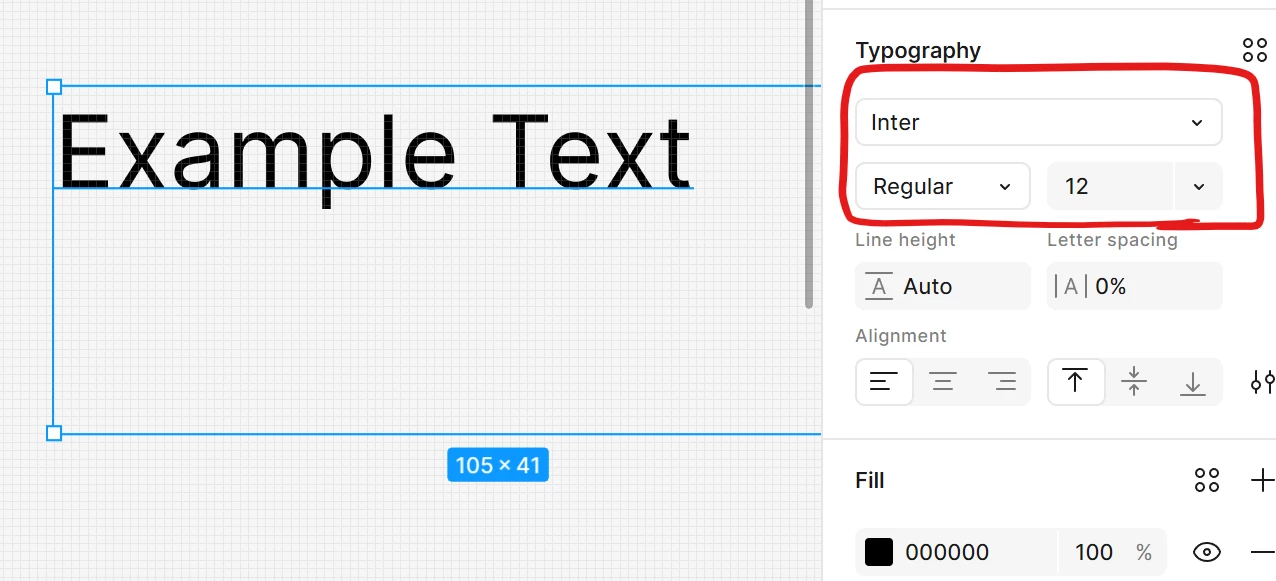
If I create a new file, I can see the font selection feature which is missing in the previous file:

I have tried refreshing my browser, using the desktop app and rebooting my computer.

If I create a new file, then copy paste the prototype content of the original into it, I end up with the same problem.

I just need access to the existing Google fonts library.

Does anyone have an idea what’s going on?
This topic has been closed for replies.
mrmrgill
mrmrgillSolution
New Member
Jul 29, 2025 4:26 PM UTC

Alright, got a tip from Reddit as to why this wasn’t showing.

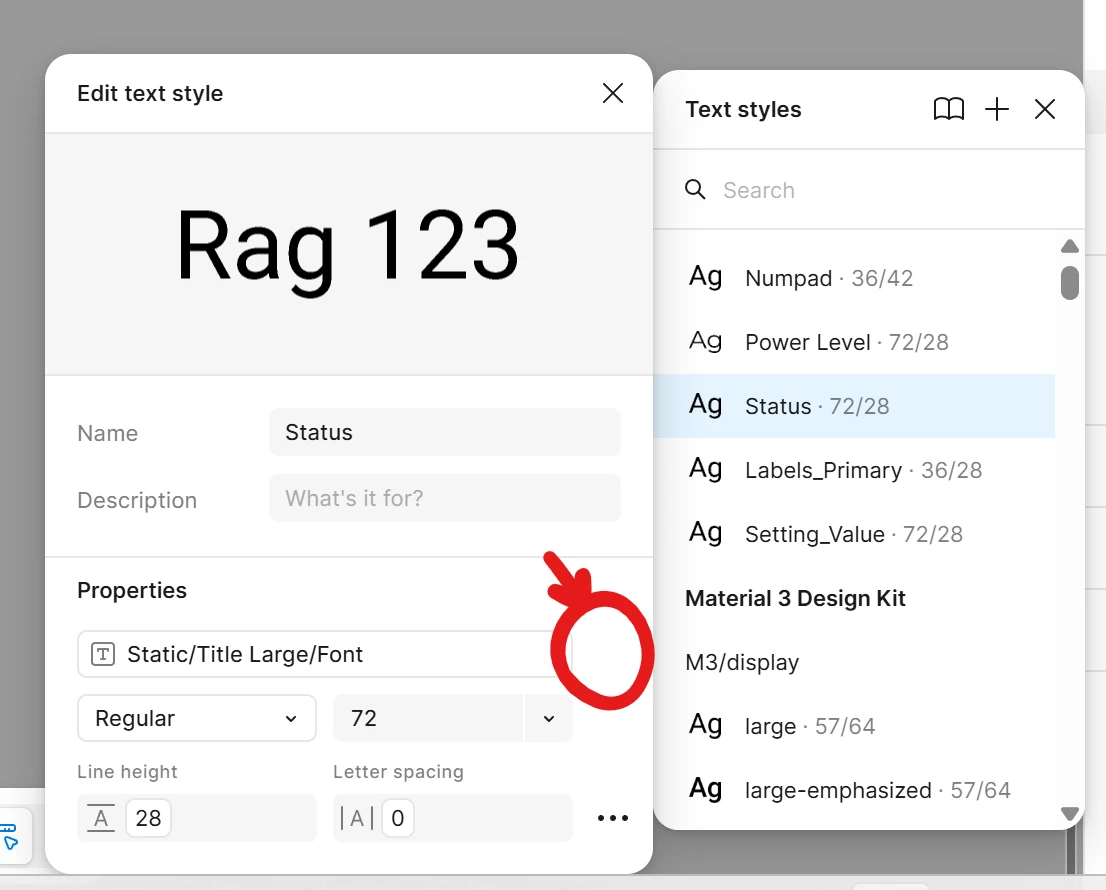
I had to detach the style from the “Static/Title Large/Font” property that I got from a pre-existing library.

Detaching this allows me to modify the font for this style.

Clicked the icon that shows up in this space:


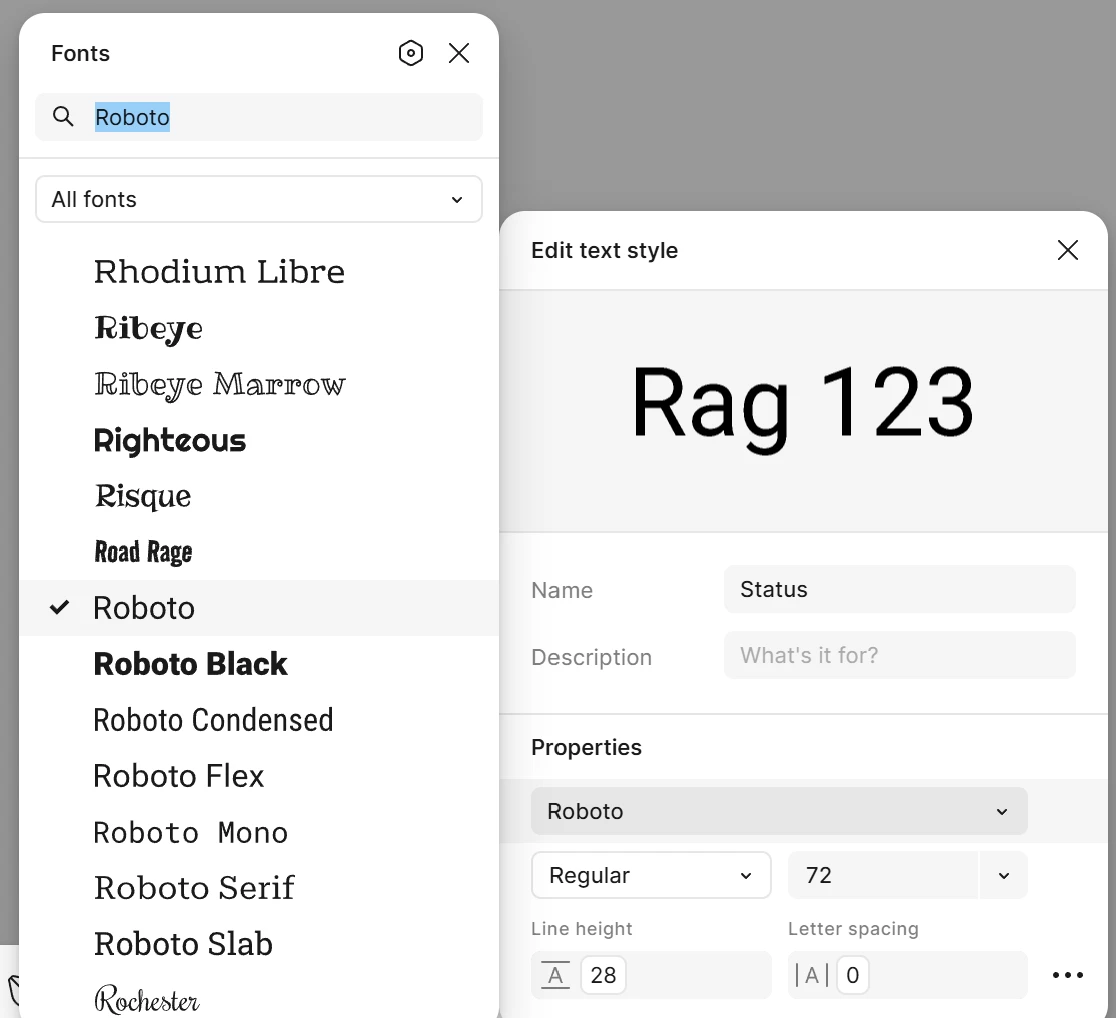
Now I have access to all the fonts:


1 reply

mrmrgill
mrmrgillAuthorSolution
New Member
Jul 29, 2025 4:26 PM UTC

Alright, got a tip from Reddit as to why this wasn’t showing.

I had to detach the style from the “Static/Title Large/Font” property that I got from a pre-existing library.

Detaching this allows me to modify the font for this style.

Clicked the icon that shows up in this space:


Now I have access to all the fonts: