

N.A.G.A
New Participant
February 8, 2024
Question

Nested animation stops when using variables

  • February 8, 2024
  • 23 replies
  • 1739 views

I am encountering a bug where the nested animation inside a component stops in the middle when variant state is changed using variables. Can anyone from Figma team help?

Steps to reproduce:

Step1: Lets say a component named X has 3 variants(named alpha, beta and gamma) out of which one variant(alpha) has an animation (animated using a nested component named Y).

Step 2: A local string variable(StringVar) is created and the value is set to one of the component X’s variant names eg:‘alpha’.

Step 3: Drag a child component of component X onto canvas and link the state to the local string variable created above.

Step 4: Create two buttons labeled betaBTN and gammaBTN with mouseenter and mouseleave interactions. So on mouseenter, the local variable StringVar is set to variant names (beta or gamma) based on the buttons(betaBTN or gammaBTN) the mouse is moved over. This works well so far. The issue is with the mouseleave trigger which is set to the animated variant (alpha) so when mouse is outside the button areas you will see some animation. But it is not working as expected. It is changing the variant, but the nested animation stops in the middle of the animation and doesn’t continue. There is no option to reset the state of the variant when using variables.
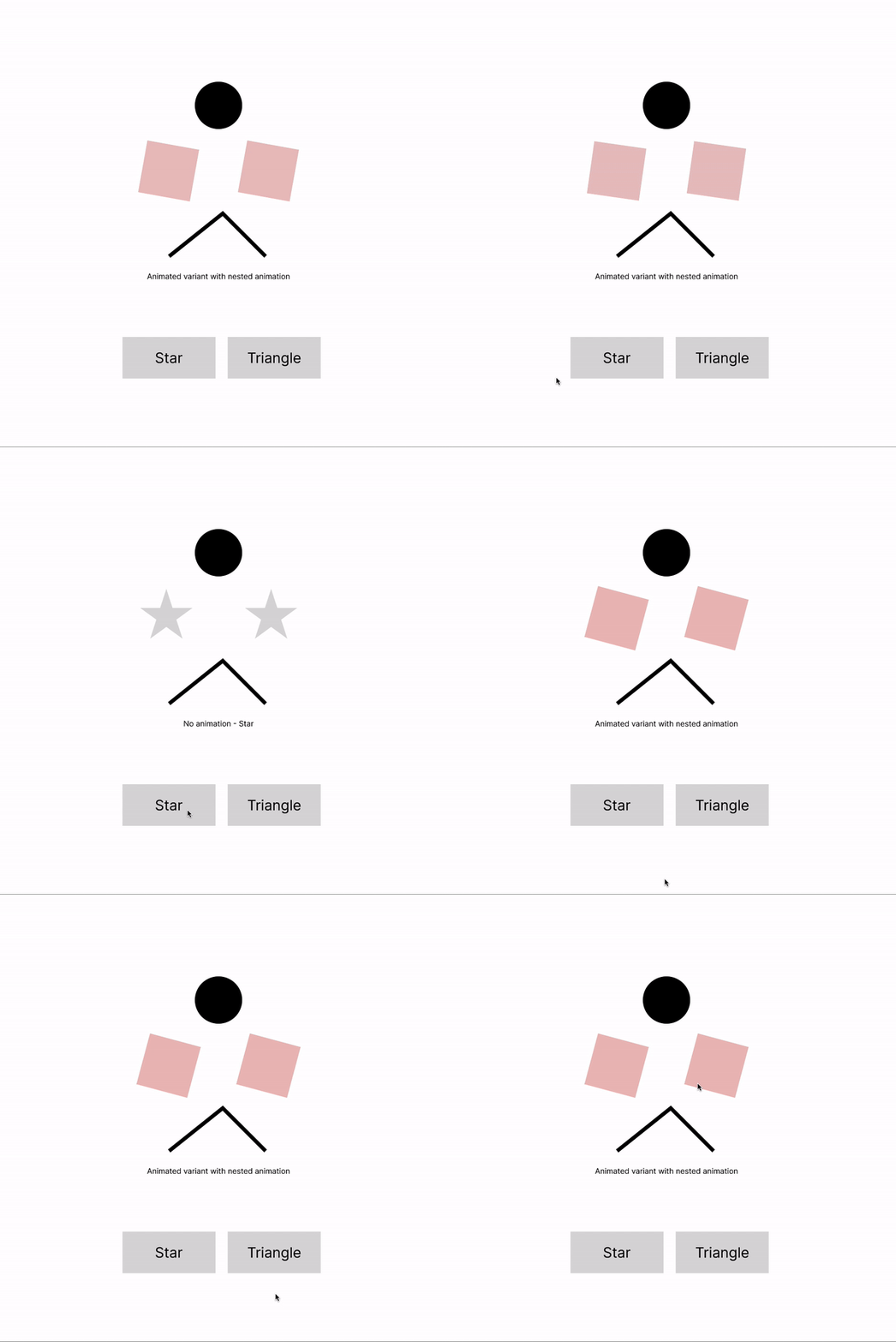
variable_state_change

I have attached the file if anyone wants to look at this. Thanks in advance.
variable state change.fig (48.7 KB)

This topic has been closed for replies.

23 replies

y_toku
Figmate
Community Support
February 11, 2024

Hi there,

Thanks for reaching out and sharing the details with the file! I am asking with our internal team. I will get back to you when I have any update.

Thanks,
Toku

N.A.G.A
N.A.G.AAuthor
New Participant
February 11, 2024

Thank you, @y_toku . Looks like there were a few posts talking about this issue. When changing component variants/states using variables, nested animation within a component doesn’t work.

Please let us know if there is an update on this issue.

Guy_Meyer1
February 12, 2024

@y_toku more than happy to jump on a zoom to demo the issue. 🙂

N.A.G.A
N.A.G.AAuthor
New Participant
February 15, 2024

Any update on this? @y_toku @Junko3

y_toku
Figmate
Community Support
February 21, 2024

@N.A.G.A @Guy_Meyer1 My deepest apologies for the late reply! I’ve been consulting with our internal team about your issue. However, I think it’s best if our support team takes a closer look at your file.

Could you please contact our support team directly and provide a copy of your file: https://help.figma.com/hc/en-us/requests/new?

Make sure to use the email linked to your Figma account, include links to the file in question, and grant access to support-share@figma.com. Don’t worry, sharing your file with us won’t affect your billing.

Sorry again for keeping you all wait but I hope our support team will help you further.

Thanks,
Toku

Darwin_Campa
New Member
April 12, 2024

I have a workaround to this that may help. TL;DR - opening an overlay jump-starts nested animations.

Explanation and demo file here: Trigger `On Delay` action with boolean logic - #6 by Darwin_Campa

Vitalii_Gachkovskii
August 8, 2024

Same problem with me — a nested component with looped animation on delay doesn’t work after parent component variant is changed

Shane_ANDERSON
New Participant
August 11, 2024

Problem still exists. I have had no success getting any animation to work when using a variable to change component states.

First try: Creating a “start” variant on the parent level that after a short delay triggers auto animate (slide into view) to another variant “end”. Variable would be set from navigation but animation would never happen.

Second try: Nest a component that has the same animation then set several of those as variants in a master component that would then be switched via variable…animation never runs.

Shane_ANDERSON
New Participant
August 12, 2024

Basically, what I am trying to accomplish is having a hover state on a navigation item that would then trigger an image animating into view (slide + fade-in). Each nav item would have a different image animating into view.

Figmate
August 20, 2024

Hi there, Thanks for reaching out. Sorry to hear that you still have an issue.

It’s hard to know if what you’re seeing is a bug or how it’s supposed to work without looking at the file. I suggest you contact our support team so they can take a closer look at your file here: https://help.figma.com/hc/en-us/requests/new?ticket_form_id=360001744374
When reaching out, please remember to include the following details:

  • Your Figma account email
  • Recording or Screenshots of the issue, capturing the full Figma screen with the left and right-hand panels
  • The URLs of the affected file and any related library files, add support-share@figma.com as an editor of those files(this will not affect your billing)

Thanks for your assistance and understanding!