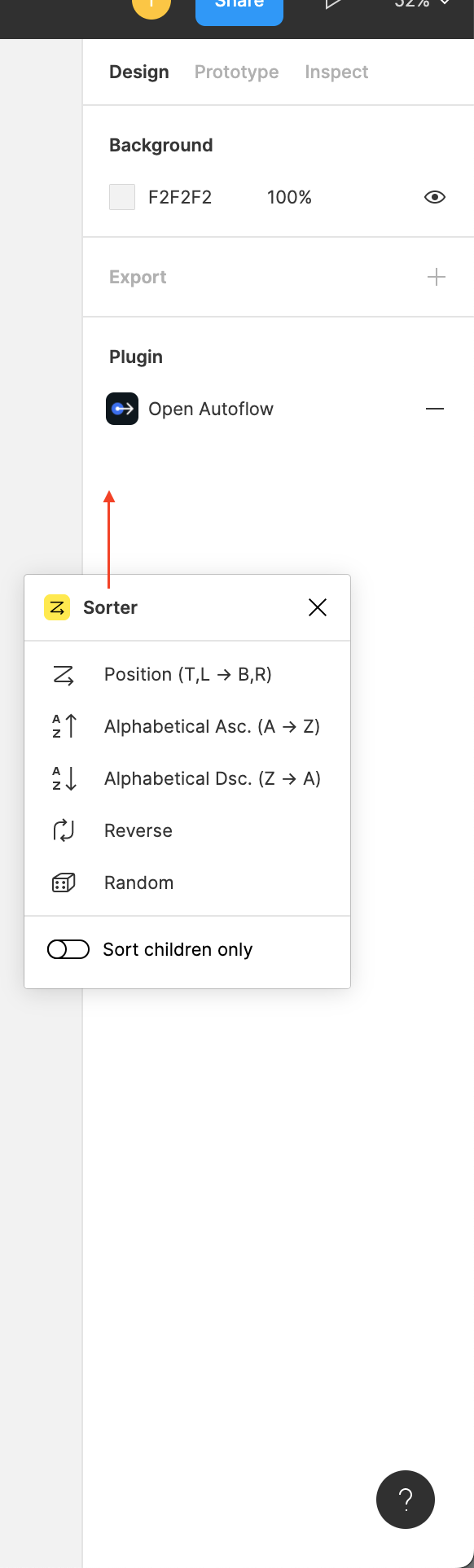
Trying to figure out the same thing here. Only one of the 20+ plugins is showing on the sidebar. Can’t understand the reason… looked everywhere. @Figma_Support Any ideas?
@Thierry_Vilaysith, @Monike, only those plugins are added to the Properties panel, the authors of which have implemented a special code. That is, it doesn’t depend on the user, and the user himself cannot add certain plugins to the Properties panel.
UX/UI designer. Figma expert. Creator and developer of plugins and widgets for Figma and FigJam. Check out my resources in Figma Community: figma.com/@tank
UX/UI designer. Figma expert. Creator and developer of plugins and widgets for Figma and FigJam. Check out my resources in Figma Community: figma.com/@tank
For me, the main question is how to stop getting suggestion, I have one plugin that pops up in there when I click on almost anything and its driving me crazy …