

Phu_Nguyen
Active Member
September 23, 2024

STOP hiding buttons, Figma!

  • September 23, 2024
  • 3 replies
  • 246 views

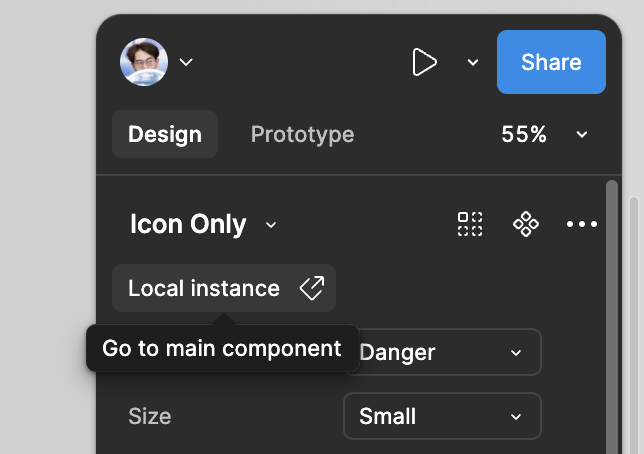
In the latest update, it took me a while looking for the “go to main component” command which was in this menu.

Magically i found out that it is hidden under the library name lol.
image

I have heard in the last ConFig 2024, you guys told that you redesign things not to let user waste time look for hidden buttons that would show while hovering.
You may have made the UI clean, but it is way toooooooo confusing.

I am thinking you skip UX while design this UI3, or you were giving this to some intern to be in charge. I believe most of designers hate UI3 as I hate it. I suggest to bring back the component menu in toolbar.
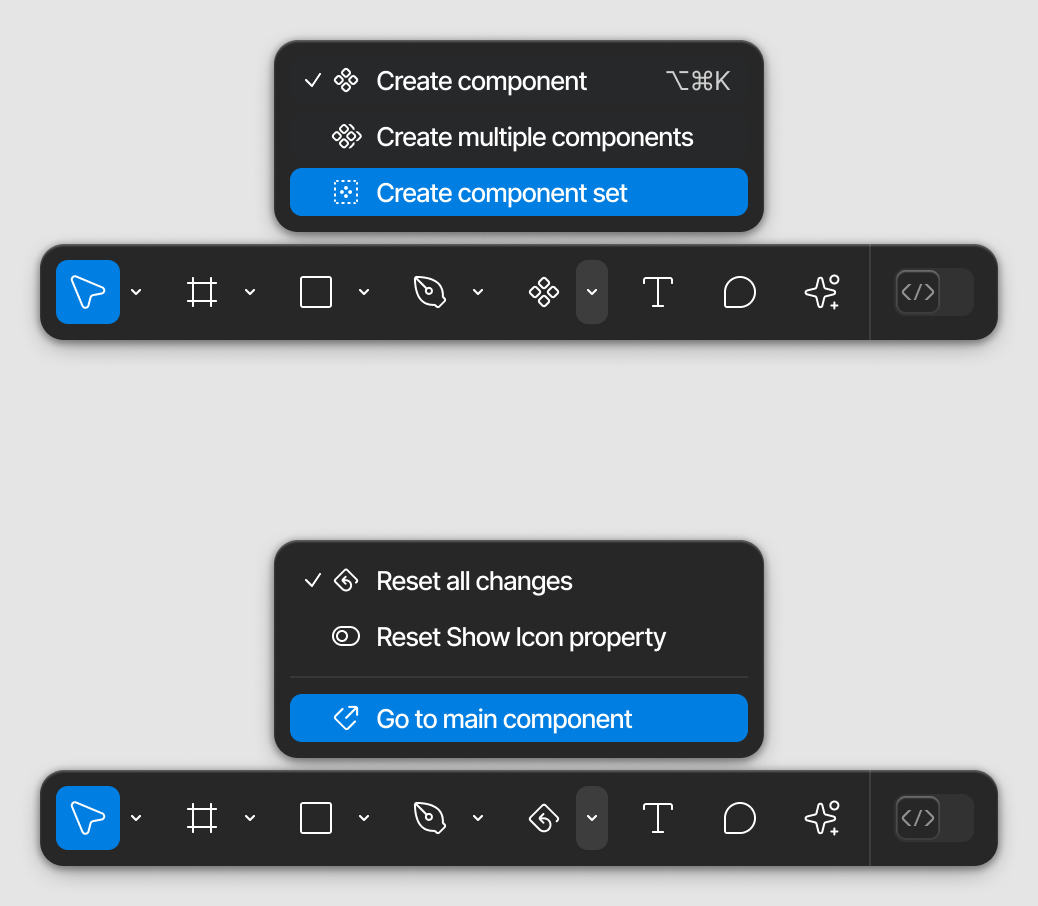
3 replies

Phu_Nguyen
Active Member
September 25, 2024

image
Also, when a nested instance which is not published along with library is selected, that button is hidden, looks ridiculous.

Amadeusz_Wasik
New Participant
September 25, 2024

But they brought Figma Slides button on top. 🙆‍♂️ Yeees…we all would like to see here 100% wide promoting button instead of a line of super useful and used everyday actions.

image

djv
Figmate
Community Support
September 27, 2024

Hey All, thanks for the feedback!

We’ll pass this onto our UI3 team for future improvement.