

Layout Grids not showing on frame rotation
  • October 18, 2024
  • 6 replies
  • 873 views

Jo_Williamson

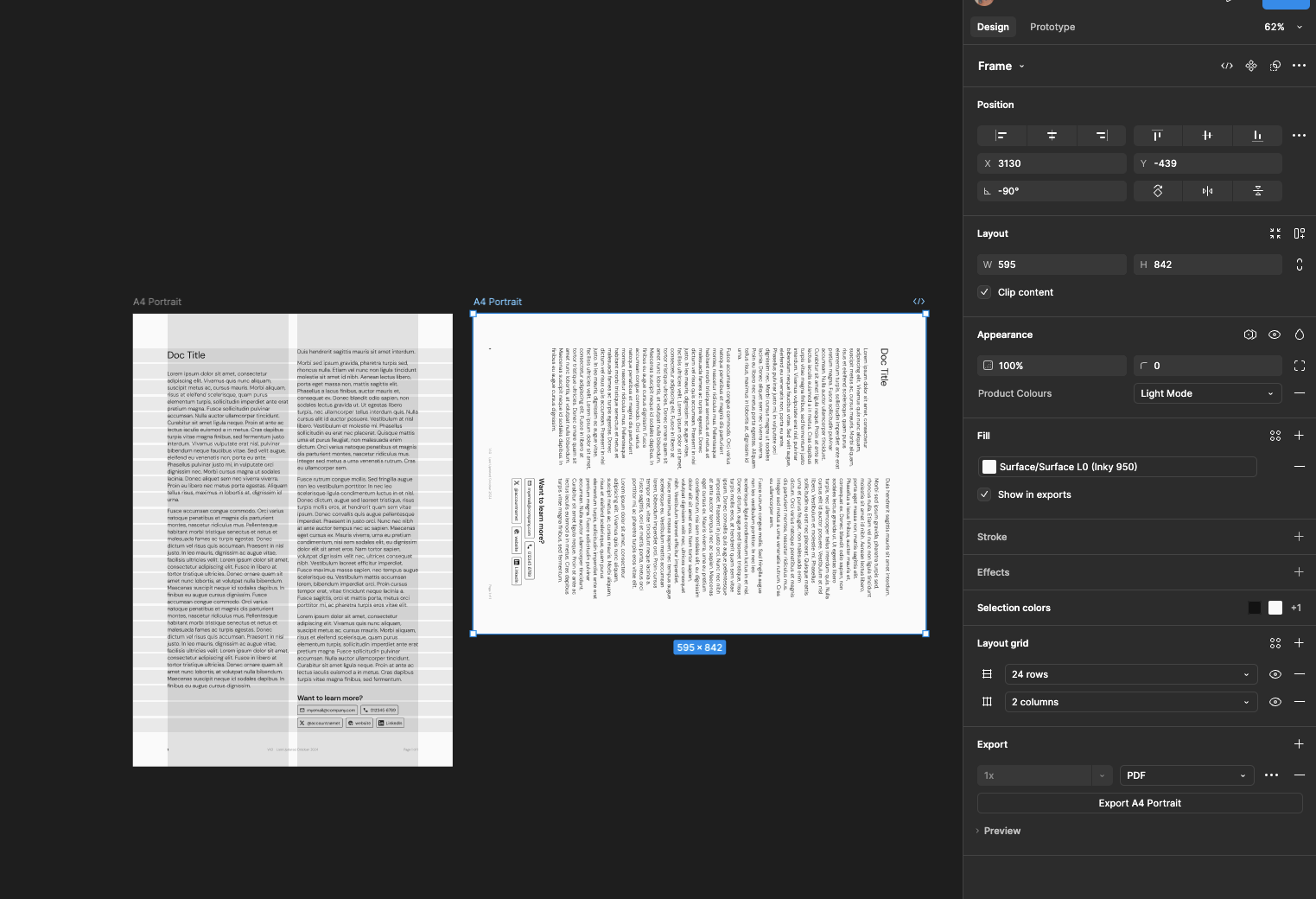
So I have this document that we use for one-pagers in my company. It exists in portrait, but I’m taking an existing one and making it landscape. When I take the original page and rotate it 90 degrees, the grids disappear. So far I’ve tried

  • removing the grids and resetting them up
  • shutting down Figma and restarting
  • closing all tabs and reopening needed tabs
  • switching on/off grid view
  • I’ve turned the colour of the grid opacity to 100%
    All result in Nothing

Any help would be great

6 replies

y_toku
Figmate
  • Community Support
  • October 21, 2024

Thank you for your feedback! Unfortunately, this is a current limitation of the feature. I’ve shared your input with our internal team. For now, the rotation needs to be set to 0º to display layout grids correctly.

You can find more information here:

Figma Learn - Help Center

I’ve also changed the category to “Share an Idea” so we can gather community input for future improvements.

Thanks for your understanding.
Toku


Brian_Olson
  • Active Member
  • November 13, 2024

If I apply any transformations to a frame, the grid feature stops working.

Before:

After:

Please fix grids so they keep working after a transform is applied.


CreativePunk

After rotating the frame, the layout grid is not being applied. Any one facing this same issue?


luc.jordaan
  • New Member
  • September 1, 2025

I know it’s a bit late but I have just run into the same issue and I wanted to share an easy fix. 

Create a custom artboard with the dimensions: W842 x H595 and then apply the grid. Now you have a landscape A4 artboard that a grid can apply to.


Jonas1
  • New Participant
  • September 1, 2025

Yes, it’s very annoying.


Cal.Johnson
  • New Member
  • December 2, 2025

Unfortunately, this issue still persists.