March 6, 2024

"Follow active frame" in Prototype view

  • March 6, 2024
  • 8 replies
  • 558 views

The “follow active frame” function was introduced in preview mode. I would also really like to have this functionality in the Prototype view.

What do you think about it?
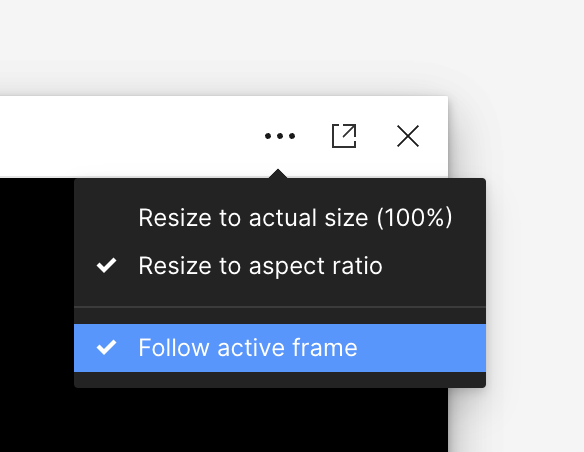
follow active frame in prototype view

8 replies

March 6, 2024

… In that way you could easily see the prototype on a external monitor and control the frame selection on the other display.

djv
Figmate
Community Support
March 8, 2024

Thanks for the feedback!

We’ll pass this onto the team for consideration.

April 12, 2024

Love this idea. Would be very useful.

Ded
May 15, 2024

This is really important for those who are migrating from Adobe XD and use 2+ Monitors. I am finding it very hard to fit in Figma because I like to have a live preview in my second monitor that follows my active frame. It gives you a real representation of what the app will really look like. Missing this is slowing me down a lot and it shouldn’t be really hard to integrate…

May 15, 2024

This is a development that will be really useful. It needs to be taken into consideration and gain functionality as soon as possible.

May 22, 2024

+1 on this. I’ve come from XD and finding it hard to talk through a design with a client when screensharing.

ntclark
New Member
July 10, 2025

For anyone else coming from XD and looking for this, it does technically exist, but outside of the normal Present flow (I do hope they build it into that feature tho). What you’re looking for is Mirroring. It’s available in the mobile apps, and handily, at https://www.figma.com/mirror. So if you open that page in a separate browser window, you get the desired functionality. Hope it helps!

Duckling
New Member
April 21, 2026

… In that way you could easily see the prototype on a external monitor and control the frame selection on the other display.

This would be SO HELPFUL!!!!
