

Erik_Wingren
February 13, 2024
Solved

Why are the ellipsis for truncated text vertically centered?

  • February 13, 2024
  • 4 replies
  • 1116 views

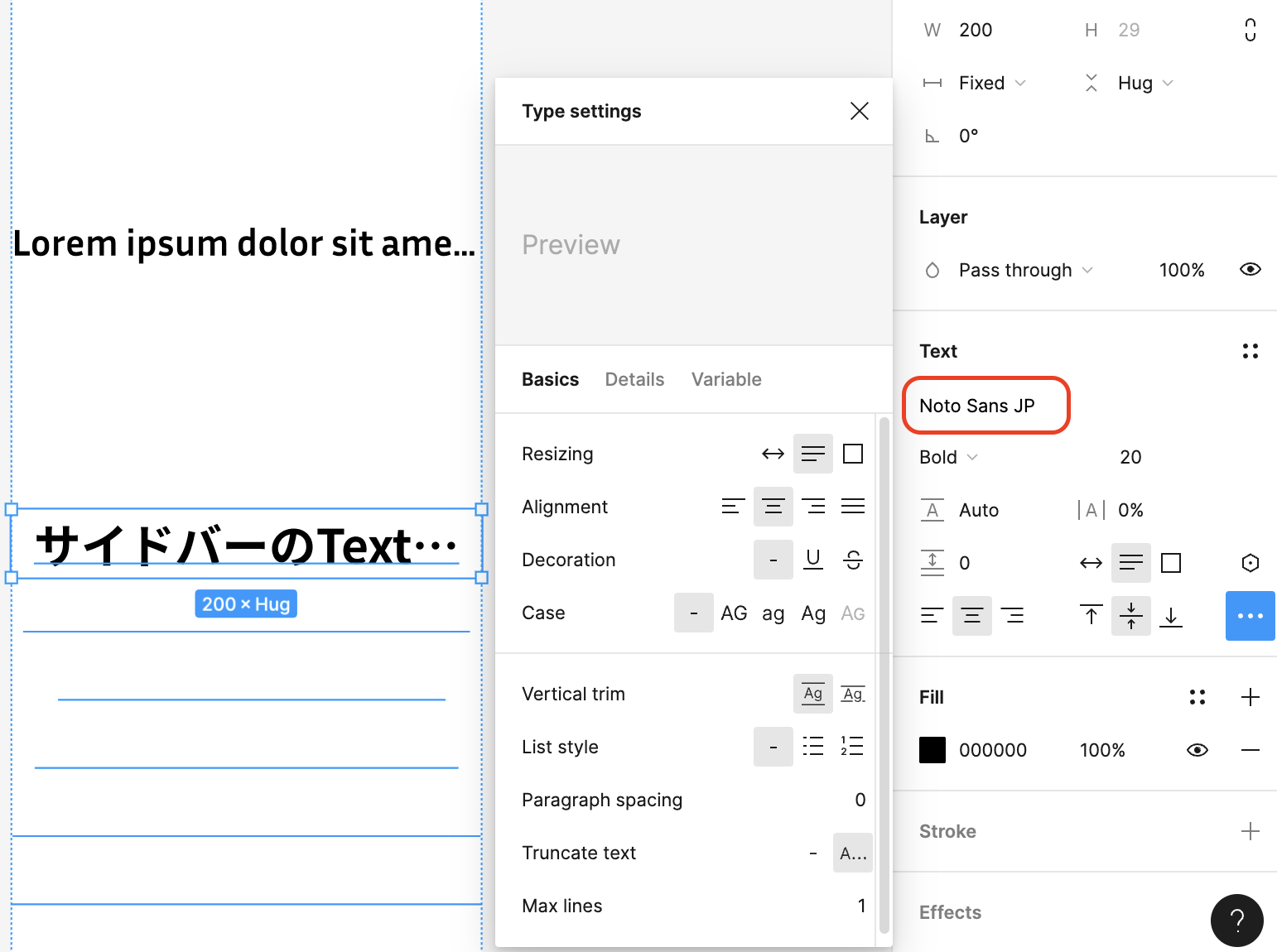
When a text element is set to a fixed width with truncation, the ellipsis is vertically centered.

Is this a bug, or am I missing some setting/option that would display the ellipsis at the baseline of the text, like… ?
This topic has been closed for replies.
Best answer by Junko3

Hi @Erik_Wingren, Thank you for reaching out and sharing your screenshot. I understand that you may find this situation strange.

I tested it on my end and was able to reproduce this behavior using the font [Noto Sans JP].

So it might be related to the specific font you are using. Could you please try using different fonts and check the ellipsis position?

I hope to hear from you soon! And if any other community members have any insights or suggestions, please feel free to jump in!

Thanks,

4 replies

N.A.G.A
New Participant
February 14, 2024

sounds like a bug… do you have a screenshot? It seems to work fine on my end.

Erik_Wingren
February 14, 2024

Here’s a screenshot of the text element with vertically centered ellipsis and the text control panel.

Junko3Answer
Figmate
February 15, 2024

Hi @Erik_Wingren, Thank you for reaching out and sharing your screenshot. I understand that you may find this situation strange.

I tested it on my end and was able to reproduce this behavior using the font [Noto Sans JP].

So it might be related to the specific font you are using. Could you please try using different fonts and check the ellipsis position?

I hope to hear from you soon! And if any other community members have any insights or suggestions, please feel free to jump in!

Thanks,

Erik_Wingren
February 15, 2024

Spot on! Switching the font to regular Noto Sans did the trick. Thanks for the help!