
Answer

How to have multiple background layers while using color style

  • April 22, 2024
  • 3 replies
  • 429 views

Rafastesia

Hello, community. I’ve faced this problem a lot of times, and I’ve seen a very graphic example in other social web, which I link here.

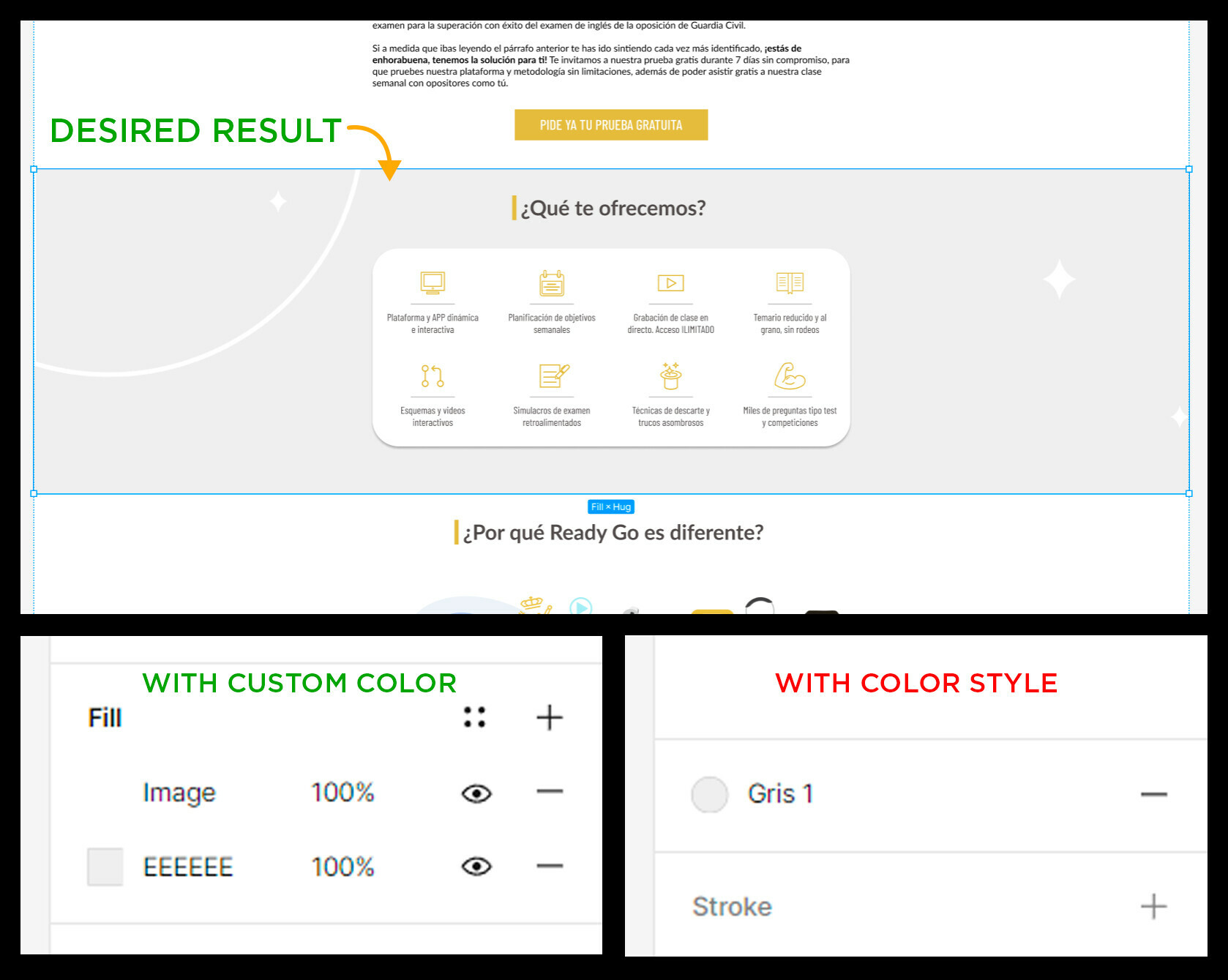
The issue is I want to use a background color for a frame, and to add a background image over it at the same time. When using a custom color it is possible to add different layers, but when applying a color style, the option of adding new layers disappear. Do you know how to solve this?
Best answer by djv

Hey @Rafastesia, thanks for reaching out and sorry for the trouble and confusion!

I just tried to recreate a background color with an image over it, and I confirmed that you cannot have multiple background layers while using a color style.

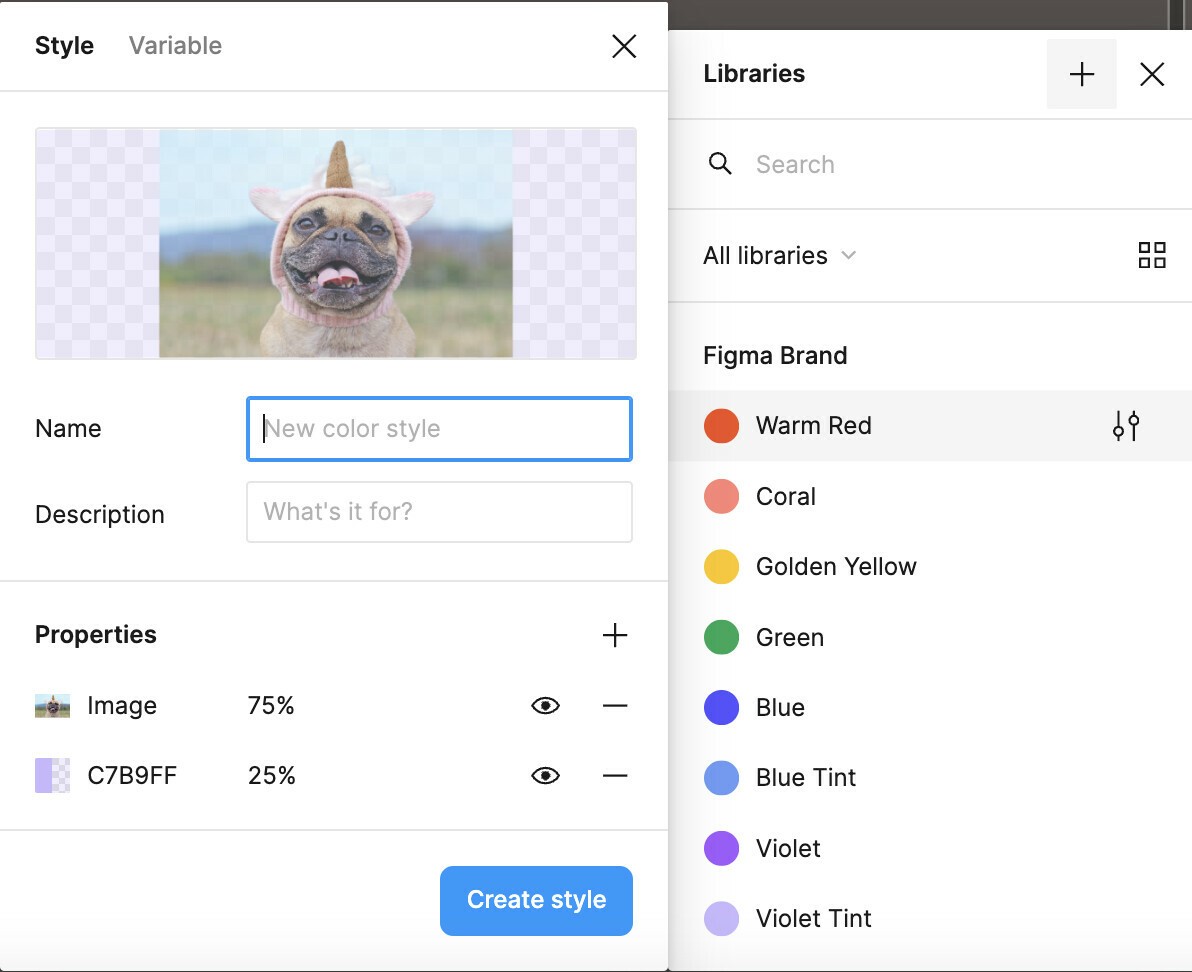
As a workaround, you can create a new style using the color and image of your choice as Properties, then use that style as your background:

This topic has been closed for replies.

3 replies

djv
Figmate
  • Community Support
  • Answer
  • April 23, 2024

Hey @Rafastesia, thanks for reaching out and sorry for the trouble and confusion!

I just tried to recreate a background color with an image over it, and I confirmed that you cannot have multiple background layers while using a color style.

As a workaround, you can create a new style using the color and image of your choice as Properties, then use that style as your background:


Rafastesia
  • Author
  • April 24, 2024

Thank you, @dvaliao, it really helps. I hope your team makes this easier in the future 🙏.


djv
Figmate
  • Community Support
  • April 24, 2024

You’re welcome!

I’ll pass this feedback onto the team for future consideration.