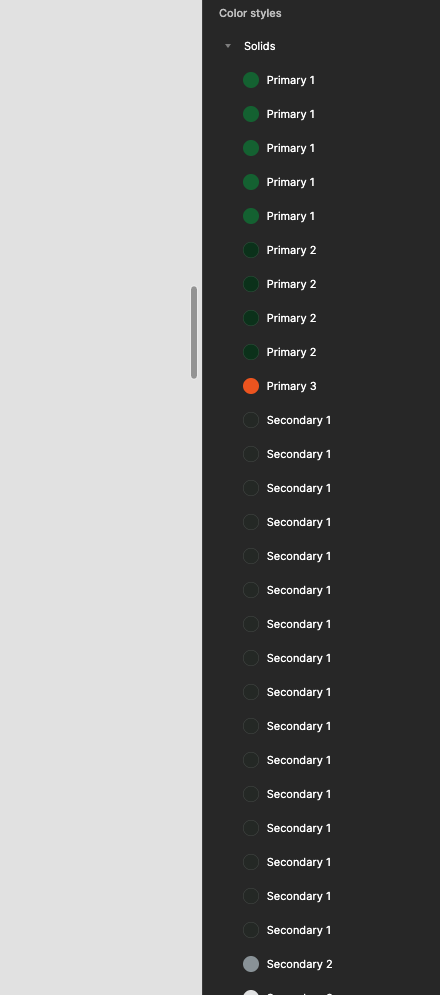
Figma Creating Multiple Redundant Styles Arbitrarily
This morning I applied styles to a new job that I started and when I opened it this afternoon, multiple styles had been arbitrarily added, some more than others. I have this not only in my color styles but in a few text styles as well.
I notice that if I delete them down to one, the last one is not editable at all. If I select something with this style it will highlight all four. If I edit one, it will change only that one. I have no idea what to do, if it was something I did, or if this is a bug. We work with files from a separate in-house design system, but their attributes (colors, etc) are not being pulled in.
Is this something known or is this somethings that’s just bugging out right now? Just trying to figure out how far to take the file as it currently is. Thanks!