Jul 30, 2024 6:46 PM UTC
Solved

'Clip Content' not working on bottom perimeter of frame

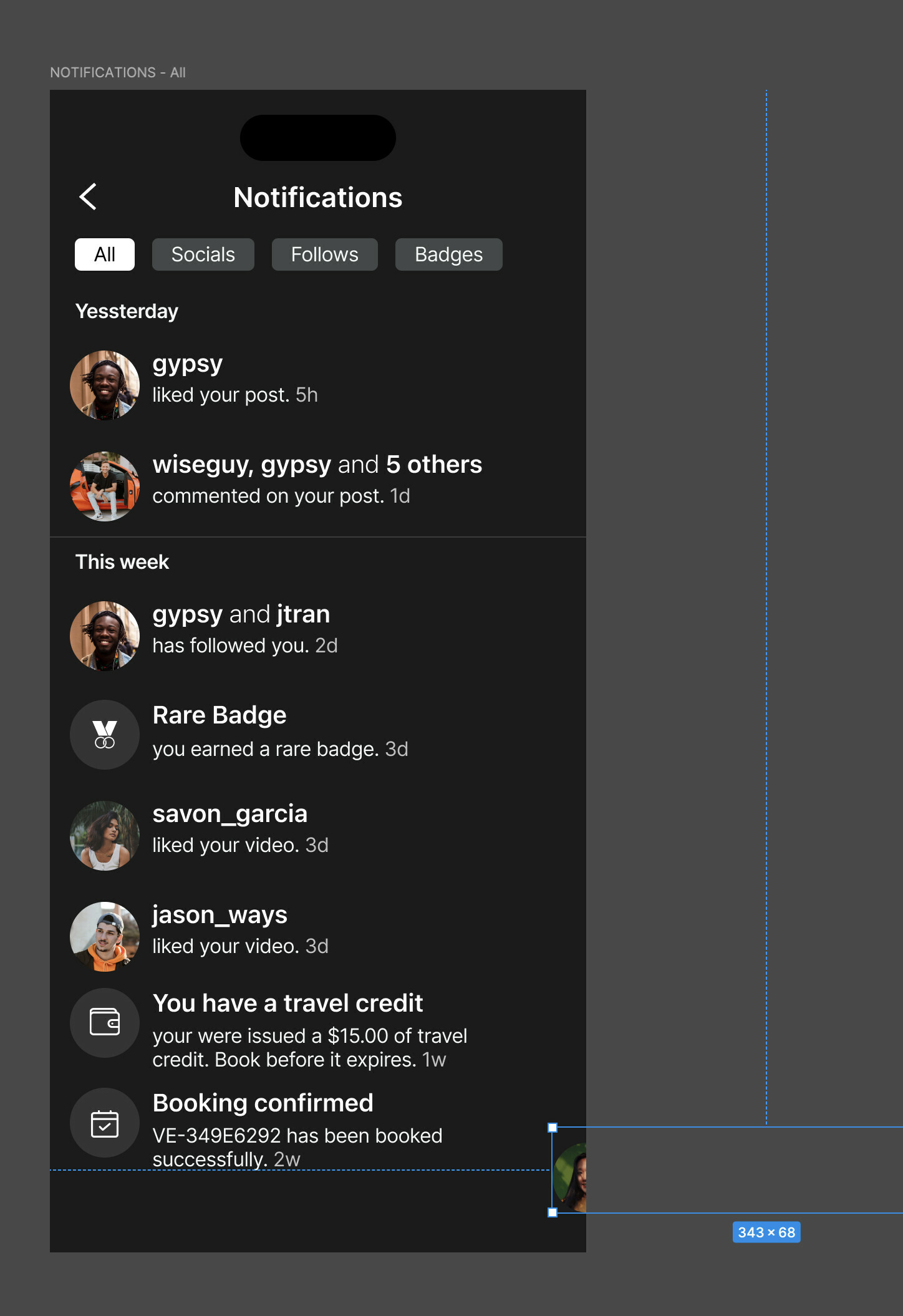
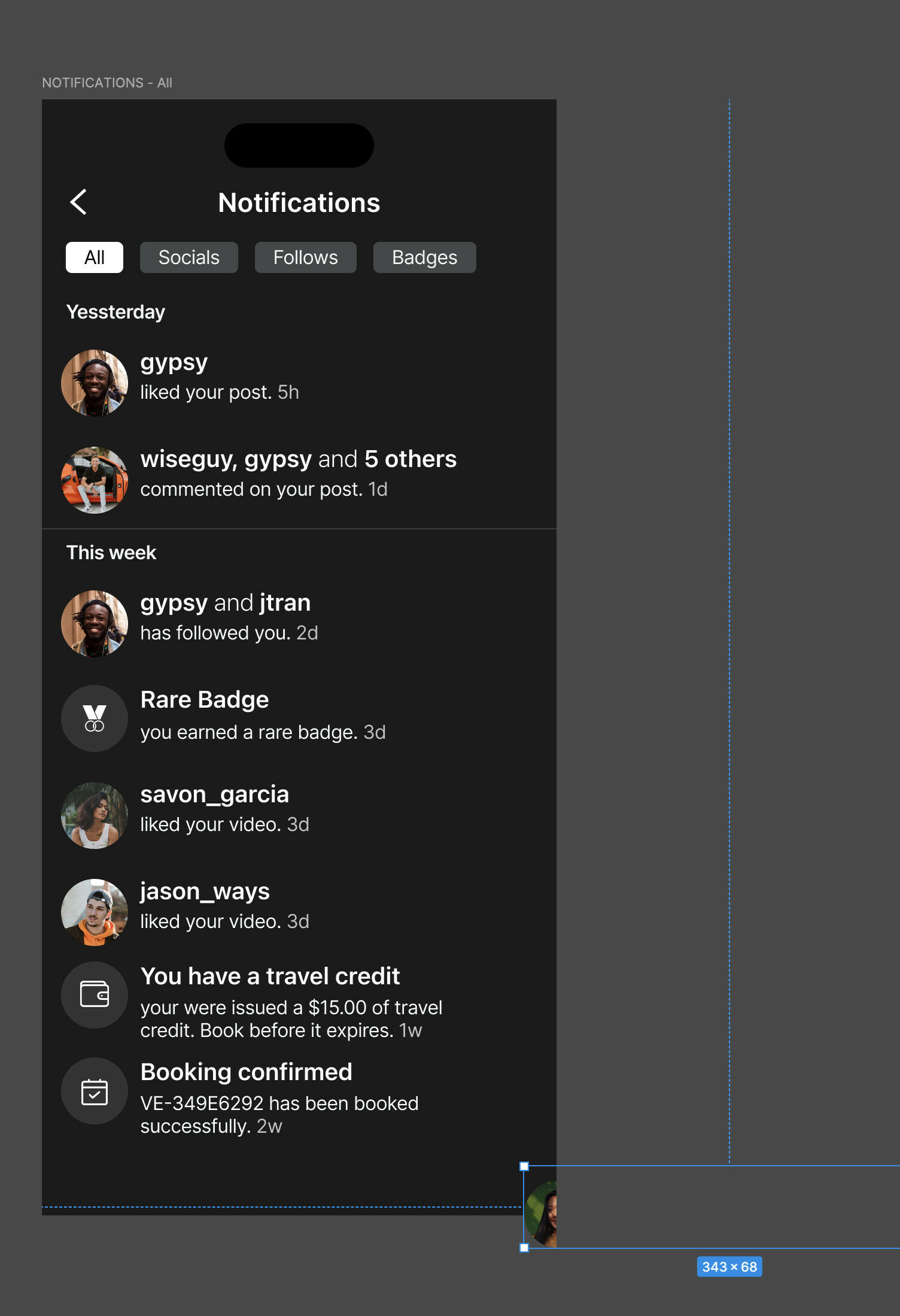
I have clip content checked/selected but it’s not clipping my contents on the bottom of the frame however it works on the sides.

Can anyone help me with this?



This topic has been closed for replies.
Gleb
GlebSolution
Power Member
Aug 1, 2024 2:25 PM UTC

You can clearly see on the screenshots that the frame is larger than the gray background so it does clip content, you are just not dragging it outside of the frame border.

7 replies

KennLucas
Jul 30, 2024 6:59 PM UTC

Can you post the file or a link to it please?

Aug 1, 2024 1:25 PM UTC

I’m having the exact same problem.
Have you discovered a solution?

Gleb
GlebSolution
Power Member
Aug 1, 2024 2:25 PM UTC

You can clearly see on the screenshots that the frame is larger than the gray background so it does clip content, you are just not dragging it outside of the frame border.

techAuthor
Aug 1, 2024 6:05 PM UTC

Hey Gleb,

You’re correct, I actually found this prior to anyone’s response. That was the first time that’s happen to me where somehow the frame got shortened.

Thanks for your reply!

techAuthor
Aug 1, 2024 6:05 PM UTC

Already solved but thanks for this suggestion and I’ll remember to do that next time.

techAuthor
Aug 1, 2024 6:08 PM UTC

have you read the comments and are you still having this issue? If you look in the first screenshot you’ll see that the frame got shortened somehow (see largest blue outline and look towards the bottom) so I needed to extend the object (grey fill of the frame) down to the blue border and then it reflected the clipped content.

techAuthor
Aug 12, 2024 11:45 PM UTC

Yes I did. I actually figured it out before anyone commented but the first comment still helped with context.