

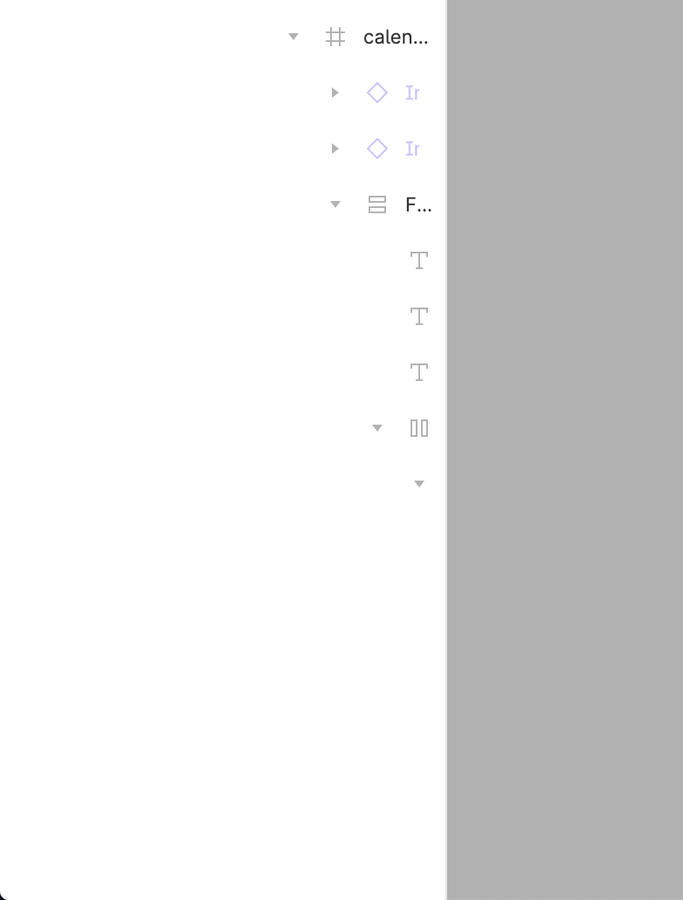
What do you think about having a horizontal scroll on the layers panel? I can’t see the name of the layers and usually widen the panel to be able to see, but since I use a 13", this makes the canvas smaller.
(If you’re using Figma on the web, you can use TamperMonkey or similar to automatically run this code on every figma.com page. If, like me, you use the desktop app, you unfortunately will not have that luxury).
This feature already exists. Select layers and show/hide them using:
A. Ctrl + Shift + H;
B. Right-click and select Show/Hide from the context menu;
C. Main menu › Object › Show/Hide selection;
D. Write “Show/Hide selection” in Quick Actions.
UX/UI designer. Figma expert. Creator and developer of plugins and widgets for Figma and FigJam. Check out my resources in Figma Community: figma.com/@tank
As a developer I would like to be able to make the right sidebar bigger so that I can read the styles of a view without having to hover over it and wait. A lot of time is wasted,
Solo enterprise startup designer here. Cleaning up my files is a luxury I don’t have at the moment. Going zero to 1 produces messy files. Need this ASAP, please! 🙏
Issue: too many child frames leads to incomplete frame name in the frame branch panel on the left side. Resizing the panel isn’t an accessible way to solve it.
Suggestion: it’s easy to handle it that adding a horizontal scroll bar in the panel.