

AlexPrykhodko
January 27, 2021

Jumping to a specific page/frame using a search box

  • January 27, 2021
  • 52 replies
  • 24868 views

1. Describe the problem your experiencing and how your idea helps solve this

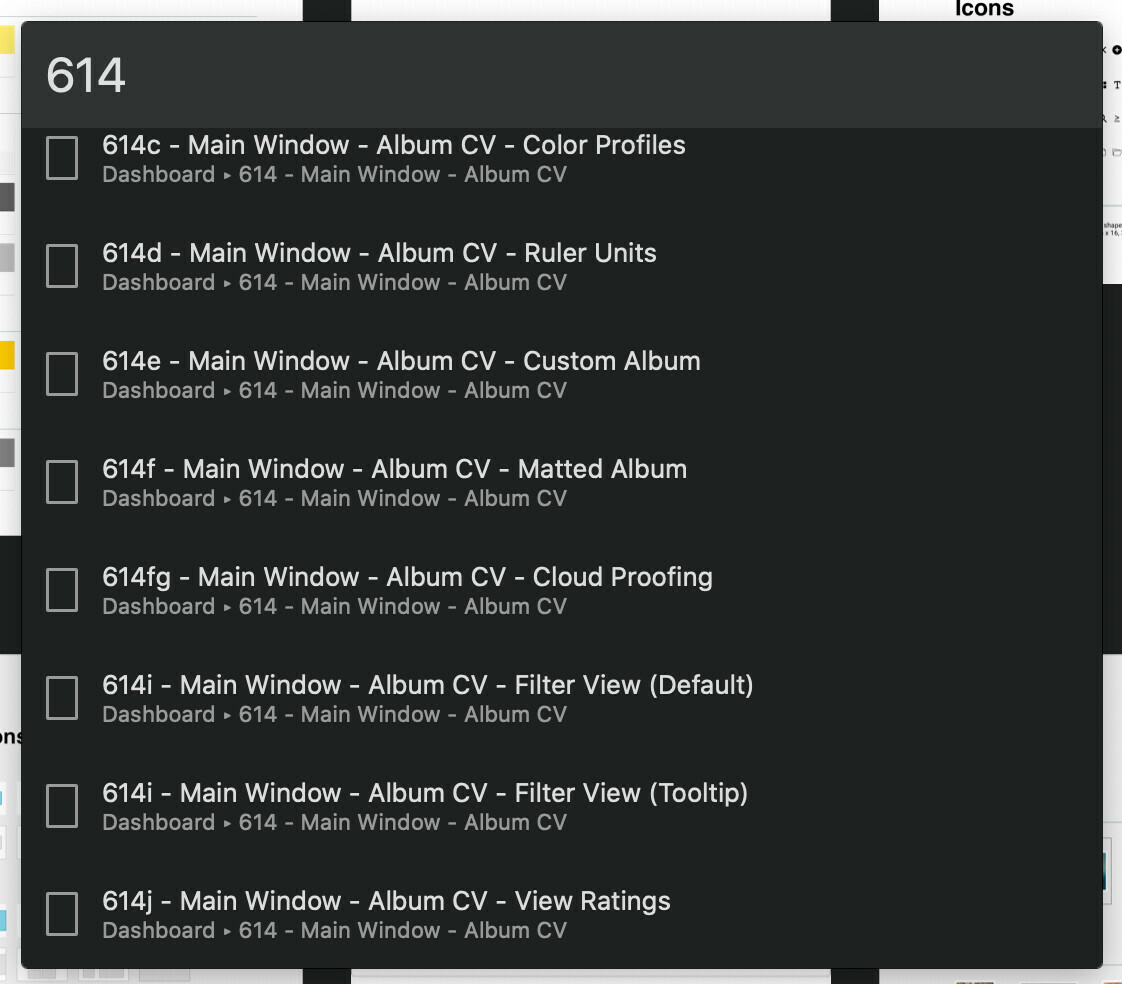
There is no way to search for a page/frame in a given project. A user should be able to quickly jump to an arbitrary page/frame by typing the page/frame name in a search box. Introducing a “Jump to…” feature similar to Zeplin’s CMD+J would solve this problem.

2. Add as much context as possible (screenshots, Figma files, mockups, etc.)

Zeplin’s “Jump to”:
52 replies

Chris_Liu
December 16, 2021

Guys and Gals, I’ve been following this thread and waiting for a solution for a few weeks. Finally, I decided to build a plugin FrameSearch . Now here it is! A tool that helps you to search for any frame across all the pages by its name, jump and zoom into any frame you are looking for. Similar to but better than (hopefully) the search option we are missing in sketch

IHZ_Figma_01
January 20, 2022

But with viewers like the development team, BA, PM, PO,… they can not use plugin. It’s really inconvenient.

Marc_Nothrop
March 8, 2022

Couldn’t agree more with so much in this thread!

Martin_Novotny
April 10, 2022

This thread is pretty long, so I’m sorry in case somebody already mentioned this one… but I’ve just found this plugin Find in Page. It lets you search for layers and texts, you can even specify what layer type you’re searching for. Hope it helps someone.

Emile_Paffard-Wray
April 11, 2022

I’ve created a premium search plugin to solve this problem that’s a little different from the others. It enables fast search across all of your Figma files and teams, and it won’t slow down on larger Figma files. Downside is that it takes ~10 minutes to set up and it’s paid.

Here’s the link: https://www.figma.com/community/plugin/1030790287382118338/Supersearch

I’ve been using it for myself the last couple of weeks with CMD+F mapped to open it - it’s definitely a huge timesaver.

Rebekka_Karrengarn
July 21, 2022

Hi @Emile_Paffard-Wray sadly the plugin-link does not work. - 😢 that was exactly what we were searching for. just pressing cmd+f and find

Emile_Paffard-Wray
July 21, 2022

Apologies Rebecca, I ended up shutting it down as no one was using it consistently or paying and it’s quite expensive to run the servers for it.

Chris_Liu
August 23, 2022

Please do give this plugin FrameSearch a try! I’ve used it for almost a year now.

Also, binding the shortcut with cmd+F is super easy. Here is an official guide from Apple: https://support.apple.com/guide/mac-help/create-keyboard-shortcuts-for-apps-mchlp2271/mac

Hope you enjoy the journey!

tiagorangel
September 14, 2022

Thanks @Martin_Novotny!! That was the only plugin that worked for me

Maty
Active Member
March 30, 2023

There should be an option to search only inside the selected frames in the “find panel”:

Lightshot
  • Selected frames
  • This Page
  • All Pages

The new Find function is great, but is unusable when you have millions of the same object duplicated on a page, but you only want to select instances inside a single Frame, or multiple selected Frames.