

AlexPrykhodko
January 27, 2021

Jumping to a specific page/frame using a search box

  • January 27, 2021
  • 52 replies
  • 24868 views

1. Describe the problem your experiencing and how your idea helps solve this

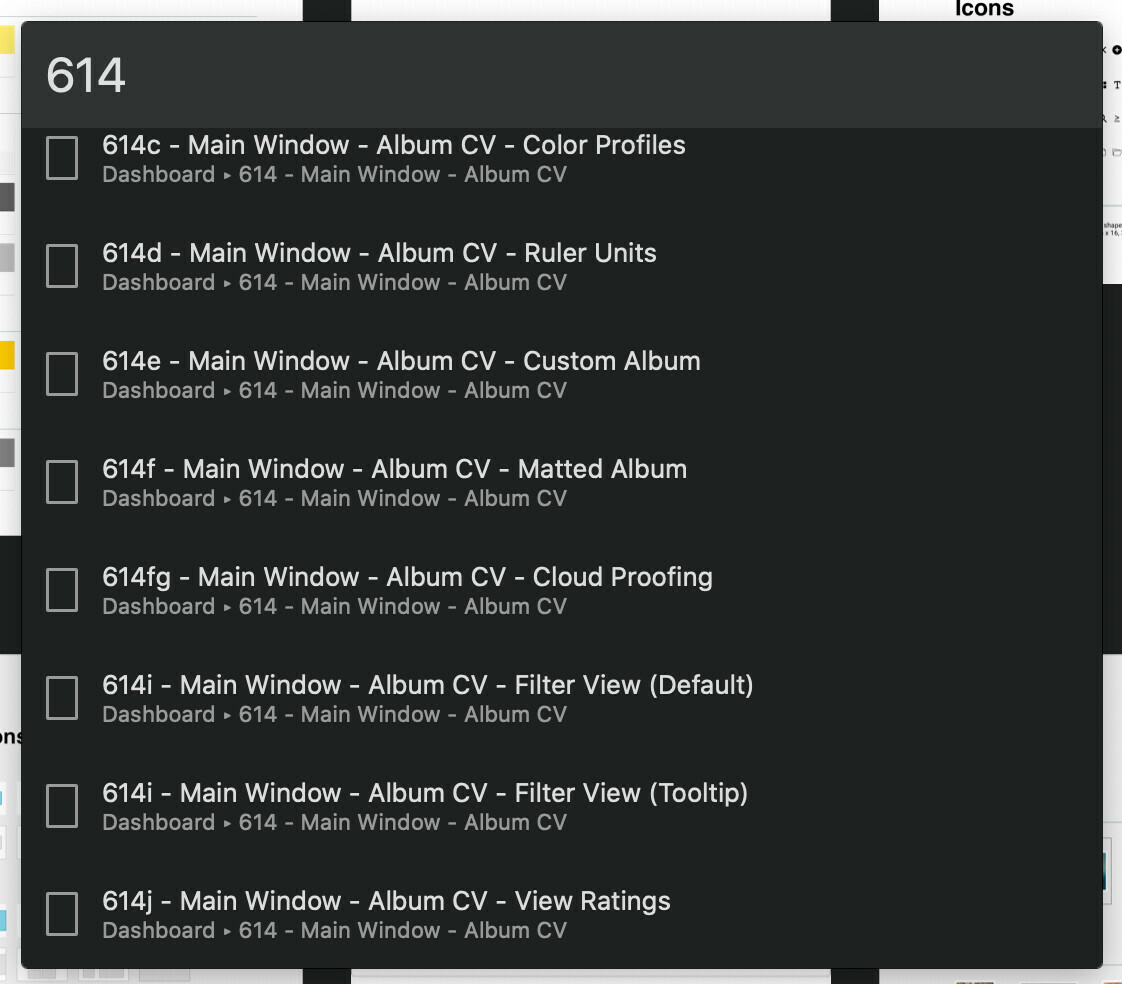
There is no way to search for a page/frame in a given project. A user should be able to quickly jump to an arbitrary page/frame by typing the page/frame name in a search box. Introducing a “Jump to…” feature similar to Zeplin’s CMD+J would solve this problem.

2. Add as much context as possible (screenshots, Figma files, mockups, etc.)

Zeplin’s “Jump to”:
52 replies

Fabrice
August 26, 2021

Agree on the performance goal, but come on, search/replace is such a basic feature. Everyone needs it (as in any decent document creation tool). You should only have to turn to plugins for special features, not core ones.
Plugins are always quite slow to launch and run, which is impractical for simple find/replace operations.

Shashikalyan_Kosuri
September 13, 2021

I was thinking about this idea of an Flag or mark or checkpoint. Often when I’m editing a frame, I go around searching for some elements from other frames and after copying that element, it gets tedious to get back to my initial frame. How about a shortcut to jump back to that Flagged/marked frame? It’ll save loads of time.

Sheri_Atwood
October 5, 2021

Plus if you only have read only view on a file you can’t add a plugin to search for a screen you are looking for

Fabrice
October 11, 2021

Plus, the only decent plugin I have personally found is called Find and replace, and it does not work on the entire file – only the current page. Not so useful then.
Please support this, Figma.

John_Marstall
New Member
October 11, 2021

I’ve installed five plugins just for text search and replace. None of them is a complete solution (the above-linked Find and Replace comes closest, though I appreciate Change Text for its live preview), and all struggle with large documents resulting in an app that bogs down for many seconds with each input change.

What I want to be able to do in Figma:

  • Locate a text layer containing an arbitrary text string (and then the next such text layer, and so on) – either within selection, page, or document.
  • Replace All occurrences of an arbitrary text string with another string – either within selection, page, or document.

Eric7
October 15, 2021

Totally agreed - a plugin? Dedicated to text search? And with no shortcut key? So we really have to right-click for context menu, go to Approved Plugins, and select (from a potentially huge list) the Find and Replace, just to search for text?? Every. Single. Time??

Think about trying correlate text in many button labels, titles, etc., etc. with localizable string keys.

djv
Figmate
Community Support
October 15, 2021

Hey @Eric7,

There may be a plugin in our community that can do this. Here’s an example:

Figma
StLa
October 26, 2021

It’s really insane that a layer-based software would not offer layer search. This should be number 1 on the feature request list. Not even hard to implement compared to other recent features.

Fred_Tinsel
Active Member
November 18, 2021

Hello

I really miss the search options I have in Sketch

All the day we are managing layers, so I think it will improve a lot the experience in Figma.

I got all the plugins you think about, but it’s not always fast, and it can’t run with other plugin opens.
Simple example:

  • You can’t run Figma tokens and Similayer and the same time
  • You can’t run Toolabs Design System Manager and use Select by name

Thanks to do something 🙂

Clark
December 14, 2021

I have 100’s of layers and frames, and when I turn a frame off it’s lost in a long list of layers with no way to find it except by scrolling carefully for a long time. Please add a search function and save our sanity.