

Rafie_Pedram
April 22, 2021

Ability to turn off the "Line Auto-snapping"

  • April 22, 2021
  • 10 replies
  • 2901 views

I used Freehand (invision) as my whit-boarding tool, now switching to FigJam; it’s almost impossible to draw quick sketches/ low-fid wireframes. The ability to use the line tool without snapping to other objects would be a great help. It’s ok to have limited colours, but it is challenging to achieve depth in sketches and communicate the idea without colour opacity.
In our white-boarding session, we don’t need a full-on mind mapping tool 100% of the time (to connect everything).
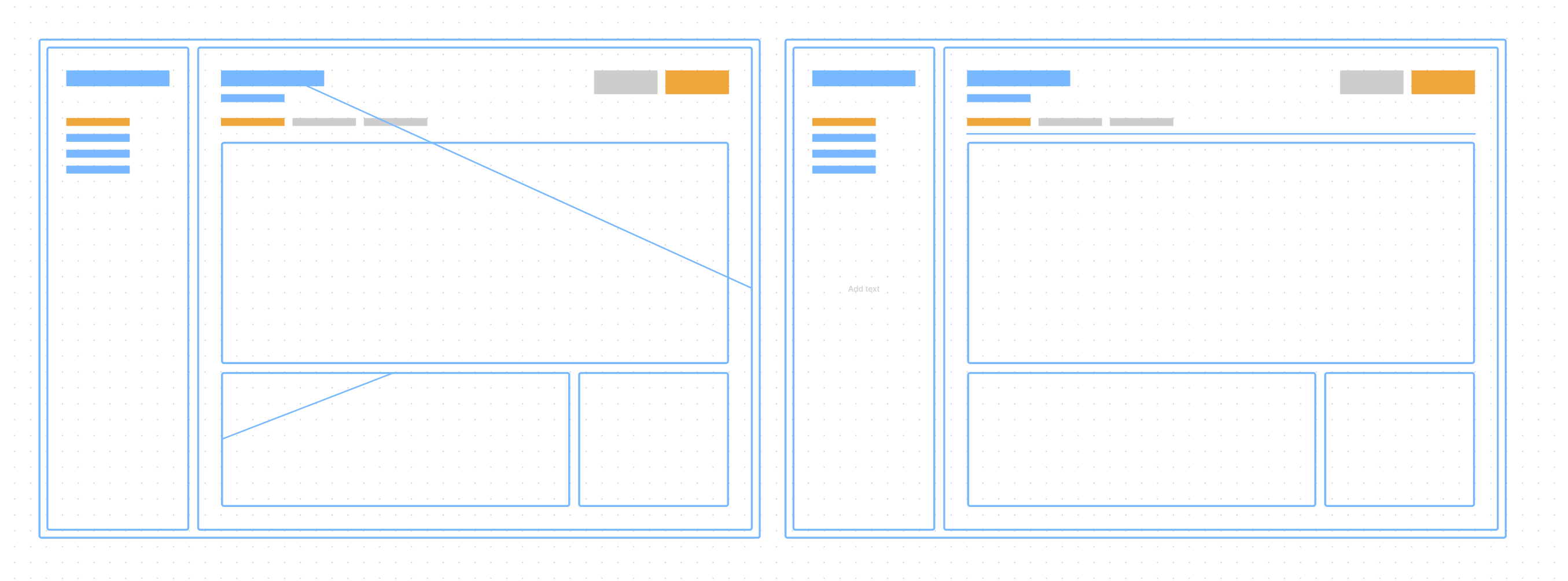
I also attached a sample of how I use Freehand.
10 replies

Nick_Greenlees
May 12, 2023

Surprised to see this feature requested so long ago, but yes I would love the ability to disable line snapping.

Tomasz_Wesolowski
March 6, 2024

I’m adding my vote! My specific need in this case is non-snapping arrows (and lines). I often find that an arrow really wants to snap to something while I’m just trying to make a small adjustment.

I end up drawing the desired arrow somewhere on the side, and moving it to the correct place. This feels awkward!

My use cases are:

  • Trying to point to a specific part of a larger whole, like an image
  • Sequence diagrams: trying to point at a specific part of a shape
  • Trying to accurately point “in the general direction” of something, esp for sloppier idea-diagrams

My ideal experience would be to use a keyboard modifier while dragging an arrow endpoint, to indicate that I want to adjust the position manually without snapping to anything.

Nick_Davis1
April 22, 2024

This is an inexcusable omission from the Figma team and is a baseline feature on every other collaborative whiteboard on the market. This–by default–renders FigJam as an incomplete & inferior product in the marketspace.

Mateus1
May 2, 2024

Just passing to give my support to such a basic feature, if in 3 years they are ignoring this, the chances is that they keep ignoring, but I would not abide from expressing my desire.

May 9, 2024

I found a support article that allows you to disable end-point snapping, but the keyboard key isn’t working on. Has anyone else managed to use this and does it answer this request for now? I still think this is a key feature for FigJam to have.

May 24, 2024

Disabling line snap with Ctrl also not working for me on Windows.
Given this feature appears in the documentation, I reported this as a bug.

May 27, 2024

A workaround is to use small rectangles hidden at the edges of shapes to provide snapping end points.

June 3, 2024

Figma support wrote me back and said it’s been fixed. I tested and holding ctrl to disable snapping works when you
-create a line on the canvas using line tool
-drag from a shape body to another shape to create a line
-edit a line end point

NOTE that it does not currently work when you create a line from one of the ‘node points’ that appears when you hover a shape.

July 26, 2024

holding ctrl doesn’t disable snapping for me. Also hindered by this limitation in wireframes.