

Answer

Self-made Figma slides template is not included in templates when creating a new deck

  • October 9, 2024
  • 2 replies
  • 138 views

Ties

I want to reuse my self-made template, but it doesn’t appear in the templates list. Which is very annoying. What’s the purpose of custom templates when it isn’t made available for yourself/your team?

Kinda a turn off to have to open the template first and click the tiny button in the top right to use it elsewhere (for which it has to be updated completely).

I also noticed that somehow Figma wants me to update the slide deck template, whilst there were no changes made to it. Is that because of library (design system) updates I made?

Best answer by y_toku

Hi there,

Thanks for the feedback.

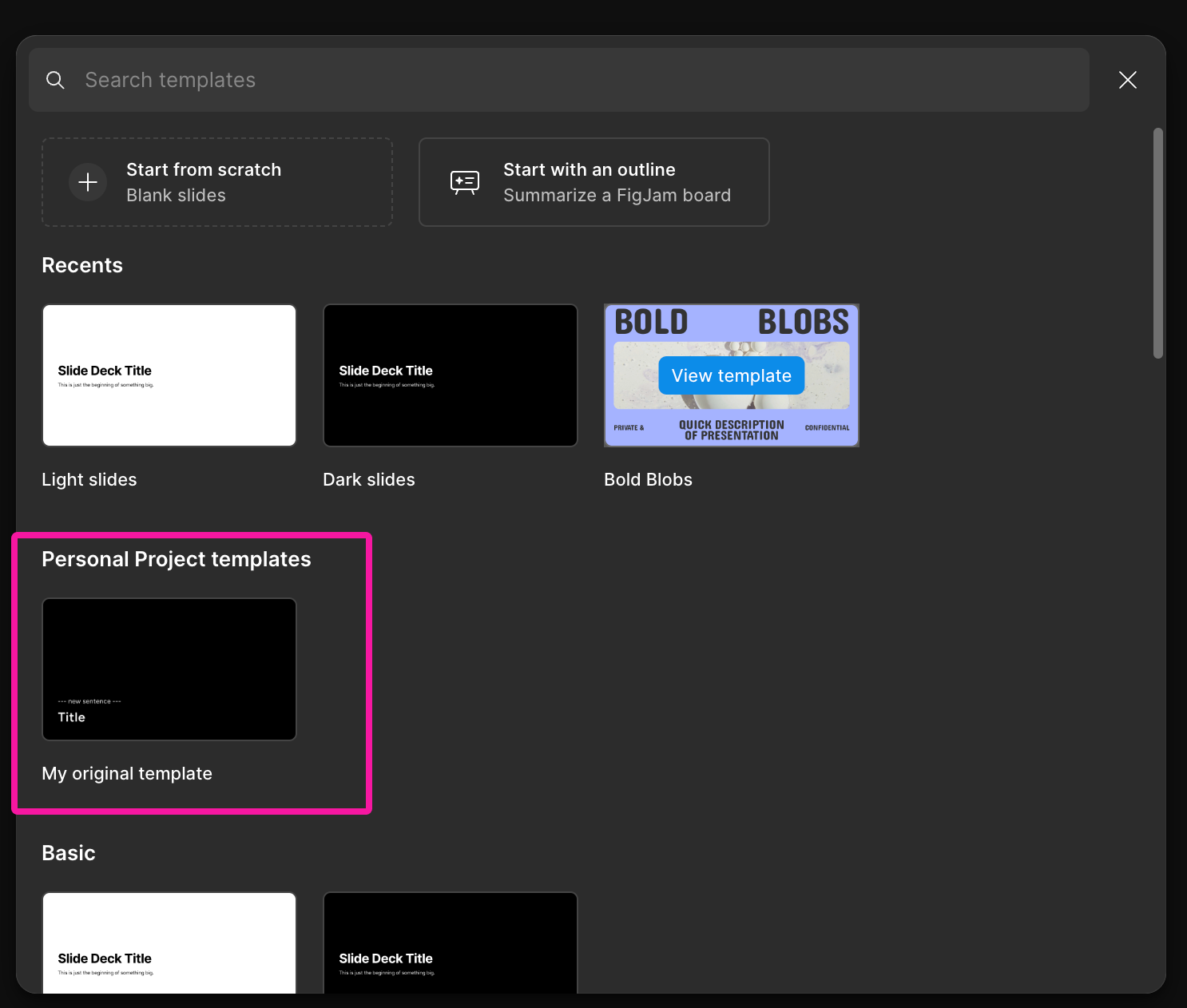
Regarding the first point, when I checked the list of templates, I found the one I created. Here are the steps: go to the file browser and select ‘+ Create new’ > ‘Slide deck’:


Can you check if there is your template in your team?

You can learn how to publish your custom template to a team here: Publish slide deck templates to a team or organization.

As for the second point, there could be several reasons, such as libraries or hidden layers. It’s hard to diagnose without looking at the live file, but having a preview could be helpful to understand the changes.

Please let me know if you have more questions!

Thanks,
Toku

This topic has been closed for replies.

2 replies

y_toku
Figmate
  • Community Support
  • Answer
  • October 11, 2024

Hi there,

Thanks for the feedback.

Regarding the first point, when I checked the list of templates, I found the one I created. Here are the steps: go to the file browser and select ‘+ Create new’ > ‘Slide deck’:


Can you check if there is your template in your team?

You can learn how to publish your custom template to a team here: Publish slide deck templates to a team or organization.

As for the second point, there could be several reasons, such as libraries or hidden layers. It’s hard to diagnose without looking at the live file, but having a preview could be helpful to understand the changes.

Please let me know if you have more questions!

Thanks,
Toku


Ties
  • Author
  • Active Member
  • October 18, 2024

Somehow it didn’t pop-up before, but now it does, thanks!