

Amadeusz_Wasik
New Participant
November 23, 2023
Solved

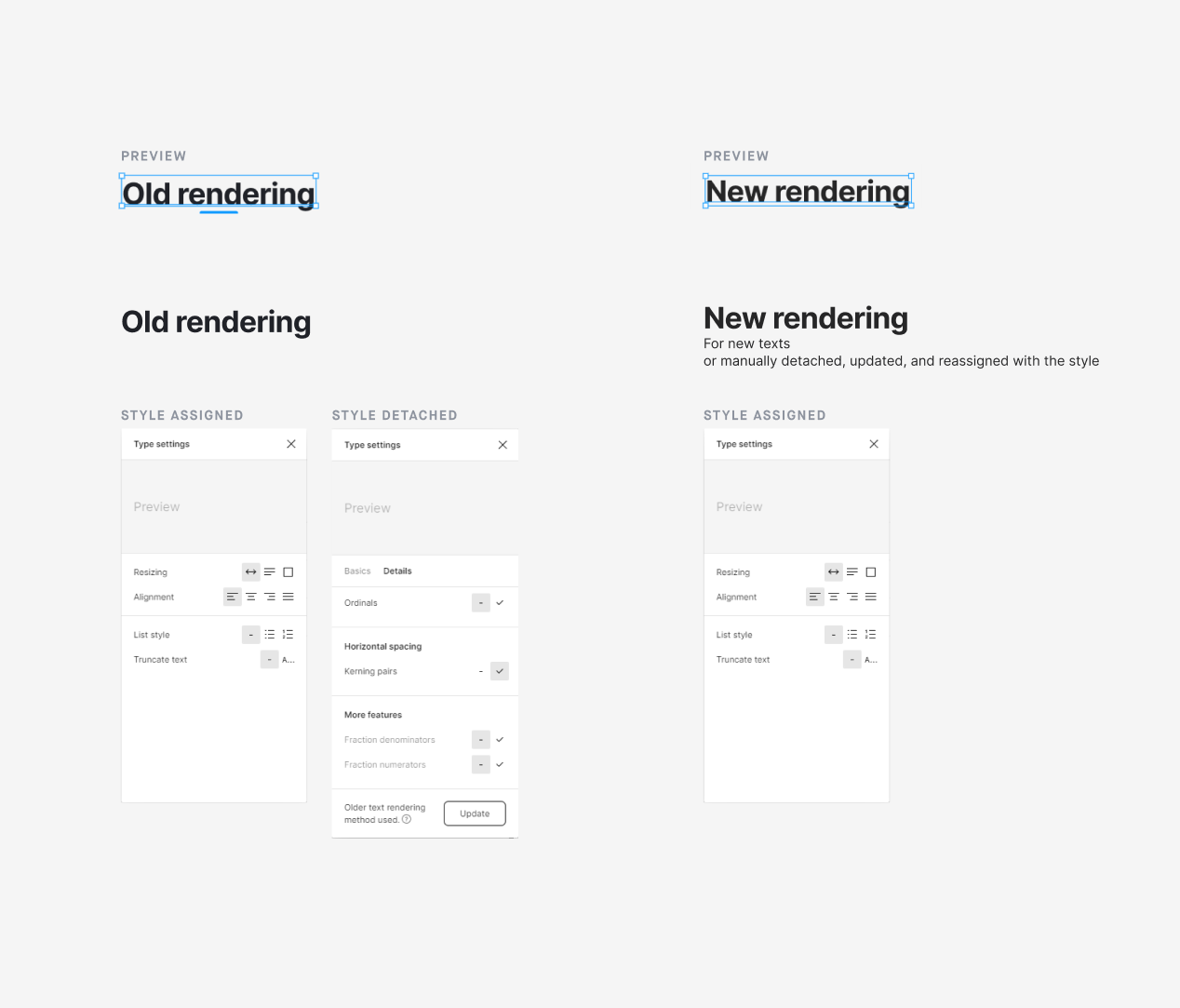
Bug report: Type settings lack of update rendering method when style is selected

  • November 23, 2023
  • 3 replies
  • 480 views

When we assign a text style to a text frame, we lose access to the “details” tab. Therefore, if the text frame is not updated with the new text rendering method (update from last year if I remember correctly), assigning text style (that has this update accepted) doesn’t inherit the update.

As we don’t have access to details after assigning the style we cannot accept the update otherwise than detaching style, updating, and reassigning style.

Link to test playground: https://www.figma.com/file/NtqkUTg1cZXKHdusCtDMqk/Text-style-bug?type=design&node-id=0%3A1&mode=design&t=kuVM7xMPfCGzt57N-1

This topic has been closed for replies.
Best answer by tank666

You can use the “Recompute text layout in selection” command in the Quick actions to force text layers to use the updated rendering method.

3 replies

Gayani_S
Figmate
Community Support
November 23, 2023

Hey Amadeusz, I am checking this internally with the team.

tank666
tank666Answer
November 23, 2023

You can use the “Recompute text layout in selection” command in the Quick actions to force text layers to use the updated rendering method.

UX/UI designer. Figma expert. Creator and developer of plugins and widgets for Figma and FigJam. Check out my resources in Figma Community: figma.com/@tank
Amadeusz_Wasik
New Participant
November 28, 2023

I would prefer such things to be inherited by style assignment but this is a good workaround. Thanks! 🙂