

user608
March 19, 2024
Question

Mirroring appeared out of nowhere in the component

  • March 19, 2024
  • 3 replies
  • 864 views

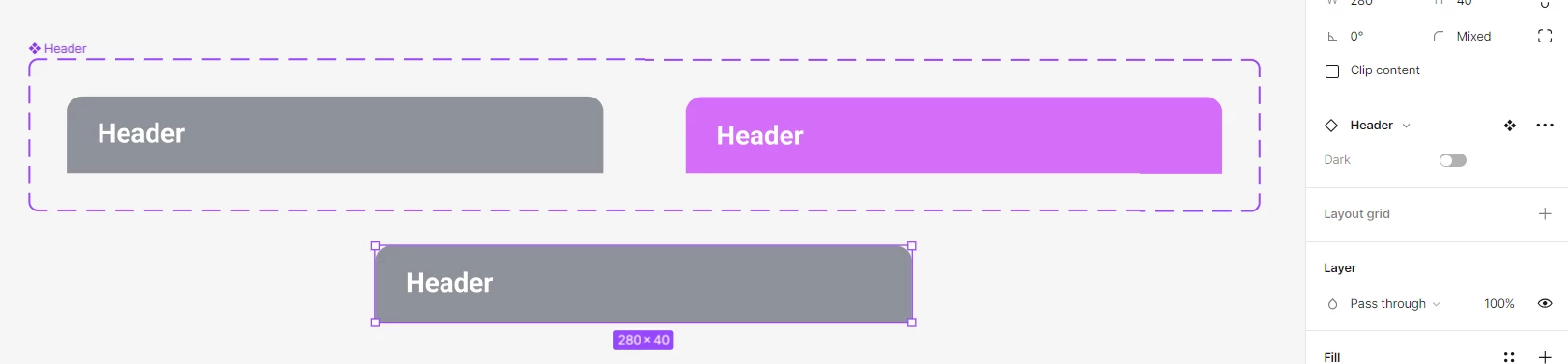
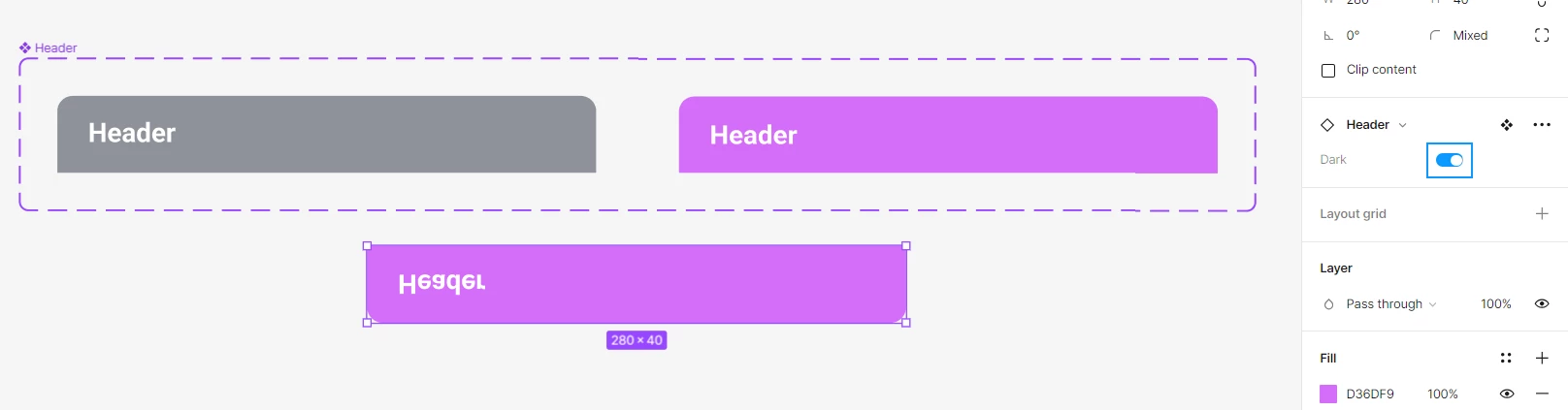
Today, while changing the theme of the component, I noticed that the element is mirrored. If you extract a light or dark element from a component and change the theme, it is mirrored. Then I noticed that for some reason the left component and all its components are at rotation of 180. This is strange because I copied the 2nd field from the previous one, they were identical. I changed the rotation from 180 to 0 and… it didn’t change anything. Now (as it was) I have 2 identical fields, but they are mirrored when changing the theme. I can’t change it even if I change the switch type. I don’t want to rebuild because there are over 100 dialogs attached to this component.
What is happening and how to solve the problem? Everything was fine before that. I can attach this file with this broken element (it work the same way independent of the file), but the style has been changed because of NDA.
This topic has been closed for replies.

3 replies

tank666
March 19, 2024
UX/UI designer. Figma expert. Creator and developer of plugins and widgets for Figma and FigJam. Check out my resources in Figma Community: figma.com/@tank
user608
user608Author
March 19, 2024

Thank you. I put them at the same point and saw that the second one is below the first one, that is, the second one is upside down. And after turning the second one over, I realized that the first one was upside down and turned both over again.
I called it a bug because I used this element a couple of weeks ago and everything worked fine, without any problems. I am the only one who can edit the project, so how this element became mirrored and with an angle of 180 on all elements of this component is incomprehensible.

Timmy Paras
New Member
February 24, 2025

Thank you. I put them at the same point and saw that the second one is below the first one, that is, the second one is upside down. And after turning the second one over, I realized that the first one was upside down and turned both over again.
I called it a bug because I used this element a couple of weeks ago and everything worked fine, without any problems. I am the only one who can edit the project, so how this element became mirrored and with an angle of 180 on all elements of this component is incomprehensible.


I am encountering a similar issue.- in my case, the objects rotate along the z-axis (perceptually, not in actual as i know it’s not manually possible) when i was only rotating in x. I have looked in every possible configuration/variable/element too, but i can’t seem to understand why this happens. I hope someone could jump on with the fix.