
August 15, 2023
Solved

How to remove cookie banner from embedded prototypes?

  • August 15, 2023
  • 48 replies
  • 2597 views

Hey all, wondering how to solve this issue.

We created prototypes to embed in our dev docs site, so there are multiple prototypes on a page and different pages. Every prototype has this cookie banner (highlighted in pink), even when I’ve already accepted it once. How can we remove this? Can it be shown only once?

Thank you!

Denise
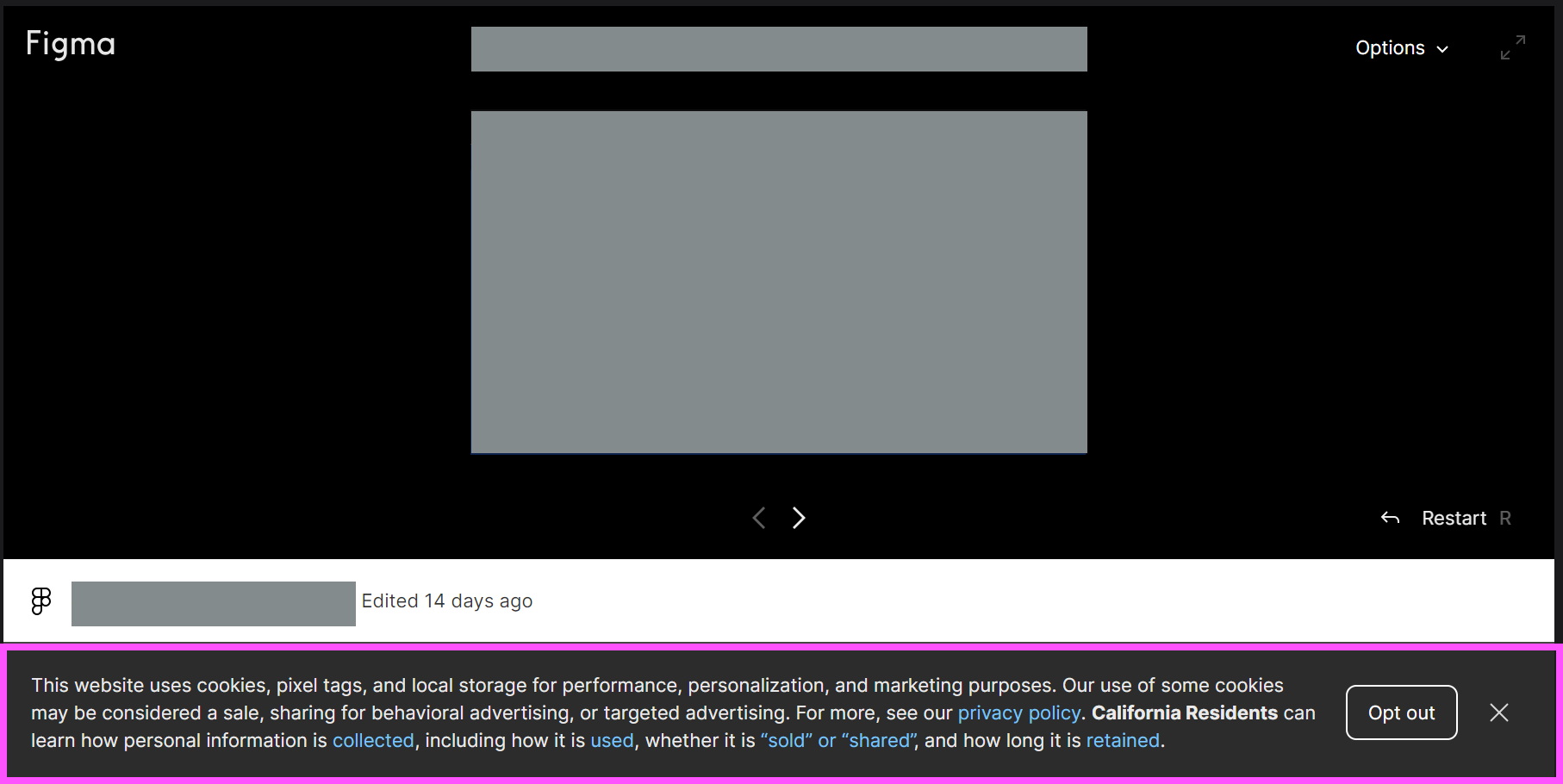
This topic has been closed for replies.
Best answer by djv

Hey All, sorry for the lack of update!

Our team has confirmed that this is a bug, but we’re having difficulty reproducing it, which is delaying the fix.

If you’re able to consistently reproduce, can you please share the following?

  • What device was the user using and what was the OS version?
  • What browser were they using? Does the same issue happen in all browsers?
  • Were they logged into Figma at the time or logged out?
  • Does the issue still happen for them now if they close and re-open the prototype?

We’ll then pass this info onto our team with hopes of getting a fix implemented as soon as possible.

48 replies

June 11, 2024

users of the my website allways get the banner on the embedded element.
sorry typo

y_toku
Figmate
Community Support
June 13, 2024

Hi there,

Thanks for flagging. If you keep seeing the banner, could you submit a bug report along this article?

Figma Learn - Help Center

We’re still struggling to replicate this issue on our end.

Thanks for your understanding!
Toku

June 13, 2024

Hi @y_toku would like to arrange a call where the bug can be demonstrated or provide a location/email address where a recording of the behaviour can be sent to?

I think it’s clear from the amount of people experiencing the described behaviour that it does exist and is a bug. Unless of course you confirm that the behaviour is by design.

This thread seems to be going in circles and I think there has been a lot of information provided to accurately detail the steps and conditions to re-produce.

I think we all want the same outcome so I’m happy to demonstrate the behaviour to you or the development team.

Let me know how we can progress this proactively.

Thanks,
Dan

Maggi_Massad-Paradeis
June 27, 2024

Just submitted a bug report with a screen capture of getting the banner again and again after dismissing from various things like refreshing, navigating away, updating the prototype etc. Would really like to see this fixed.

y_toku
Figmate
Community Support
July 4, 2024

Thank you!

etio
New Member
July 12, 2024

I’m also consistently getting this issue with my embedws prototypes into Notion and Webflow.

BigPoppa
New Member
July 22, 2024

Any movement on this solution for not having this Cookie Banner present itself when the prototype is being shared? We might be forged to look at alternative solutions for creating prototypes if this is going to be a permanent item that gets displayed.

August 5, 2024

How is it possible that this bug still exists after so much time has passed? It’s very disturbing and has effectively destroyed my entire vision for a case study I created. As a result, after I published it on Behance, it was a total failure because of this bug. I am disappointed that this bug still exists after all this time!

y_toku
Figmate
Community Support
August 6, 2024

Hi all,

Thanks for flagging. We’re still having trouble replicating this issue on our end. As mentioned before, could you please submit a bug report? In your report, include the following details if possible:

  • The countries/regions you’re accessing Figma from. The cookie banner is displayed based on the user’s location, so knowing this information will help us replicate the issue.
  • A screen recording of the issue occurring.

You can find more details here:

We really appreciate your help.

Thanks,
Toku

yvon_zimmer
September 3, 2024

I have the same issue but not on every device. It seems once you have logged in to Figma, no banner shows up (in sharepoint) but when never being logged in (on that device) the banner shows up and “allow cookies” is not being saved.
