
August 15, 2023
Solved

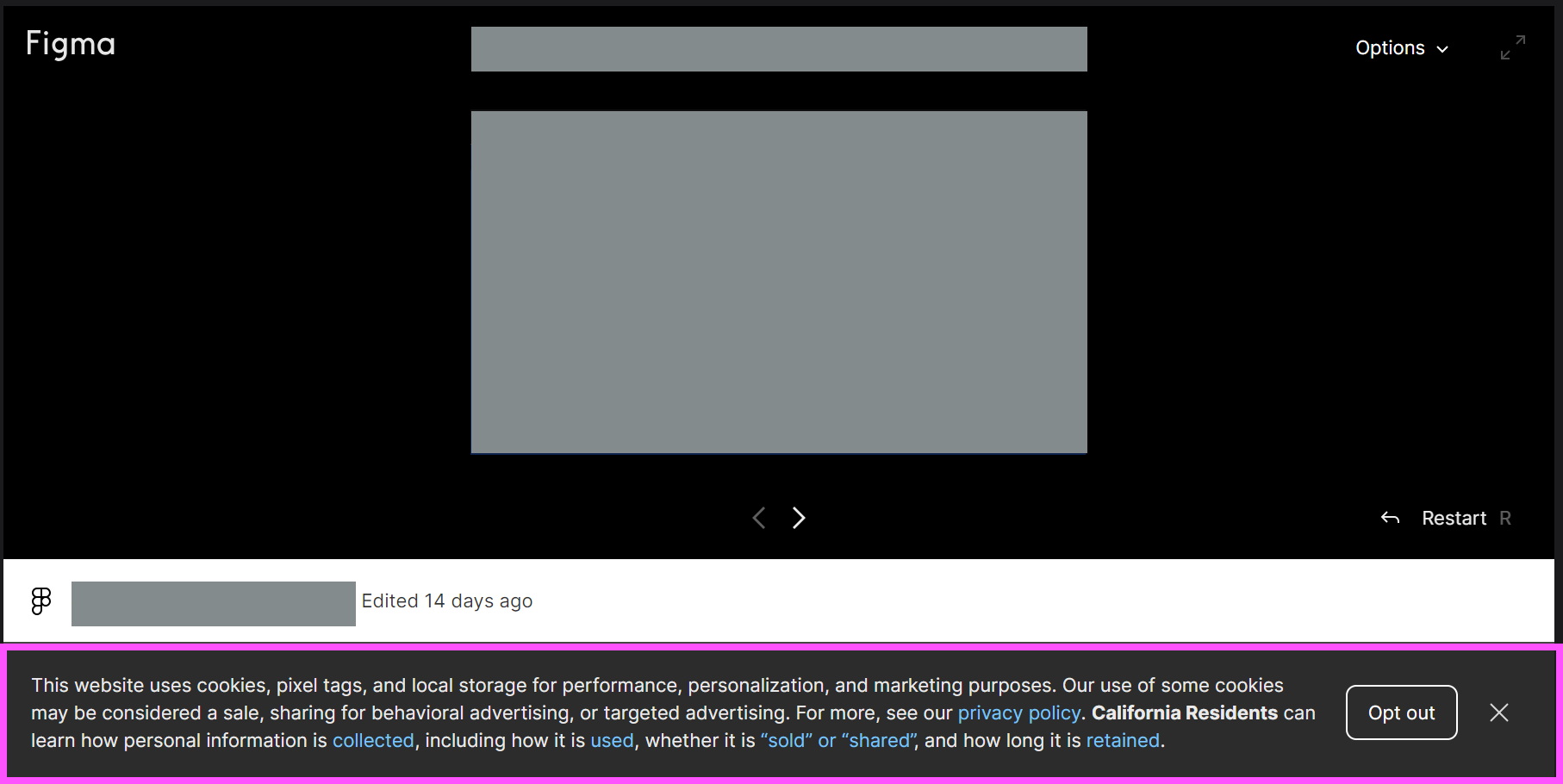
How to remove cookie banner from embedded prototypes?

  • August 15, 2023
  • 48 replies
  • 2597 views

Hey all, wondering how to solve this issue.

We created prototypes to embed in our dev docs site, so there are multiple prototypes on a page and different pages. Every prototype has this cookie banner (highlighted in pink), even when I’ve already accepted it once. How can we remove this? Can it be shown only once?

Thank you!

Denise
This topic has been closed for replies.
Best answer by djv

Hey All, sorry for the lack of update!

Our team has confirmed that this is a bug, but we’re having difficulty reproducing it, which is delaying the fix.

If you’re able to consistently reproduce, can you please share the following?

  • What device was the user using and what was the OS version?
  • What browser were they using? Does the same issue happen in all browsers?
  • Were they logged into Figma at the time or logged out?
  • Does the issue still happen for them now if they close and re-open the prototype?

We’ll then pass this info onto our team with hopes of getting a fix implemented as soon as possible.

48 replies

y_toku
Figmate
Community Support
September 5, 2024

Thanks for the additional information. Could you help us investigate further with the following details?

  • The countries/regions you’re accessing Figma from. The cookie banner is displayed based on the user’s location, so this information will help us replicate the issue.
  • A screen recording of the issue occurring.
  • Your OS version.
  • A file link with access granted to support-share@figma.com. This won’t affect your billing.

I hope we can investigate this further.

Thanks for your patience.
Toku

yvon_zimmer
September 5, 2024

Yes I will help:
Country = Netherlands
OS version = W10 Enterprise (10.0.19045 Build 19045)

We use the free version, where can I sent the screen recording en link to?

y_toku
Figmate
Community Support
September 5, 2024

Hi there,

Thank you so much! I followed up via DM. Could you check?

Toku

Michal_Babicz
September 9, 2024

I have the same issue when embedding Figma prototype to Useberry for unmoderated usability testing. It is a major blocker, because our primary buttons are on the bottom of the UI, so users get super confused when trying to interact with our prototypes.

The only fix we could think of is urging users to sign up to Figma, otherwise the the cookie message pops up every time they move to another wireframe.

Please fix this as soon as possible.

griffin_evans
September 11, 2024

I am experiencing this issue in US/California on MacOS Sonoma Version 14.6.1. I am able to reproduce the bug on both Firefox and Google Chrome, it happens consistently, every time I change focus away from the browser window containing the embedded prototype. I submitted a bug report.

Florian_Wogerer
September 20, 2024

This has been open for some time.
A simple solution:
It would be great if we could just add a &hideCookieBanner=true into the url… so it disables and surpresses the cookie banner. Its an active decision then and should be easy to be implemented from your dev teams side?

Thanks

@y_toku

y_toku
Figmate
Community Support
September 24, 2024

Thanks for the comment. I’ll share with our internal team.

TaRaRa
New Member
January 31, 2025

Hi Figma, 

Please could we get an update on this issue? We’re using prototypes for User testing with members of the public and the cookie banner displaying, particularly at the bottom of the screen on a mobile phones is extremely disruptive to results. Users are opening a passworded URL on multiple devices and browsers. If it can’t be removed, can you consider moving it to the centre of the screen rather than the bottom so users are pushed to dismiss it.
