
August 29, 2023
Solved

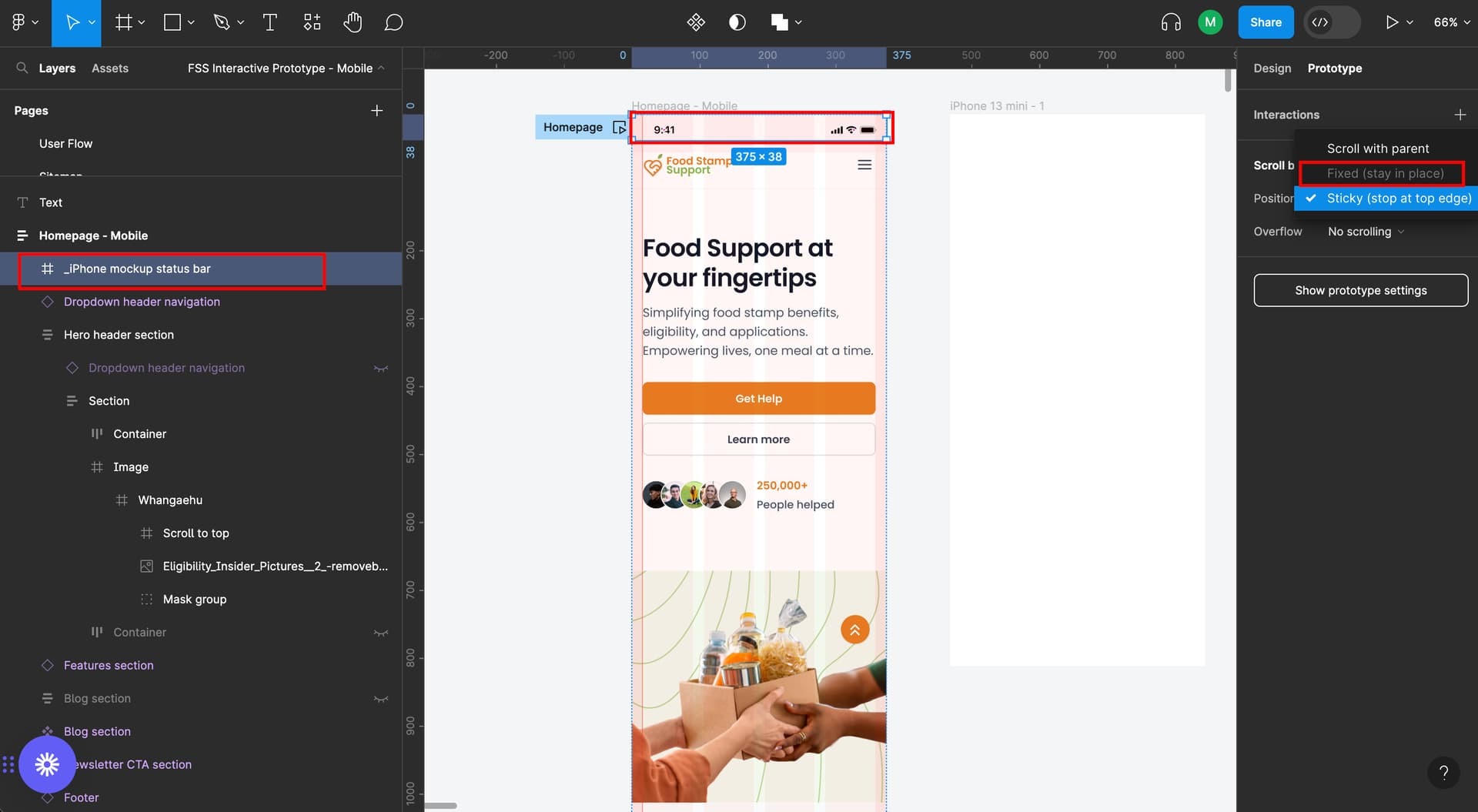
"Fixed stay in place" is disabled in Figma

  • August 29, 2023
  • 25 replies
  • 50163 views

Hello! I’m trying to:

  1. make the screen scrollable vertically; and
  2. make the iPhone status bar and “scroll to top” arrow fixed stay in place

I’ve managed to make the screen scrollable vertically, however, I’m having a hard time making the iPhone status bar and “scroll to top” arrow to be fixed. The “fixed stay in place” is disabled on my end.

Please help me. I’m getting frustrated and can’t wrap my head about this 😦
This topic has been closed for replies.
Best answer by tank666

25 replies

Chene_He
New Member
March 6, 2024

I Tried all the methods in this topic, this is the that really works

femsubaltern
March 30, 2024

It works for mine as well! Thanks a lot! 😊

June 21, 2024

Thank you for this tip!
was also frustrated about this issue

June 27, 2024

Sometime can be disabled, because of AutoLayout. Remove autolayout and it should work.

Isadora
New Member
July 3, 2024

removing auto layout on the parent frame worked for me. I forgot I had that turned on 😜 (absolute positioning would have done the same thing if I needed auto layout to stay on)

July 6, 2024

thank you!!! this really worked 🙂

Chloe_Cai
August 12, 2024

Thanks for the solution, it works for me too

Ylenia_Micci
September 13, 2024

[For newbies like me] No need to delete the auto layout. Just drag your item into the layout holding “control”. It will place it into the layout but not into the auto layout, letting you set the fixed positioning to said item.

Faith3
December 18, 2024

yes, it works !!!

Faith3
December 18, 2024

Doesn’t work, look for a solution below
