
August 29, 2023
Solved

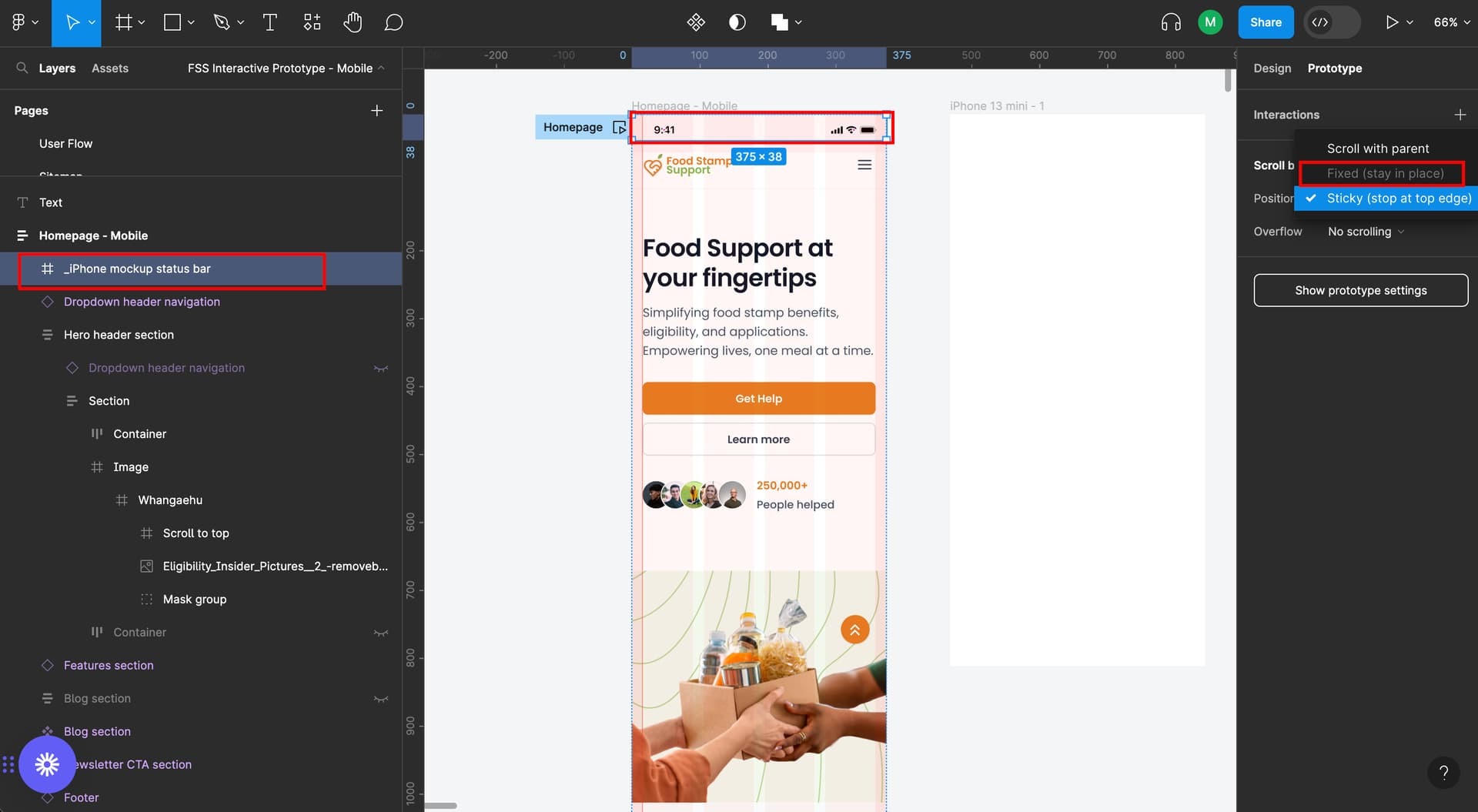
"Fixed stay in place" is disabled in Figma

  • August 29, 2023
  • 25 replies
  • 50163 views

Hello! I’m trying to:

  1. make the screen scrollable vertically; and
  2. make the iPhone status bar and “scroll to top” arrow fixed stay in place

I’ve managed to make the screen scrollable vertically, however, I’m having a hard time making the iPhone status bar and “scroll to top” arrow to be fixed. The “fixed stay in place” is disabled on my end.

Please help me. I’m getting frustrated and can’t wrap my head about this 😦
This topic has been closed for replies.
Best answer by tank666

25 replies

Faith3
December 18, 2024

DAMN, now the Vertical overflow doesn’t work on another frame, although it’s long
Another irritating problem

Elliott_Andrew
New Participant
December 19, 2024

Thank you. I was about to go crazy.

Helder Ferreira
New Member
January 27, 2025

Hi I figured out why Fixed is Disabled in Figma.

  1. First, make sure your frame is not under another frame. It should be on its own.

It should look like this in the layers:
image

Then in Prototype > Scroll Behavior > Position Fixed can now be selected

Thank my friend! it works :)

Subbuvenkatesh Arumugam
New Member
May 9, 2025

Hi I figured out why Fixed is Disabled in Figma.

  1. First, make sure your frame is not under another frame. It should be on its own.

It should look like this in the layers:
image

Then in Prototype > Scroll Behavior > Position Fixed can now be selected

Very useful!

Felipe oliveira
New Member
August 27, 2025

mark option clip content!  GL
