

Hampus_Svallfors
February 7, 2024
Solved

Arrow Up/Down to select style from auto-complete has stopped working

  • February 7, 2024
  • 21 replies
  • 1527 views

Hi community!
This is tricky to explain. But sometimes the arrow up/down seem to simply move the Caret Position in the input field to the beginning or the end, instead of changing the selected item in the list. If I hover the list, the up and down selection starts to work again.
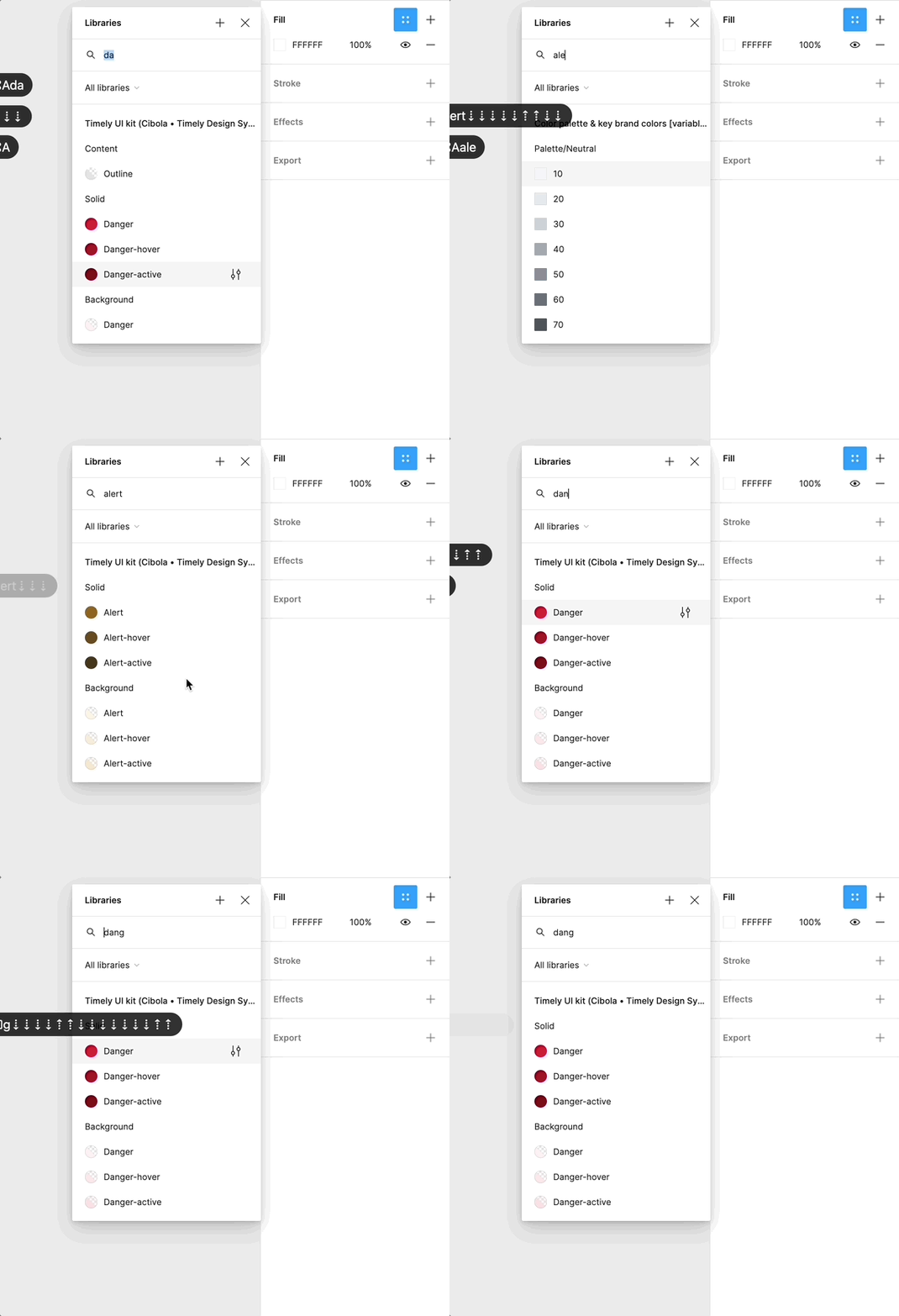
Feb-06-2024 17-18-56

Using arrow down to select from all auto-complete searching is deep in my muscle memory, as I’m sure many of yours as well, so this issue has become somewhat if a nuisance to me. I never realized how many times per minute I searched and selected a style or variable before this started not to work.

Could this be something with my trackpad, keyboard, computer etc. Or is it something anyone else also has experience?

This topic has been closed for replies.
Best answer by y_toku

Thanks for the feedback and I shared these with our internal team. We cannot guarantee if it’s prioritized but we will let you know if there is anything I can share with you.

Let me merge into an existing one:

Thanks!
Toku

21 replies

LEFEBVRE_Jil_DES_OPS
March 21, 2024

I’d like to upvote this topic, such a small big annoying thing that’s not working anymore.

wdimondi
New Participant
June 24, 2024

This is still an issue.

Marie_Rang
June 28, 2024

This just started for me and the proposed “solution” of hovering over the list doesn’t work. Is this because of the new UI updates? Because if so it really sucks.

wdimondi
New Participant
June 28, 2024

Lol that defeats the entire purpose of using arrow keys when searching. You’re now asking me to remove my hand from the keyboard to use the mouse so I can use the keyboard again 🥴 🥴 🥴

Hampus_Svallfors
June 28, 2024

I think it’s a keyboard localization issue and therefore very hard (or at least very time consuming) for the Figma team to investigate and reproduce. There has been similar issues in the past where some shortcuts only worked with US keyboards for example.

People who have reported on this issue, what system language and keyboard layout do you have? (I use Swedish system language and Swedish keyboard layout).

Marie_Rang
June 29, 2024

I use the Swedish keyboard layout and switch between Estonian and Danish keyboard input languages and system language is English. No idea, but my error only occurred the day they announced UI3…

Jia_Lin_Tan
July 1, 2024

Whenever I change a color of a text for example, I will type in the color name and search it in my library. After searching I will use the keys [down] to navigate to the right shade. After the update the up and down key doesn’t work anymore and it is making color selection more cumbersome.
It still works for text style selection so maybe it is a bug? Is anyone experience the same?

wdimondi
New Participant
July 11, 2024

Not sure if this is a reasonable excuse. Keyboard functionality is a critical productivity component in creative applications.

Julie_Mitchell
October 21, 2024

Randomly, also, I cannot use the Command + (zoom in) option on my keyboard when I’m in this view, but Command - (zoom out) works fine.

Julie_Mitchell
October 21, 2024

To add to this Arrow up/down issue, I used to be able to move images with the arrow keys, to be more precise in the movement, when I was in the crop option of the fill window. I can no longer do this and only move the image around using my mouse. This is driving me crazy as it is not as quick/easy/precise to make the crop I want. Please tell me that this will get fixed to being able to use the arrows on my keyboard again.