

Hampus_Svallfors
February 7, 2024
Solved

Arrow Up/Down to select style from auto-complete has stopped working

  • February 7, 2024
  • 21 replies
  • 1527 views

Hi community!
This is tricky to explain. But sometimes the arrow up/down seem to simply move the Caret Position in the input field to the beginning or the end, instead of changing the selected item in the list. If I hover the list, the up and down selection starts to work again.
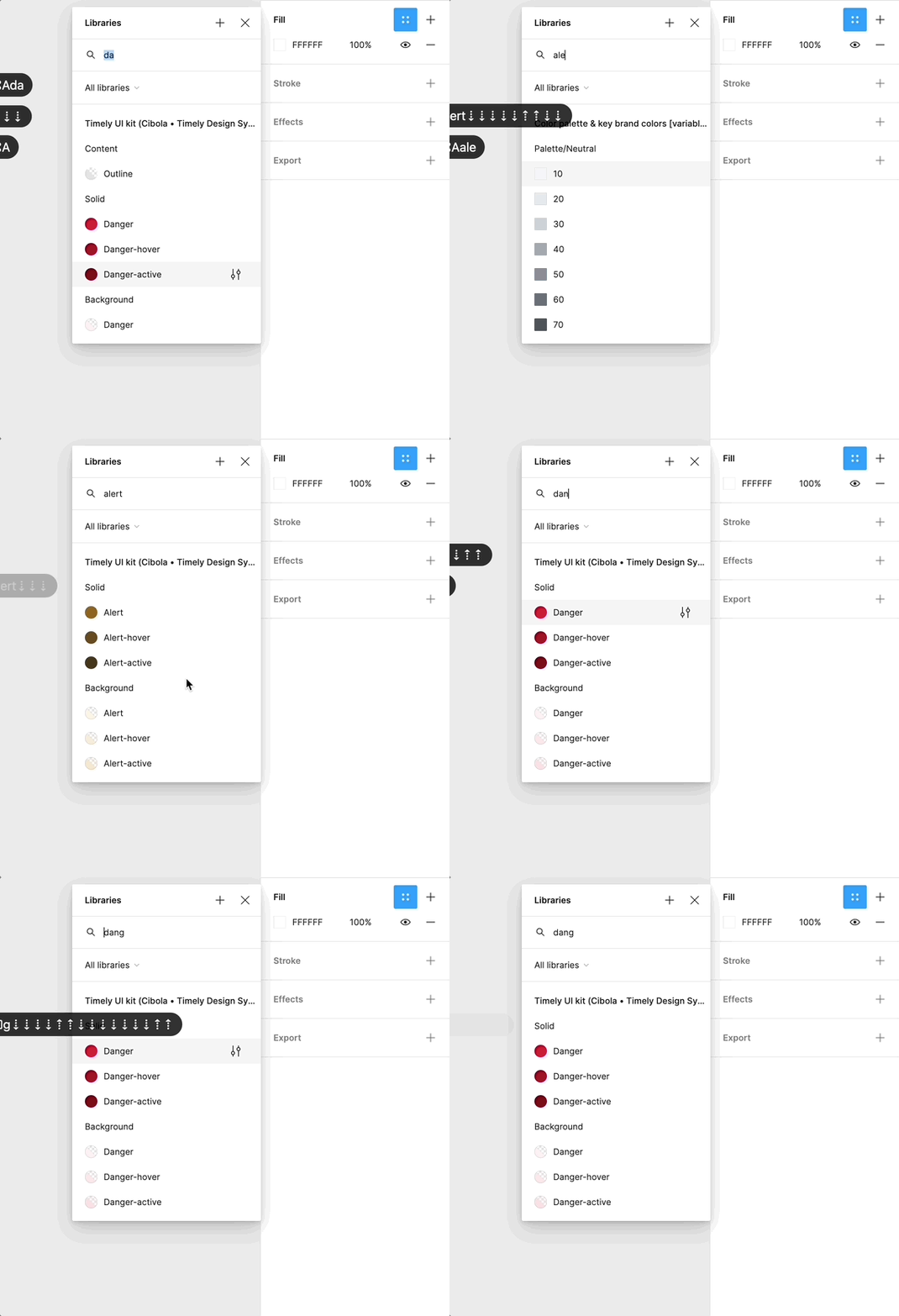
Feb-06-2024 17-18-56

Using arrow down to select from all auto-complete searching is deep in my muscle memory, as I’m sure many of yours as well, so this issue has become somewhat if a nuisance to me. I never realized how many times per minute I searched and selected a style or variable before this started not to work.

Could this be something with my trackpad, keyboard, computer etc. Or is it something anyone else also has experience?

This topic has been closed for replies.
Best answer by y_toku

Thanks for the feedback and I shared these with our internal team. We cannot guarantee if it’s prioritized but we will let you know if there is anything I can share with you.

Let me merge into an existing one:

Thanks!
Toku

21 replies

Hampus_Svallfors
February 7, 2024

Another GIF showing the caret just going back and forth inside the input field when I press arrow down/up:

Feb-06-2024 17-32-44

y_toku
Figmate
Community Support
February 8, 2024

Hi there,

Thanks for flagging. I could reproduce the issue! I will share this with our internal team. can’t guarantee anything on our end, but I will give some visibility to our team for consideration.

Thanks,
Toku

Jacek4
New Participant
February 9, 2024

have exactly the same issue. Working on the macbook pro 14 m1. It started about 2 weeks ago I guess.

Phil_Larsen
Active Member
February 16, 2024

When typing in the styles search bar, I used to be able to tap the up/down arrow to navigate between the results in the search. Now those arrow keys go to the beginning or end of the text in the search bar. This requires me to use the mouse to click on the object I am trying to select rather than being able to use just the keyboard.

PasDee
February 22, 2024

fill-selection-nope

My issue is that whenever I type a search in to the fill selection panel, I cannot, for the life of me, navigate with up and down arrows anymore. This used to work all the time, at least for the last 2 years.

Instead of going through my search results, it just goes to pos1/end of text area.

This requires me to get my hands off of my keyboard and back to my mouse, just to select what’s like 20px below the text box.

Tab cycles through EVERYTHING EXCEPT the actual content of that panel. Really asking myself what this is about.

PasDee
February 22, 2024

Just created a new post since I could not find this one. Same issue here. Started around when you posted, still persists, drives me crazy.

Not even Tab is of any use.

Brian_Saunders
New Participant
March 10, 2024

I am also having this issue and would appreciate if Figma could look into it. Weirdly the keyboard handling works when traversing some libraries, but not others. This is a big productivity killer for me as well.

Brian_Saunders
New Participant
March 10, 2024

I’m also struggling with this issue and it’s taking me out of my flow. It only started within the last couple weeks and I hope it is fixed soon. For me the issue only happens when trying to navigate search results from a certain library.

Phil_Larsen
Active Member
March 11, 2024

Any updates on this? It still messes me up

y_toku
Figmate
y_tokuAnswer
Community Support
March 12, 2024

Thanks for the feedback and I shared these with our internal team. We cannot guarantee if it’s prioritized but we will let you know if there is anything I can share with you.

Let me merge into an existing one:

Thanks!
Toku