


Solved

Interactions with smart animate not working as expected when position is fixed and document is scrolled down

  • October 5, 2023
  • 6 replies
  • 592 views

Jovana_Zivkovic1

Hi guys,

I noticed that the sticky menu is not working properly. The smart animation menu at the top of the page when extended works well on the first page, but when I scroll down the menu starts to bug only when the smart animation is triggered. 😭😭
I tried some things but nothing seems to work.

Figma – 30 Nov 22

If someone has time to check and suggest an idea to solve this problem I would be over the moon.

Thank you 🤗
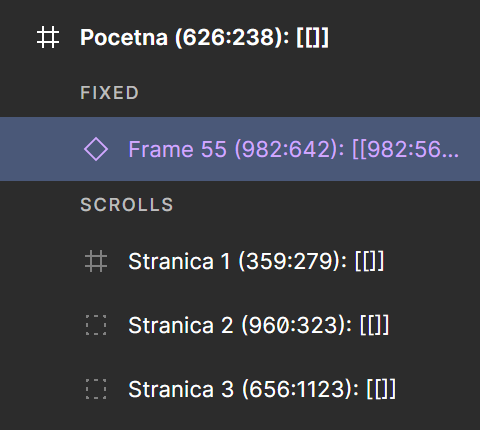
Best answer by tank666

I checked your file again and didn’t see that you wrapped the instance in a frame.
instance

Please wrap the “Frame 55” instance in a frame.

This topic has been closed for replies.

6 replies

Gayani_S
Figmate
  • Community Support
  • October 12, 2023

Hey there, I’ve just checked your prototype and it looks like it is working. Could you send me a screen recording showing where it looks buggy for you?


Jovana_Zivkovic1

Hi Gayani_S,

This is what I see. Thank you for taking the time to check out this.


tank666
  • November 2, 2023

Jovana_Zivkovic1

I already did that. It is a fixed frame but when scrolling first button is not working properly. 😑


tank666
  • Answer
  • November 3, 2023

I checked your file again and didn’t see that you wrapped the instance in a frame.
instance

Please wrap the “Frame 55” instance in a frame.


Jovana_Zivkovic1

Yes, you were right. It’s working! I wrote frame 55 but didn’t make it. Thank you. 🫣 🤗
Can you explain why is it working with frame and not with instance?