Larry_NM
March 19, 2021

Stroke cap — Big circle

  • March 19, 2021
  • 11 replies
  • 4166 views

Migrating over to Figma. Literally found a limit within 2 minutes.

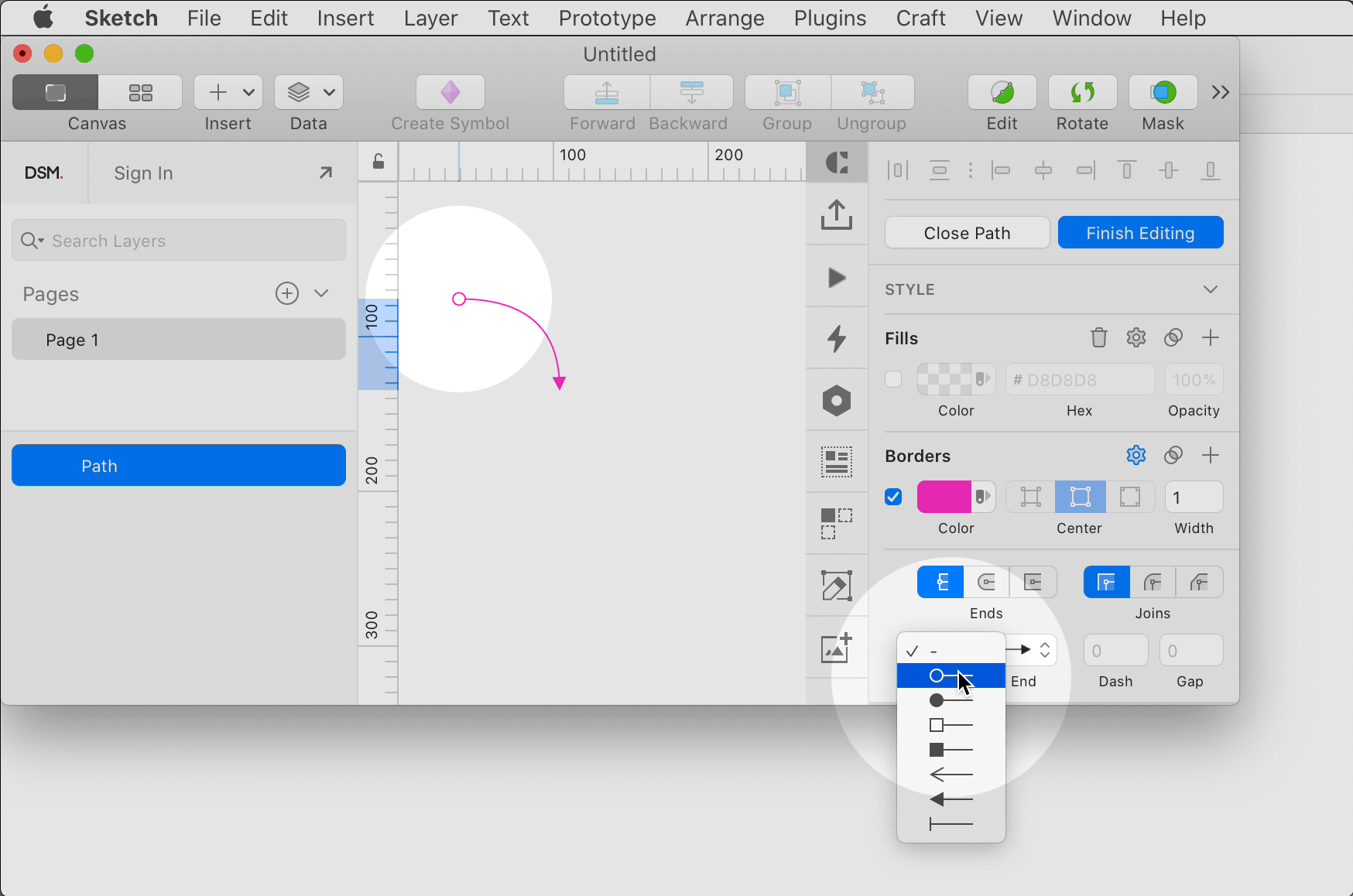
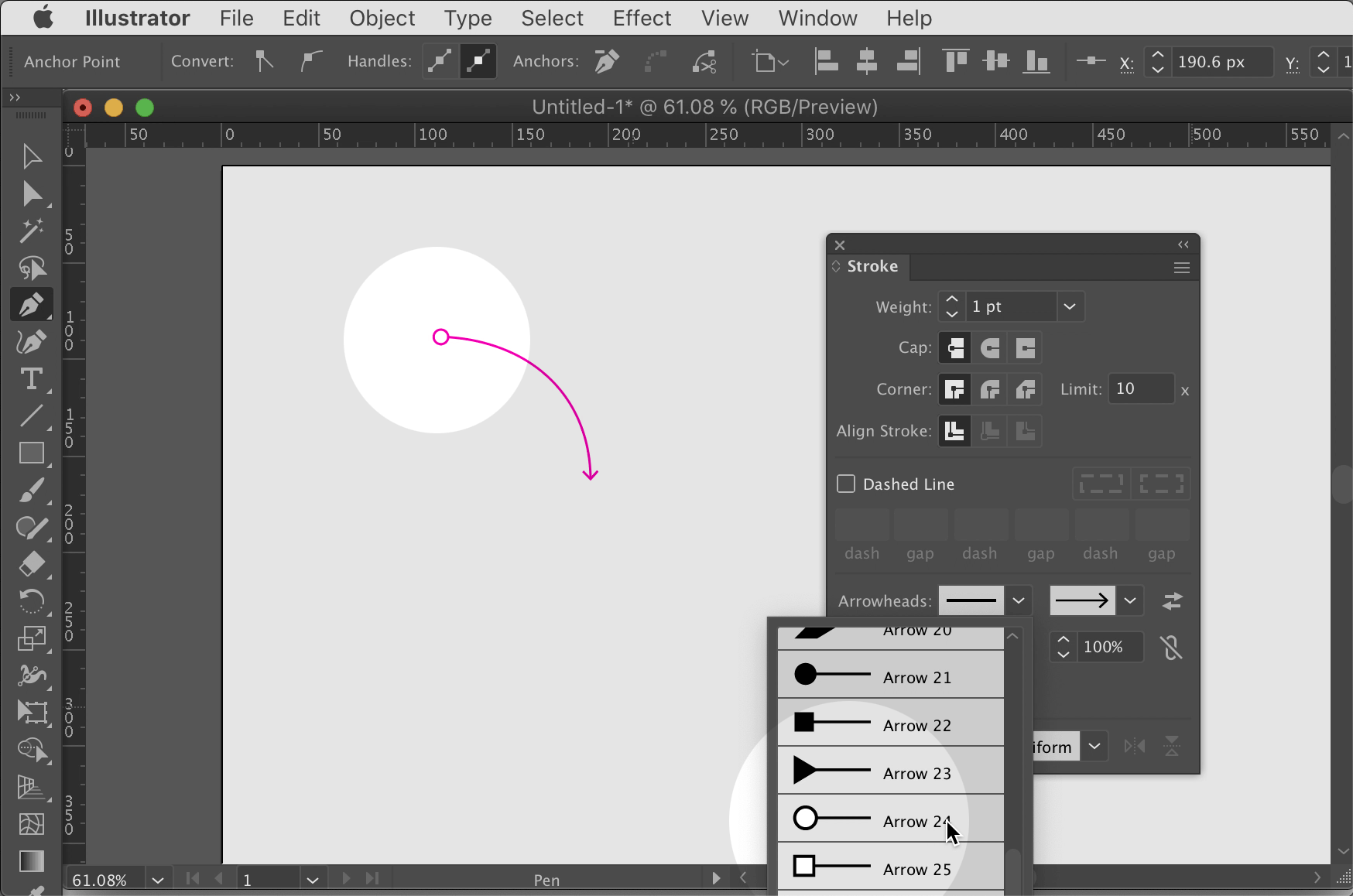
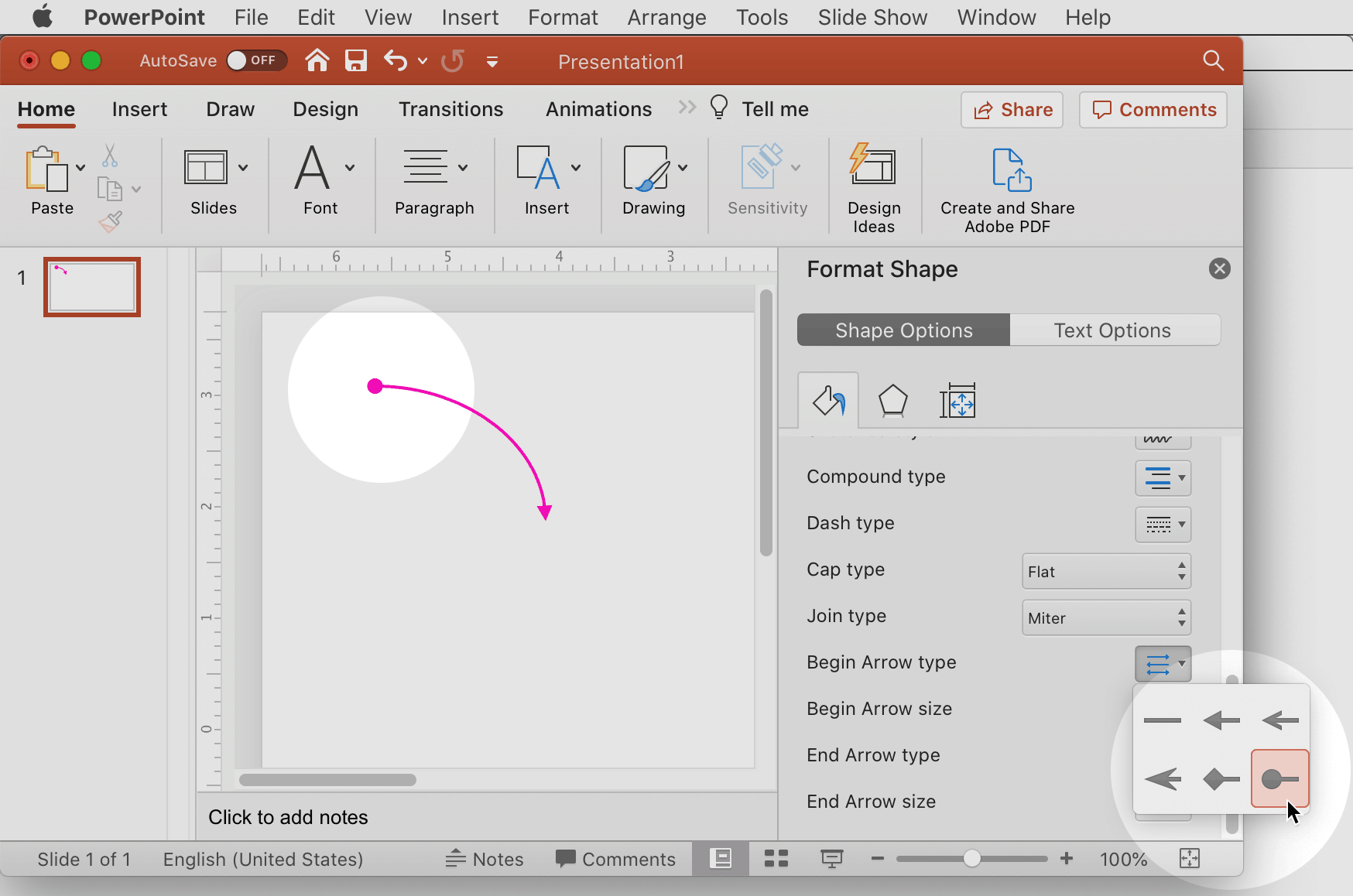
In Figma, you can’t end a line with an arrowhead on one end, and a circle or dot on the other.
Illustrator has been able to do it for 25+ years. Sketch can do it. Even PowerPoint can do it.

But Figma can’t?

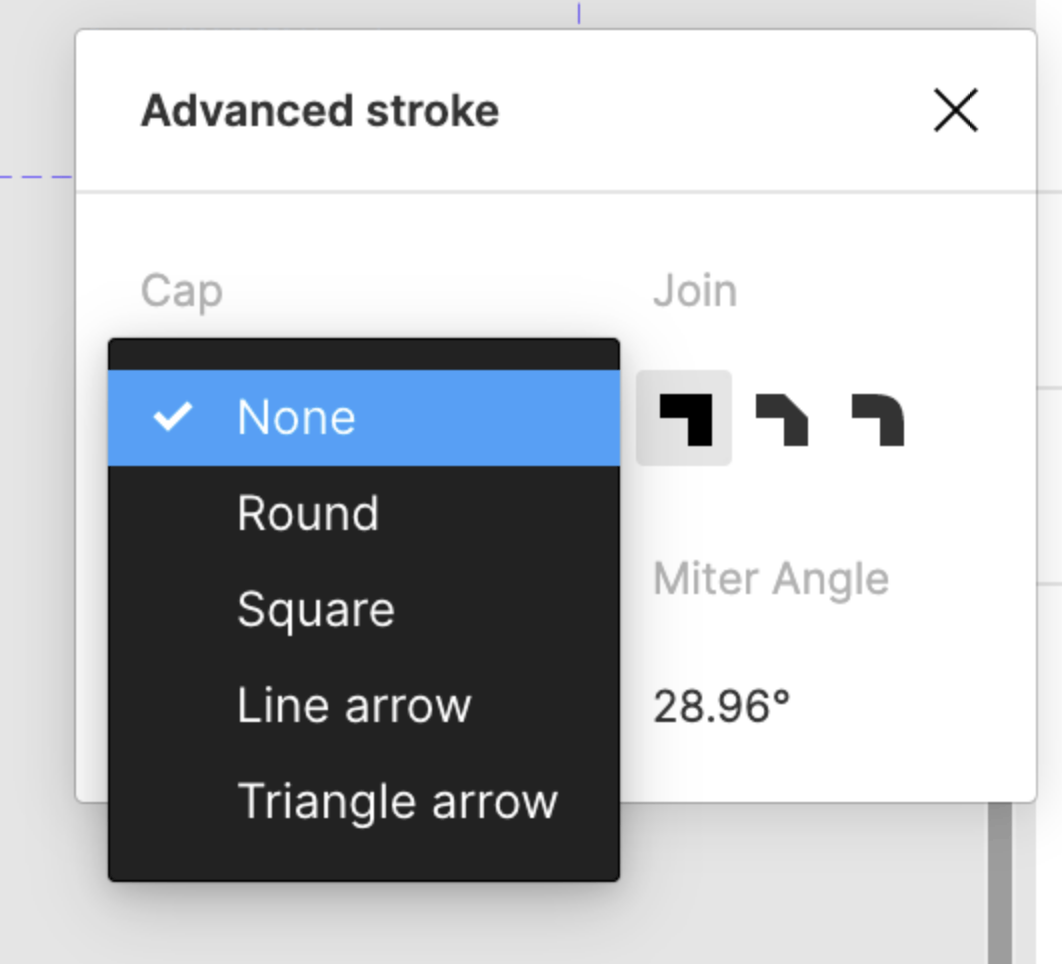
On the Figma dropdown menu, it mixes up caps with ends. Round and Square are caps. Line Arrow and Triangle Arrow are ends (or tips). Nothing else can be done except arrowheads.

I make a lot of wireflows, so this seemingly small thing is actually a big annoyance for me.

Has anyone else noticed this?


11 replies

David_LaPorte
March 19, 2021

+1

I end up using a tedious workaround of creating a line ending with an arrow with a circle object. Definitely not ideal, particularly for large flows. Maybe there is a PlugIn as an interim solution?

If there were a circle/square/dot-at-the-end-of-a-path option, it would also be great to be able to control its size independent of the width of the stroke – for instance, being able to have a large circle even though my stroke is only 2pt wide, for example.

And opacity control for that circle (independent of the line’s opacity) would be icing on the cake.

Kevin_Chiang1
March 19, 2021

Yes, quite annoying so +1 to this issue.
Try Autoflow and/or Arrow Auto plugins though, it adds arrows between two objects/frames.

Brighita_Lungu
June 21, 2021

Even more annoying now that they released an update to this feature and introduced different ends, but instead of circle or dot they put a diamond. Diamond can get confusing when you are using an arrowhead at the other end. Too many angles.

Melinda_Kuei1
September 14, 2021

Definitely a huge issue for me. I also agree with David’s point about being able to change attributes of the end points so you can customize scale or opacity or color.
Unfortunately, I don’t have a solution, but just wanted to bump this post so hopefully Figma roles out a solution for this asap 😃

Paulina5
March 16, 2022

Yes! The diamond and reversed triangle are too visually similar to be used with arrows. I miss this so much from Sketch, but my company has switched over to Figma. I’ve been manually creating circle caps with shapes… Such a pain…

Please, please add this. It’s a small feature but a HUGE QoL bump for those of us who frequently use stroke caps.

will.burroughs
May 16, 2022

+1

To be able to control the size of an arrowhead independent of the width of the stroke as can be done in Illustrator.

Brighita_Lungu
November 1, 2022

yes, please allow size of arrowhead or dot of line independently controlled

Zoe_Gomez
Active Member
November 21, 2024

This size point discussed by a few people here used to be it’s own ticket here but looks like its been closed

would love if it could be reopened !!

Would love some more ability to custom the stroke caps - we’ve had some updates to strokes lately but nothing for the caps : (

Celine_
Figmate
Community Support
December 3, 2024

Hey @Zoe_Gomez , thanks for flagging it, and thanks everyone for your feedback!

I’ve re-opened the topic, so feel free to upvote and add any additional feedback there:

Zoe_Gomez
Active Member
December 3, 2024

Thank you !!! It’s something I’ve needed a lot in my work lately