

mcram
February 1, 2021

Refresh thumbnail

  • February 1, 2021
  • 58 replies
  • 14778 views

I find the thumbnail is slow to update and often doesn’t update for days (at all?). A work around has been to choose “Restore default thumbnail” and then “Set as thumbnail” on the desired frame. The thumbnail has become an important feature to me and I use it to convey information to my team. The inconsistent thumbnail updates are a little problematic.

Suggested solution: an option in the right-click menu for the file to “Refresh thumbnail”.
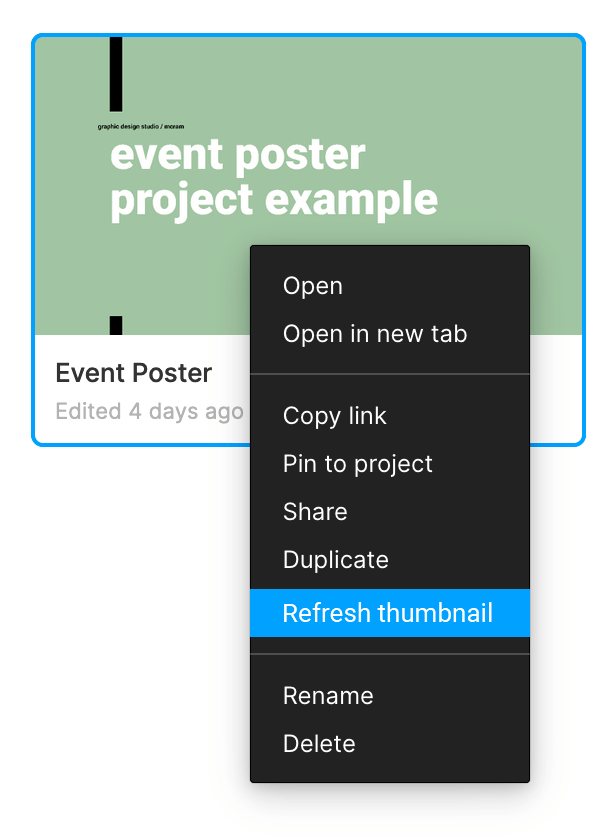
58 replies

wgo
Active Member
August 12, 2022

+1 Same here, thumbnail won’t update… 😢

Yale_East
August 18, 2022

+1 It’s never worked great, but it feels like it’s gotten worse for sure. I’ve had some brake on files that I haven’t changed the thumbnail in a lot of time and on old files I’m not even using too.

Naomi_Donabedian
January 30, 2023

This is my problem too

Fabrice
February 28, 2023

March 2023: Thumbnail refresh is broken again…

Ludwig_T
New Member
May 1, 2023

Agreed that it should either refresh on it’s own OR we could have the option in the contextual Menu.

That said there is a work around at the moement that works for me most of the time.

  1. Click “Restore Default Thumbnail” in the context menu
  2. Click “Set as Thumbnail” again.

(I know it sucks, but it works)

Tamar_Ziri
June 15, 2023

doesn’t always work

Prasanna_Revan
July 20, 2023

Please please fix this.

November 28, 2023

Please fix this… I have multiple files relying on the thumbnails updating.

ChiSenires
Active Member
January 4, 2024

Adding to this post, only to voice that I would also love an update on handling thumbnails for Figma. My particular use case is also using the MS Teams integration, so it would help loads if I can trust that the Figma links I share to my team are updated.

Chi
klimlugvlad98228
February 1, 2024

I just tried to update thumbnail for 20 files… i want to end my life… best ux ever!