

mcram
February 1, 2021

Refresh thumbnail

  • February 1, 2021
  • 58 replies
  • 14778 views

I find the thumbnail is slow to update and often doesn’t update for days (at all?). A work around has been to choose “Restore default thumbnail” and then “Set as thumbnail” on the desired frame. The thumbnail has become an important feature to me and I use it to convey information to my team. The inconsistent thumbnail updates are a little problematic.

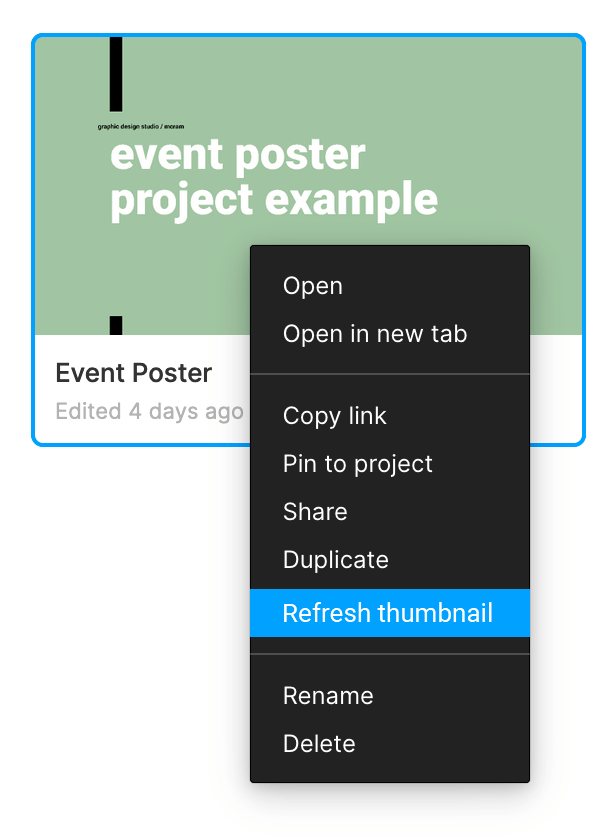
Suggested solution: an option in the right-click menu for the file to “Refresh thumbnail”.
58 replies

PChew
January 7, 2022

This is ridiculous! Please fix this.

Paola_Prado
February 18, 2022

I am having the same problem. The thumbnail that is showing up is a gray box. I already closed Figma, closed the file, reset the thumbnail artboard, and nothing. My Thumbnail cover don’t update. Please fix this!

Aleksey_Polukeyev
April 13, 2022

Infuriating

Ricardo_Zerpa
April 22, 2022

Stilll having that same issue

Emily_Ching
April 26, 2022

Having the same issue… I reverted and created a new thumbnail on all my files (twice!) and this fix only works for a few seconds if at all.

I guess I have to wait until Figma fixes this!

Florian_Pollet
May 12, 2022

Still having issues with the thumbnail update too. And, like others, I rely on the thumbnails to show the status of a file.

Ruban_Prakash
New Member
May 16, 2022

I’m having the same issue.
Closing and reopening Figma, or toggling the set as thumbnail only works for a few seconds and then it reverts back

Nicco
May 18, 2022

Same issue here. Seems that none of the fixes works at the moment.

Mark23
July 15, 2022

Still not working reliably for me 😦

Donny_Wells
August 4, 2022

Restoring and setting thumbnail doesn’t work most of the time. This solution would be great.