Mr.Biscuit
New Participant
January 23, 2021

LAUNCHED: True Aspect Ratio Lock

  • January 23, 2021
  • 214 replies
  • 31503 views

Can we get a true aspect ratio lock when the ‘Constrain Proportions’ is on?WX20210123-114719@2x A true aspect ratio lock means two things:
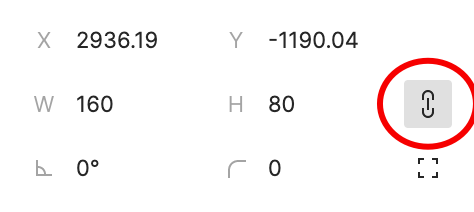
  1. When dragging on a node with ‘constrain proportions’, its width and height always stay in their original ratio no matter which direction you drag it.
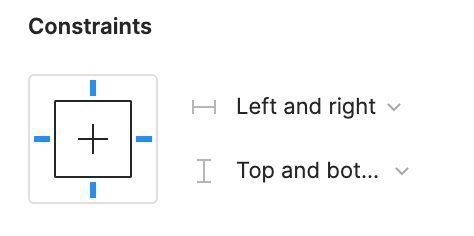
  2. When resizing on the parent of a node with ‘constrain proportions’ that happens to be constrainedWX20210123-112532@2x, the node takes on the smallest of its supposed width and height, and calculates its ratio accordingly.

This would be so very helpful to polygon shapes that want to stay in that shape. Consider a spider chart. When you resize its parent, you don’t want the ‘spider net’ to squish squash; neither will you want a doughnut to turn into an oval.

*Resizing of the node’s parent layer is inevitable if you need responsive designs.

Pinned Reply By Celine_

Hey everyone, thanks for your patience! It’s fully rolled out now!

You can now lock the aspect ratio of almost any object in Figma – including frames, shapes, images, videos, vectors, and text – so that the proportions of that object are respected as you scale the object or its parent container.

 More info in the release notes here.

214 replies

June 28, 2023

Just as in shock as everyone in this thread that this feature doesn’t exist. Many personal hours have been wasted because this basic feature isn’t in Figma.

Creesp
July 3, 2023

Bumping this thread as we need this…

dennsi
Active Member
July 12, 2023

Bumping this as well. Combined with min/max width + height and Auto Layout wrap a true Aspect Ratio lock could be used to better resize images in Cards

David_Jentjens
July 16, 2023

Same problem here. Waiting for Figma’s response.

July 17, 2023

If this ever gets implemented, a minor condition I’d like to see is that, it respects pixel snapping.

For example, if a frame has a ratio of 16:9 and my box is 160x90, then changing the height to a 100 is going to result in a round width value rather than a sub-pixel value (currently, this leads to 177.78).

Olga_Voronina
New Member
July 20, 2023

Unfortunatelly this logic has holes. For example:

  • if I hold down a shift key while recizing a circle using a mouse, the circle will not grow from its center. I have to hold down the Alt key to grow a circle from its center, but the Alt key does not constraint an object when recizing it using a mouse.

  • So please, make Figma do what hundereds of software packages do already. Make the ‘chainlink’ toggle to truly constrain an object on which it is set. The ‘constrained’ behavior of resized objects should be the same regardless of a recize method, using a mouse or typing numbers into text boxes.

Thank you for listening!

dennsi
Active Member
July 24, 2023

I agree, but I’d like that to be optional if needed

July 24, 2023

Do you think it should inherit that behavior if the user already has Snap to Pixel on, or do you it should be a separate option altogether?

Personally, if I already have Snap to Pixel on, I would expect aspect ratios to respect that too; but I’m curious on your take.

dennsi
Active Member
July 25, 2023

My thought is that if we get percentage based values combined with Auto Layout something like rounding to nearest full pixel could interfere with that resulting in unprecise layouting.
I expect to be able to utilize Auto Layout exactly like things work in the web with css, which means sometimes you have decimal places when working with percentage or viewport based values.

Snap to Pixel just refers to how things behave when you move them on the design canvas.
What you mean could possibly be a different feature (something like a checkbox or setting sitting near the aspect lock “round to full pixel”).

July 27, 2023

🎶 w h e r e is a s p e c t ratio looooooock 🎶