

What do you think about having a horizontal scroll on the layers panel? I can’t see the name of the layers and usually widen the panel to be able to see, but since I use a 13", this makes the canvas smaller.
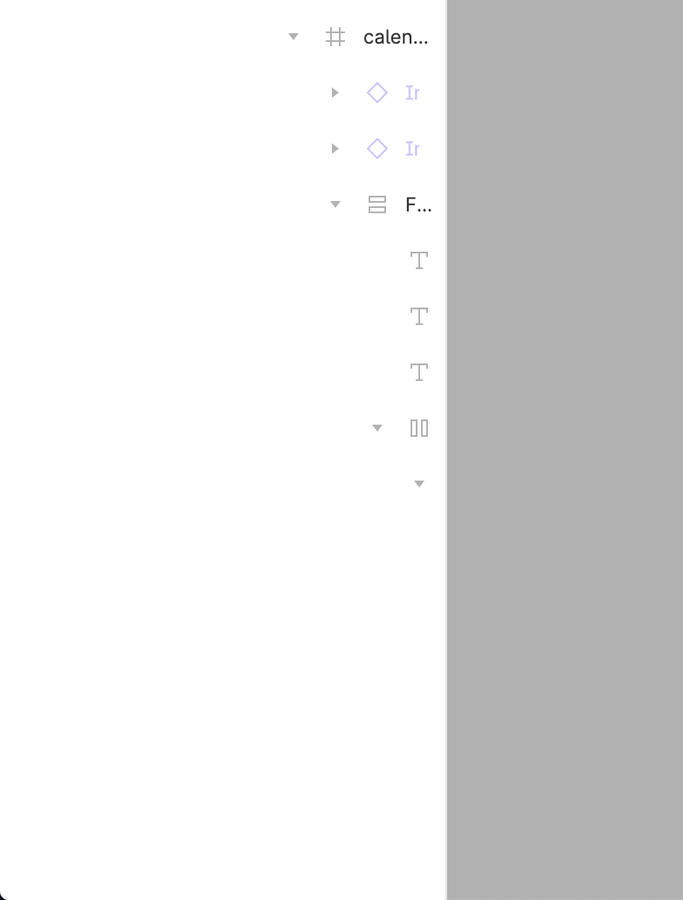
Yea please add this feature. It seems minor but it would help a lot.
Some people might think well you don’t need that deep layers structure, but sometimes we just do. When you have different library components you just need have to have it deep…
Hey, thanks for the script 🔥
I could not get it to work for me, but with a small adjustment to setWidths and revertWidths , I was able to get it to work for me.
Thank you for sharing your fix, I think Figma has changed something again.
I’ve updated my script above and also fixed where the mutation observer should look at (there was a bug, where extending the width and then clicking on an object within the canvas would not resize a collapsed row)
Edit: user script also updated and is now working 🙂
This is easily possible, but it comes with some usability tradeoffs, that take too much time to fix, e.g. if you resize the inner container with all the layer rows and make it scrollable, the lock and visibility buttons that are shown at the end of each row on hover will also appear at the very end within the container. So mouse users will always need to scroll over 1000px to the right and then to the left (depending on level of depth) just to click those buttons. That is why I decided to just resize it to 1500px with the script, that should work for the most cases and is maintainable more easily.
This is becoming a serious issue. At least let us scroll horizontally within the maxed-out Layers panel. That should be an easy fix.
As our projects become more complex, the number of layers within components, etc., grows exponentially and layers will expand outside of the view area.
The quick fix has been to temporarily lift out the section, edit it, and then put it back in.
I also automated this with some JS. You can do the same by pasting the following in your web browser console whenever you open Figma.
// Get the elements by their class names
const scrollContainer = document.querySelector('.scroll_container--full--CiWTy');
const ellipsisText = document.querySelectorAll('.ellipsis--ellipsis--Tjyfa');
// Add CSS styles to the scroll container
scrollContainer.style.overflowX = 'auto';
// Loop through each element with the 'ellipsis--ellipsis--Tjyfa' class and add CSS styles
ellipsisText.forEach(element => {
element.style.minWidth = '240px';
});
(note: you must open the child layers in Figma until it starts adding the … at the end of the text before you paste the following code into your web browser console. Or else the element is just not seen by your browser and wont be able to apply the css.)
I’d like to talk about a key feature that I, along with numerous other UX/UI specialists, find to be of significant importance. The issue at hand is the pressing need for a more dynamic Layers Panel, specifically adding a horizontal scroll option coupled with the ability to expand or collapse the panel as needed.
As we meticulously build intricate and exceptional components, a horizontal scroll inside the Layers Panel isn’t just a convenience, but an indispensable tool for our workflow. Similarly, having the ability to resize the panel - expanding to the maximum width when necessary - can make all the difference in our design process.
While tooltips are handy, they don’t fully address this issue. It’s high time we had an integrated solution that enhances the functionality of the Layer Panel, better catering to the varied needs of our work.
By focusing on these modifications, we can streamline our workspace and improve overall productivity.
Looking forward to hearing your thoughts on this matter!
PS: I’m also attaching a screenshot related to my issue.