

pinquitte
February 5, 2021

LAUNCHED: Horizontal scroll the layers panel

  • February 5, 2021
  • 311 replies
  • 22000 views

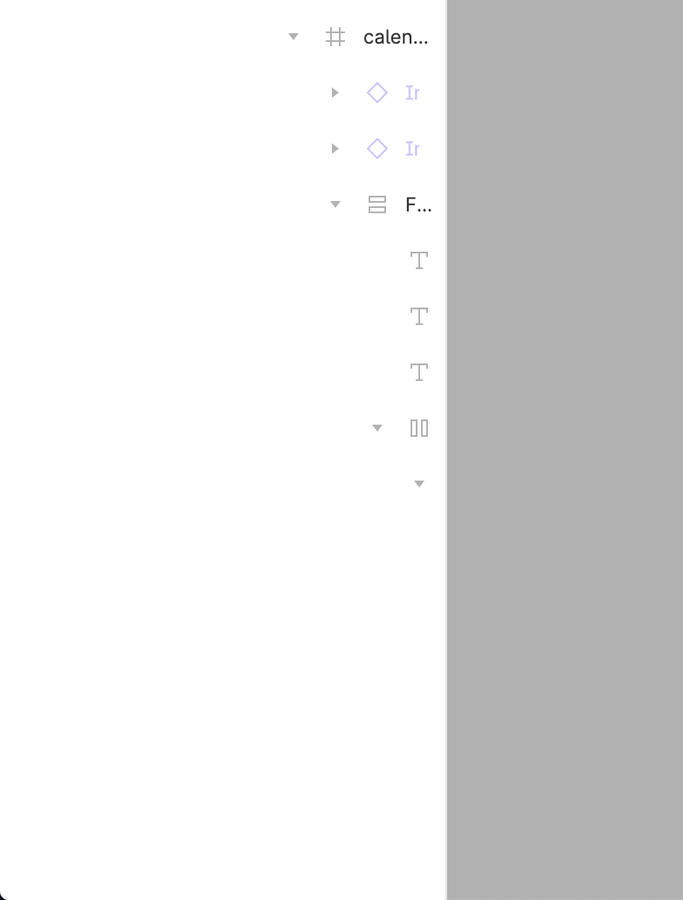
What do you think about having a horizontal scroll on the layers panel? I can’t see the name of the layers and usually widen the panel to be able to see, but since I use a 13", this makes the canvas smaller.
311 replies

Figmate
May 14, 2024

Hello @Marcelo_Macadar, I appreciate you sharing your thoughts with us!
It seems that other members of the community have also made similar requests. I merged your topic with theirs here to keep all the related feedback in one place.
Please vote up from top of this post!

aolko
May 14, 2024

it seems like the votes don’t matter much

Christian_Rauh
May 22, 2024

C’mon folks, it’s been 3.5 years

djv
Figmate
Community Support
May 22, 2024

Hey All, we hear you!

While I wish we had an exact timeline to share, rest-assured that we already have something in the works. Keep an eye out on our future release notes - stay tuned!

Oussama1
May 25, 2024

Having multiple auto-layouts nested in the layers panel on smaller screens constantly moves the layers to the right side. Creating a need to expand the layers panel to see those layers.

aolko
May 25, 2024

please fix /file → /design

George_Yen
New Member
June 4, 2024

Last month, our company started using Figma, and I soon encountered this interesting issue… 😓

I tried to override the CSS to allow horizontal scrolling in the layers panel.
The solution isn’t perfect, but the result is acceptable.

2024-06-04 15.37.14 1

If you are using the Arc browser, you can add the following CSS directly using Boost,

[class^="pages_panel--objectPanelContent"] [class^="scroll_container--scrollContainer"] {
    overflow-x: scroll !important;
}
[class^="pages_panel--objectPanelContent"] [class^="objects_panel--rowContainer"] [data-testid="layer-row"], 
[class^="pages_panel--objectPanelContent"] [class^="objects_panel--rowContainer"] [data-testid="layer-row-with-children"] {
    min-width: fit-content;
}
[class^="pages_panel--objectPanelContent"] [class^="objects_panel--rowContainer"] [class^="object_row--rowText"] {
    width: auto !important;
    min-width: fit-content;
}
[class^="pages_panel--objectPanelContent"] [class^="objects_panel--rowContainer"] [class^="object_row--rowName"] {
    min-width: fit-content;
}
[class^="pages_panel--objectPanelContent"] [class^="objects_panel--rowContainer"] [class^="object_row--row"] input[type="text"] {
    width: auto !important;
    min-width: fit-content;
}
[class^="pages_panel--objectPanelContent"] [class^="objects_panel--rowContainer"] [class^="object_row--rowActions"] {
    position: sticky;
    right: 0;
    padding-left: 0.25rem;
    background-color: var(--color-bg, #fff);
}
[class^="pages_panel--objectPanelContent"] [class^="objects_panel--rowContainer"] [class^="object_row--row"][class*="selected"] [class^="object_row--rowActions"] {
    background-color: var(--color-bg-selected, #daebf7);
}
[class^="pages_panel--objectPanelContent"] [class^="objects_panel--rowContainer"] [class^="object_row--row"][class*="parentSelected"] [class^="object_row--rowActions"] {
    background-color: var(--color-bg-selected-secondary, #edf5fa);
}

Or use the extension version

chromewebstore.google.com

Hope it helps.

aolko
June 4, 2024

CRX_REQUIRED_PROOF_MISSING,
please make it a userscript

June 5, 2024

unbelievable, it’s still not fixed :]

Clement5
June 11, 2024

Please Figma !!!