

Justin_Kalaskey
January 25, 2021

LAUNCHED: Elements now stick to the top when vertically scrolling in prototyping

  • January 25, 2021
  • 136 replies
  • 101434 views

Currently the only function of fixed positioning on an element is to make it persistent in the same spot at all times. While this is useful the majority of the time, there are instances where it would be helpful to have an element become fixed when it scrolls into view or reaches the top of the screen.

For example, there could be a web page that has a secondary navigation below the hero that will become fixed when it reaches the top of the screen and be persistent for the rest of the scroll depth. Then when a user scrolls back up, the element releases from the fixed position when it reaches its original position. You can see this in effect on this page: Develop custom experiences with the Zendesk Platform | Zendesk Sunshine. It could also be used in more advanced manners such as multi-level parallax scrolling.
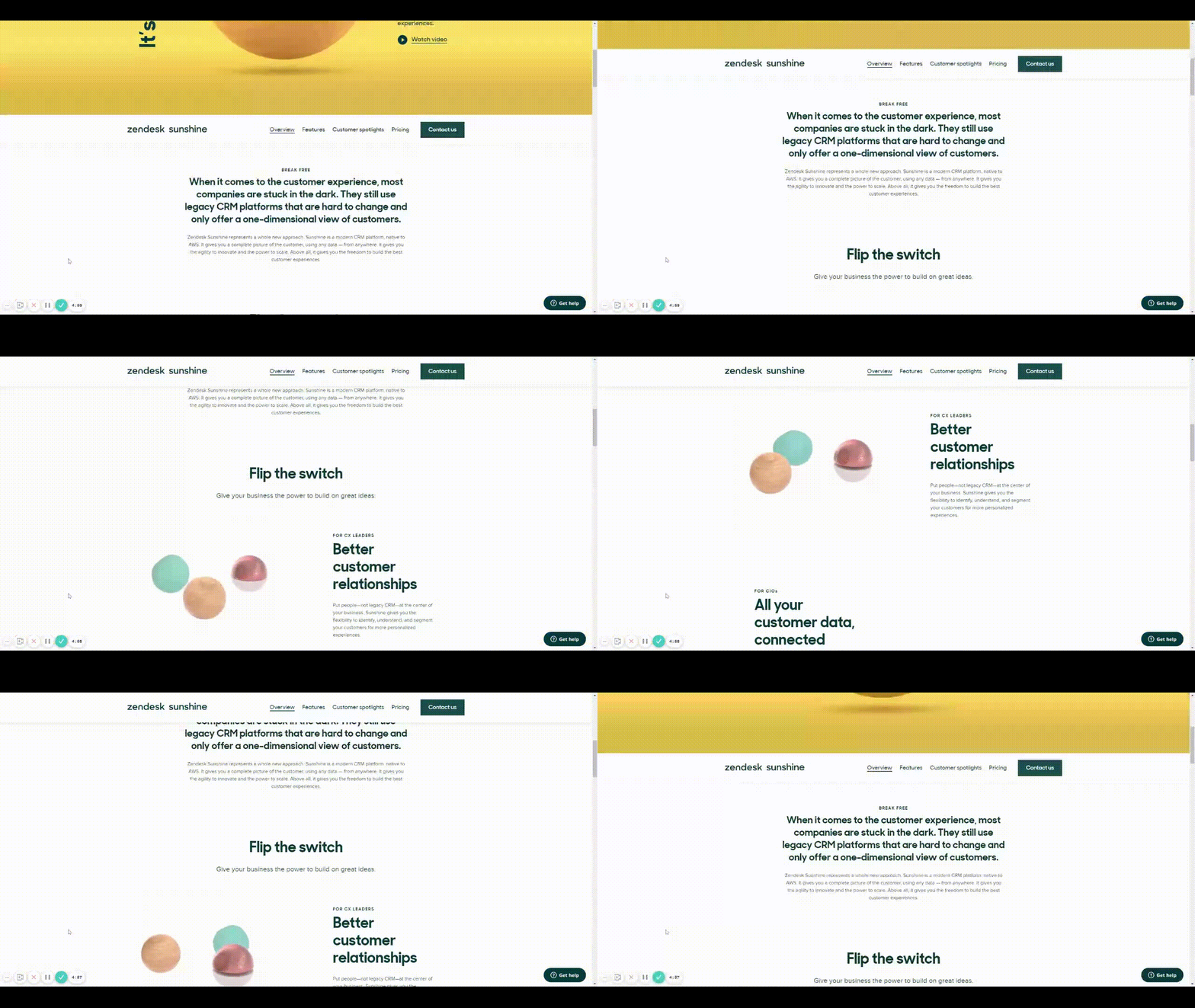
Zendesk scroll example

This would be very helpful for both engineering and stakeholders to understand functionality, especially when the designer isn’t there to describe it to them. It would also prove useful for user testing to understand if a chosen function works for users prior to spending time in engineering.

Does anyone have any other solution to this that I’m missing?

Thank you in advance and looking forward to hearing back!

136 replies

1640max
April 13, 2022

This defenitely should be in Figma. Seems to be easy to implement.

pauline4
April 21, 2022

Yes please @figma treat us with some ‘position: sticky; top: 0;’ 🥰

Jessica11
April 22, 2022

Yes!! Thank you so much this is a great workaround.

Alex_Boschmans
April 22, 2022

Ah. So that’s why I can’t seem to find “fixed position when scrolling” no more in the side bar… it’s gone for auto-layout items. Bummer.

Des_Igners
New Member
April 22, 2022

Boosting this! Same use case as Original Poster but for a mobile app: I have a screen that I want to auto-expand to fit its contents as different accordion menus are expanded/collapsed BUT I still want the header and footer navs to be sticky to the top and bottom of the screen, respectively.

An additional ask would be to set a minimum frame height for the parent frame (screen) because when all of the accordion items are collapsed, the page contents don’t fill the length of a mobile screen.

Melody_Hoffman
April 26, 2022

Another use case would be if you want to have a secondary nav with different jump links for different sections on the page. Ie: you have 3 topics sectioned out below your hero and first container section and want the secondary nav to highlight the link in the nav that is relative to the topic section being viewed. And then do the same as you enter the second and third topic sections. So being able to add multiple places where the nav could be fixed until it reaches the next section or instance of the navigation state.

Melody_Hoffman
April 26, 2022

Hey @FOX have you figured out how to solve for the invisible buttons covering up all other interactive components? I got my secondary nav to work perfectly thanks to your example however my invisible buttons covered up sections of my page where I added buttons, links, etc. I tried putting the button layer beneath all my other content and it still did not work. Thanks so much! Your solution is the best one I found for solving for secondary nav…just has hiccups.

Robin_Sharma_move_elevator
May 3, 2022

Thanks buddy!!!

May 6, 2022

A must have. Any idea when it gets implemented?

Matthew_Bailey
May 10, 2022

This would be an AMAZING feature to add and very helpful for common submenu navigation patterns. Can’t wait for this to be developed and released.

The next evolution of this feature should be to allow overlays to appear based on scroll depth. This is very helpful if you have elements that appear sticky as the user scrolls down the page which is not in view by default. See the example below where the cart header appears as the user scrolls down the page.

ezgif.com-gif-maker