

Justin_Kalaskey
January 25, 2021

LAUNCHED: Elements now stick to the top when vertically scrolling in prototyping

  • January 25, 2021
  • 136 replies
  • 101434 views

Currently the only function of fixed positioning on an element is to make it persistent in the same spot at all times. While this is useful the majority of the time, there are instances where it would be helpful to have an element become fixed when it scrolls into view or reaches the top of the screen.

For example, there could be a web page that has a secondary navigation below the hero that will become fixed when it reaches the top of the screen and be persistent for the rest of the scroll depth. Then when a user scrolls back up, the element releases from the fixed position when it reaches its original position. You can see this in effect on this page: Develop custom experiences with the Zendesk Platform | Zendesk Sunshine. It could also be used in more advanced manners such as multi-level parallax scrolling.
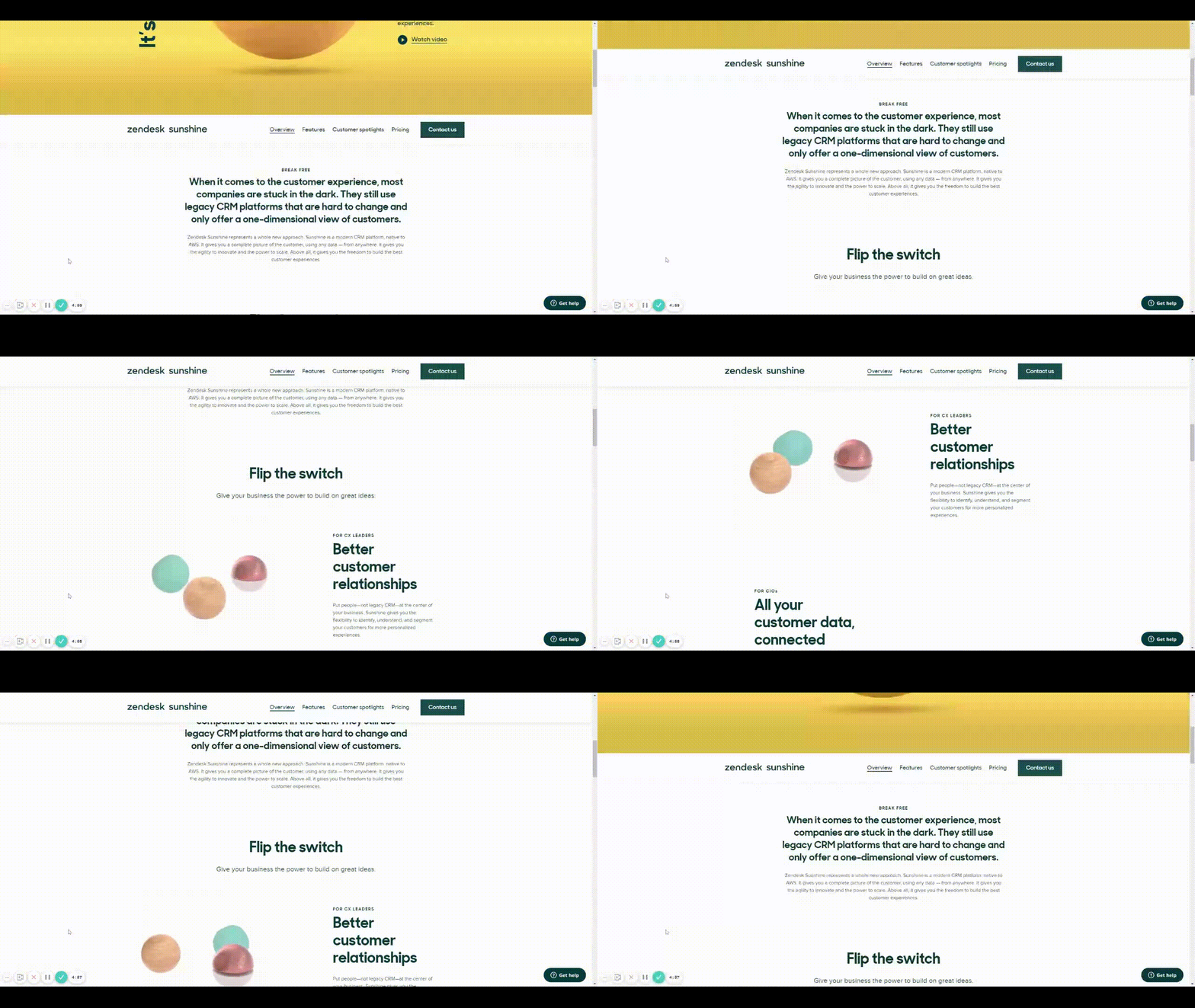
Zendesk scroll example

This would be very helpful for both engineering and stakeholders to understand functionality, especially when the designer isn’t there to describe it to them. It would also prove useful for user testing to understand if a chosen function works for users prior to spending time in engineering.

Does anyone have any other solution to this that I’m missing?

Thank you in advance and looking forward to hearing back!

136 replies

Robin_Sharma_move_elevator
May 11, 2022

Would love this have this feature.

What you think about this?

  • “Open Overlay” when “scroll down”
  • “Close overlay” when “scroll up”

Love to have this because this is what the user does.

Matthew_Bailey
May 29, 2022

@Figma_Support Any updates where this feature is on the road map? Really need this to be implemented!

Frank_Van_de_Ven
June 15, 2022

This worked for me! took a bit to figure it out, but opening an overlay works like a charm for me. Good solution to a big problem!

Gualter_Amaro
June 28, 2022

I’m also working on a prototype where we have a full auto-layout page but still want a fixed-position navigation on top. I would like to know how can we do it since the auto-layout here is extremely important to have.
Maybe we could have floating elements that could be placed over the auto-layout without interfering with it - and these elements could have a fixed position or not, for more freedom.

Clemencizm
June 30, 2022

Amazing! Thank’s!

Dylan_Jacquay
July 5, 2022

I agree this feature would be extremely helpful with demos. Please, add this!

Everaldo_Amorim
July 20, 2022

Navigate to Mr.Robot’s Card (click on it). When the Season 1 page shows, scroll down and see the sticky header in action as the episode menu nests underneath the main header. Workaround on XD.

xd.adobe.com
Everaldo_Amorim
July 20, 2022

@Gleb: I have been trying to rebuild my XD Prototype in Figma, and find it extremely difficult to replicate / emulate a few of its interactions natively. I’ve been considering setting it up in Protopie, but honestly have no idea if it will pay off.
The link in the post above shows how I’ve managed to dock the “Episodes / Related / Details” bar right below the main navigation header, on scroll. This workaround did not involve multiple frames, but rather masking elements and adjusting their layer order.
All nav elements have been achieved using nested components, such as the navigation on the video player segment - accessed by clicking on either S1E3 or S2E1 of Mr.Robot. The video shorts were also pasted on single frames. They can be accessed by clicking on the ‘Episodes’ icon, which will open a series of nested component overlays.

Gleb
Power Member
July 20, 2022

Sooo how can I help you? It’s simply not possible in Figma.