

Justin_Kalaskey
January 25, 2021

LAUNCHED: Elements now stick to the top when vertically scrolling in prototyping

  • January 25, 2021
  • 136 replies
  • 101434 views

Currently the only function of fixed positioning on an element is to make it persistent in the same spot at all times. While this is useful the majority of the time, there are instances where it would be helpful to have an element become fixed when it scrolls into view or reaches the top of the screen.

For example, there could be a web page that has a secondary navigation below the hero that will become fixed when it reaches the top of the screen and be persistent for the rest of the scroll depth. Then when a user scrolls back up, the element releases from the fixed position when it reaches its original position. You can see this in effect on this page: Develop custom experiences with the Zendesk Platform | Zendesk Sunshine. It could also be used in more advanced manners such as multi-level parallax scrolling.
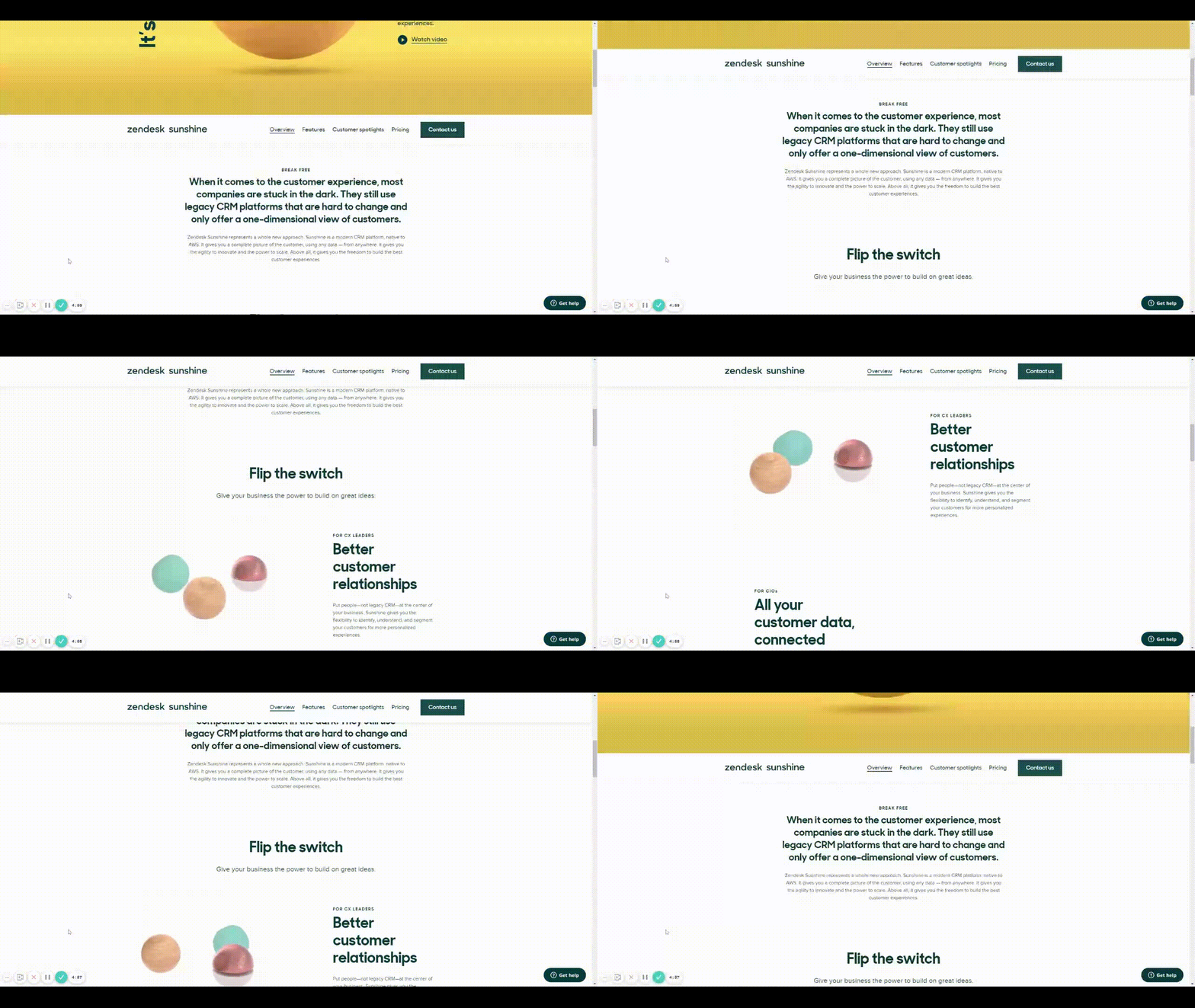
Zendesk scroll example

This would be very helpful for both engineering and stakeholders to understand functionality, especially when the designer isn’t there to describe it to them. It would also prove useful for user testing to understand if a chosen function works for users prior to spending time in engineering.

Does anyone have any other solution to this that I’m missing?

Thank you in advance and looking forward to hearing back!

136 replies

Jeremy_Dennis
New Participant
February 18, 2022

Thanks for the explanation. The odd bit to this method is that it does not work with frames with transparencies or blurs.

IraX
Power Member
February 18, 2022

I’m not sure what you mean. It’s just a 0% opacity layer that scrolls in and out of view. No sibling or parent frames with transparency or blur affect it.

Ahmed_Khames
February 28, 2022

WOW! Thank U 🤍

Alexandra_Gruenagel
March 4, 2022

I’d really love to have a sticky feature. ❤️ 🙏
Automatically stuck to the bottom of the screen would be very cool.

goncalo.fonseca
March 23, 2022

So are we getting this feature or what? This would be super handy to make the prototype experience more realistic. Also, it will be just a matter of time until the competition offers something like this.

Kelco
March 24, 2022

Please, I need this!

Alexey21
New Member
April 3, 2022

Exactly what I need!

Henrique_Pires
April 5, 2022

Worked like a charm. Thanks for sharing!

dennsi
Active Member
April 8, 2022

Oh yes I need this!

Randy_Assell
April 10, 2022

Please, please, please…. Add “fixed position when scrolling” capability to items that have autolayout. OR, a native workaround to remedy the issue. The case that I run into on nearly every project is I will have a webpage that is set up to auto-expand with the content throughout the page. For example, accordion panel content and expanding sections that will change the overall document height as items are toggled on/open when in the prototype preview. This is great for more accurate client presentations to show the intended usage of the design. The trouble is when a client wants a sticky nav AKA “fixed position when scrolling” within that prototype, we have to do some pretty odd workarounds to make this viewing experience seem natural. Or we have to simply leave it static and reassure the client that the developed page will have the sticky nav fully functioning. Not ideal to ask the client to have a good imagination about how the end result will function.