

Israr_Choudhry
February 26, 2021

First on top layer order in Auto-Layout

  • February 26, 2021
  • 80 replies
  • 22893 views

Currently auto layout arranges layers from bottom up, i.e. the lower most layer in the layers list appears on top of every other layer on the workspace.
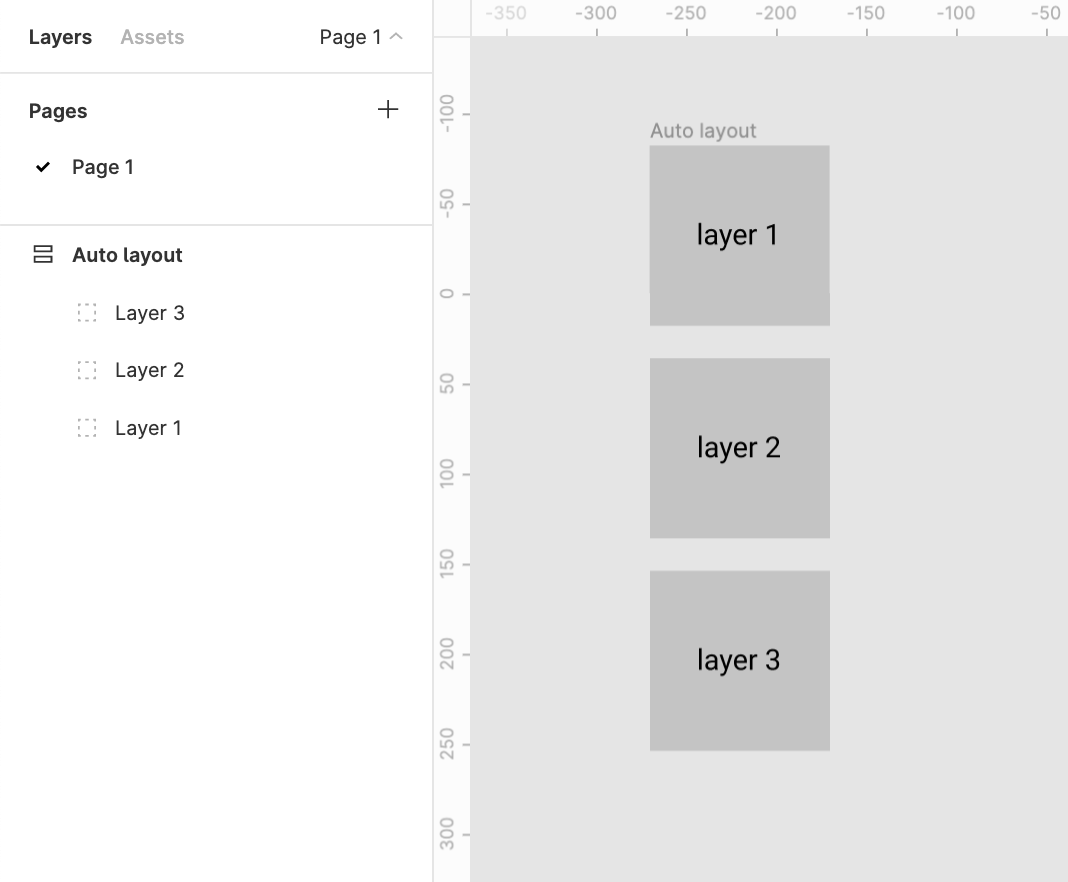
This creates two problems

1. Confusion
There’s a clear confusion of the order of layers shown in the layers menu and the representation in the workspace. This requires a bit of getting used to

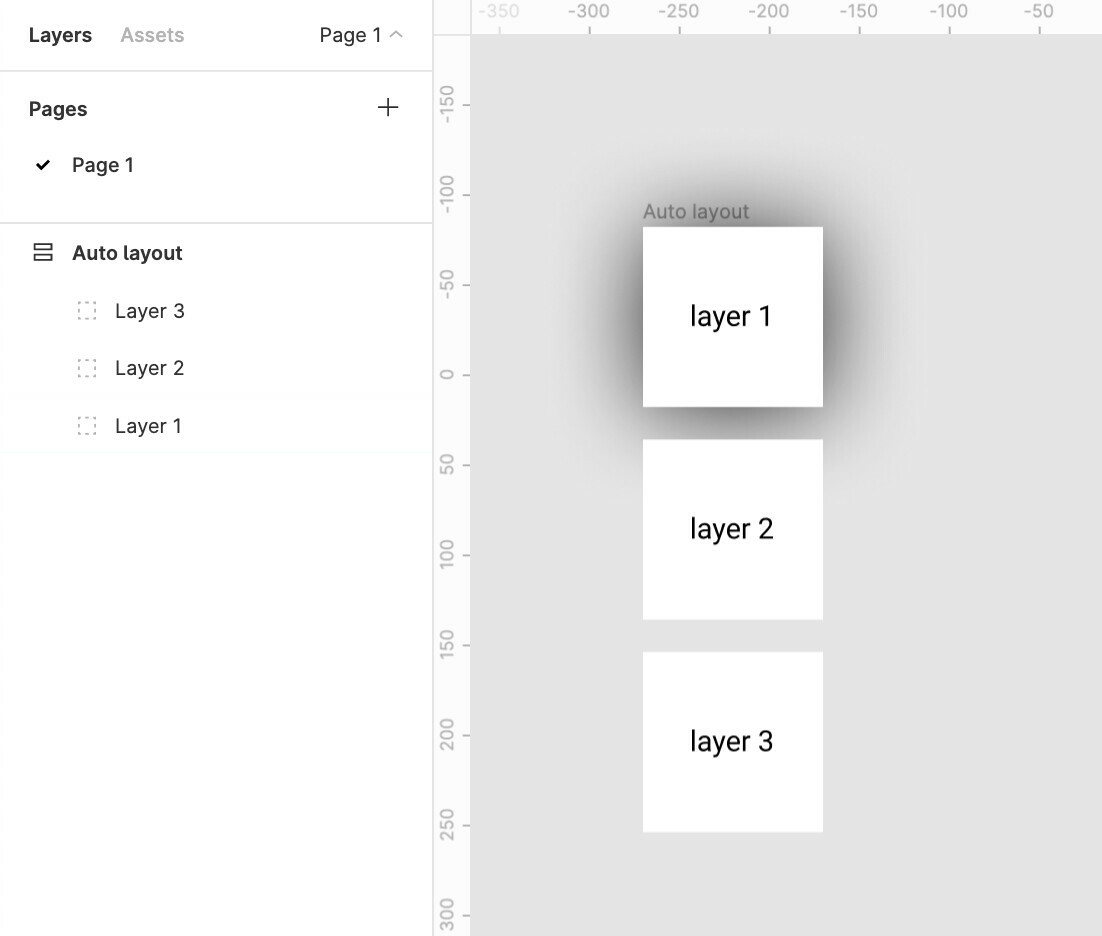
2. Effects like drop shadow don’t work like they are expected to
Applying a drop shadow to layer 1 does not cast the shadow on layer 2
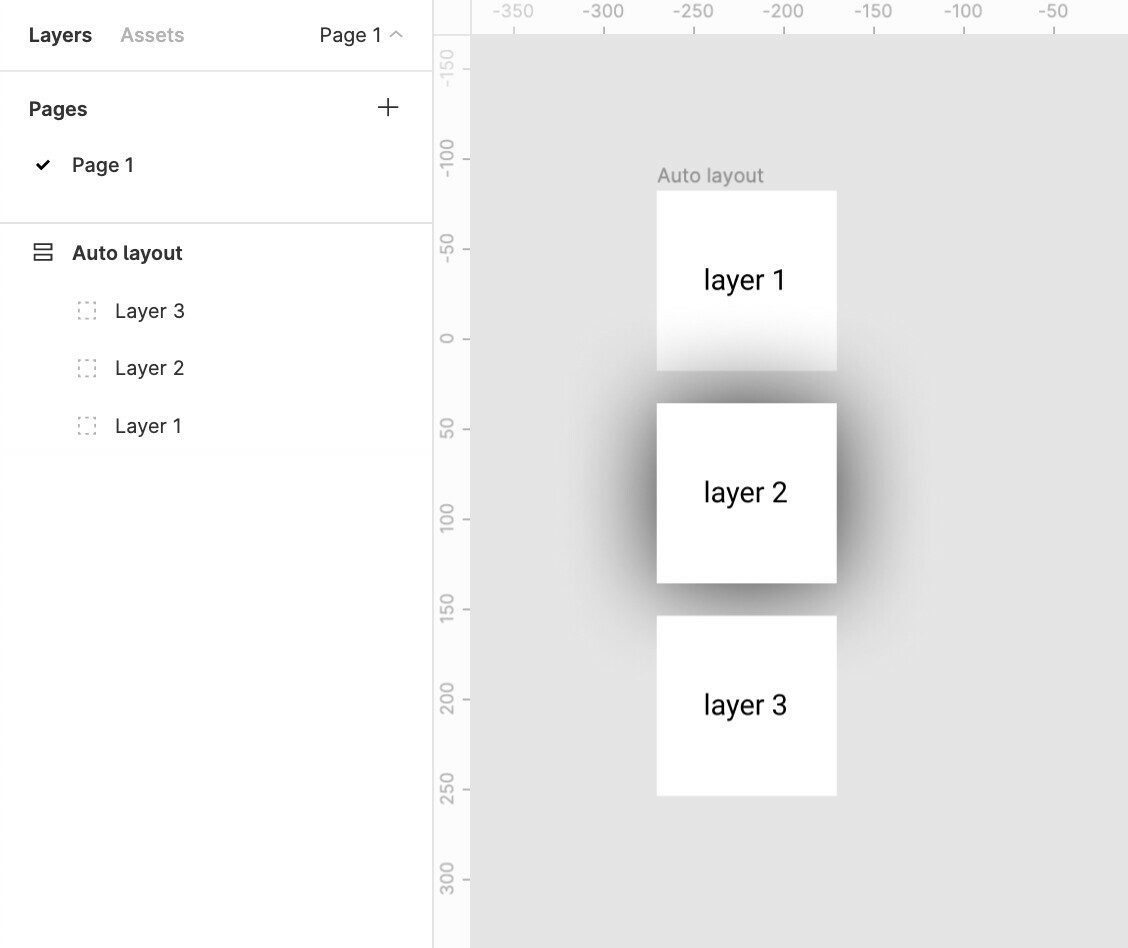
And applying a drop shadow to layer 2 casts a shadow over the top layer 1
The Order in the layer menu should be reversed.
Does anybody else see merit in this?

Update:
The same logic applies to horizontal auto-layouts.
The right most element is on top whereas the left most element should be on top majorly because we scan left to right hence the element on the lleft most extremity is to be scanned first.

for example:
Say we require a stack of layers to be shown which shuffles on drag
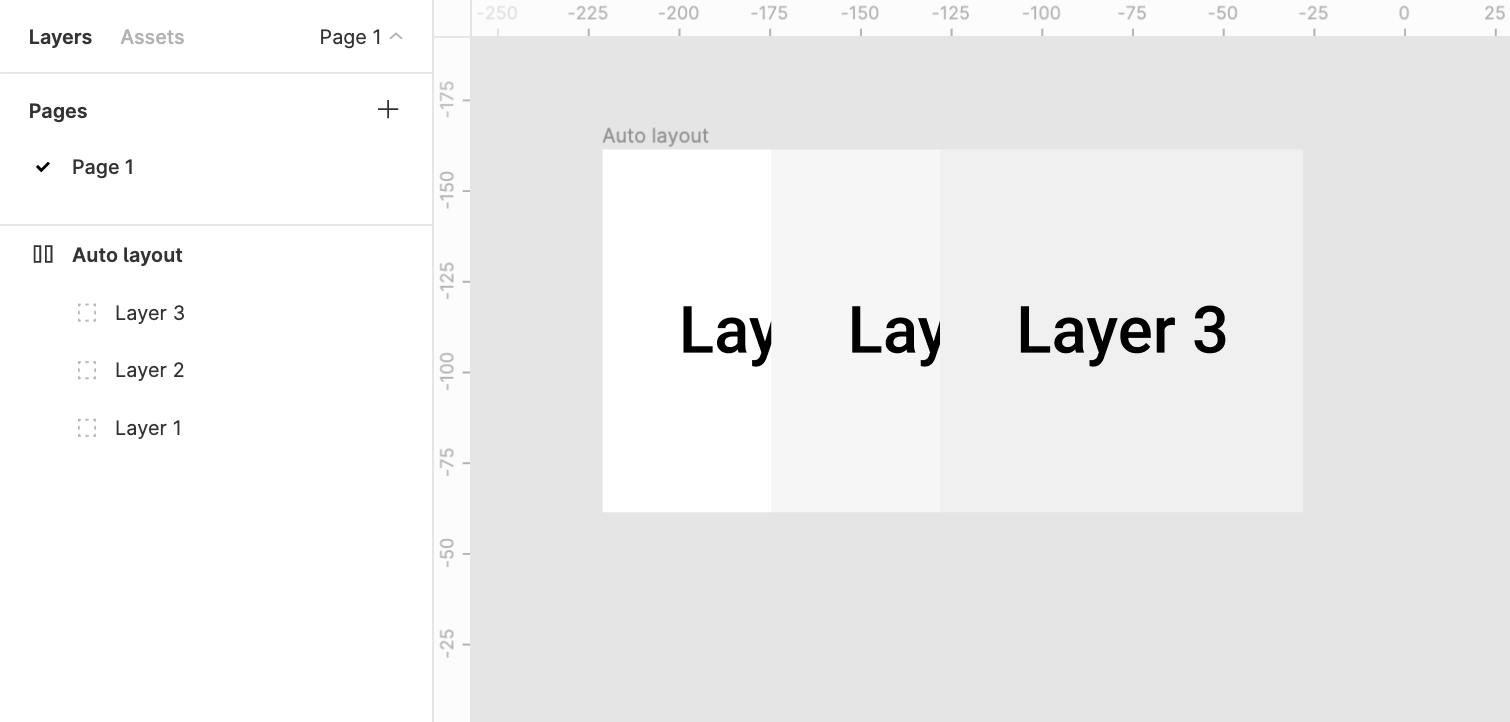
It would make more sense to bring layer1 above layer2 above layer3

80 replies

September 1, 2023

+1. It really is troublesome that you can’t design a typical dropdown menu without it showing up under other mockup layers beneath it by default. Rearranging other frames to reverse canvas stacking feels cumbersome and is difficult to manage at scale. If a layout is using absolute positioning within an autolayout frame, it’d be nice if there were at least a way to set it to show above other frames using standard positioning.

October 18, 2023

I need the top navbar as well as the bottom navbar to drop shadow on the contents frame. that didn’t solve it.
any idea how to manage this?

Dominic
Active Member
October 31, 2023

If top and bottom nav can be fixed, have them separated from body, i.e. have scrollable content in a separate container. Something like this

December 14, 2023

We need the option to set our default order in preferences. While the last on top can be useful for some people, the other group simply don’t work that way (including me).

Luigi_Chelli
New Member
February 21, 2024

+1 please make an option for setting the default to first on top

March 14, 2024

@Luigi_Chelli it already exists, if you see 3 or 4 replies above your request

Luigi_Chelli
New Member
March 17, 2024

Not sure I follow, I think it would be great to have first on top by default set for every new auto-layout frame, not having to set them manually each time. That would require some app-wise preference.
Is that already implemented? thanks!

Vulning
May 27, 2024

Yes Please!

Eric_Lampi2
New Member
May 28, 2024

I get your point, but that’s not how objects in 3D work, IRL or in 3D applications. It’s independent of the visual order in a list, the user decides where they should be in their list and 3d space. However, in order to see something it must be “above”/“in front of” other objects in x,y,or z depending on your camera POV.

3D cameras work exactly like a camera in the real world. UX best practices dictates that “the system should match the world”. The reason for this is simple, it’s how people think and how humans experience the world around them. Whomever made this choice clearly didn’t bother asking anyone who would be designing in Figma.

Look at all of Adobe’s products, Layer order is from the top down 1 being at the top of the list and also in visual order.

They really need to fix this like it’s a bug, I wonder how many hours collectively are wasted because users get hung up on this odd convention?

Rodrigo_Fernandez_Suarez
New Member
May 29, 2024

This is killing me


I cannot find the frame that needs to be last on top or first on top so my dropdown is visible. Is there a way to find out. So far everything around it is tagged first on top

help 😟