

Israr_Choudhry
February 26, 2021

First on top layer order in Auto-Layout

  • February 26, 2021
  • 80 replies
  • 22893 views

Currently auto layout arranges layers from bottom up, i.e. the lower most layer in the layers list appears on top of every other layer on the workspace.
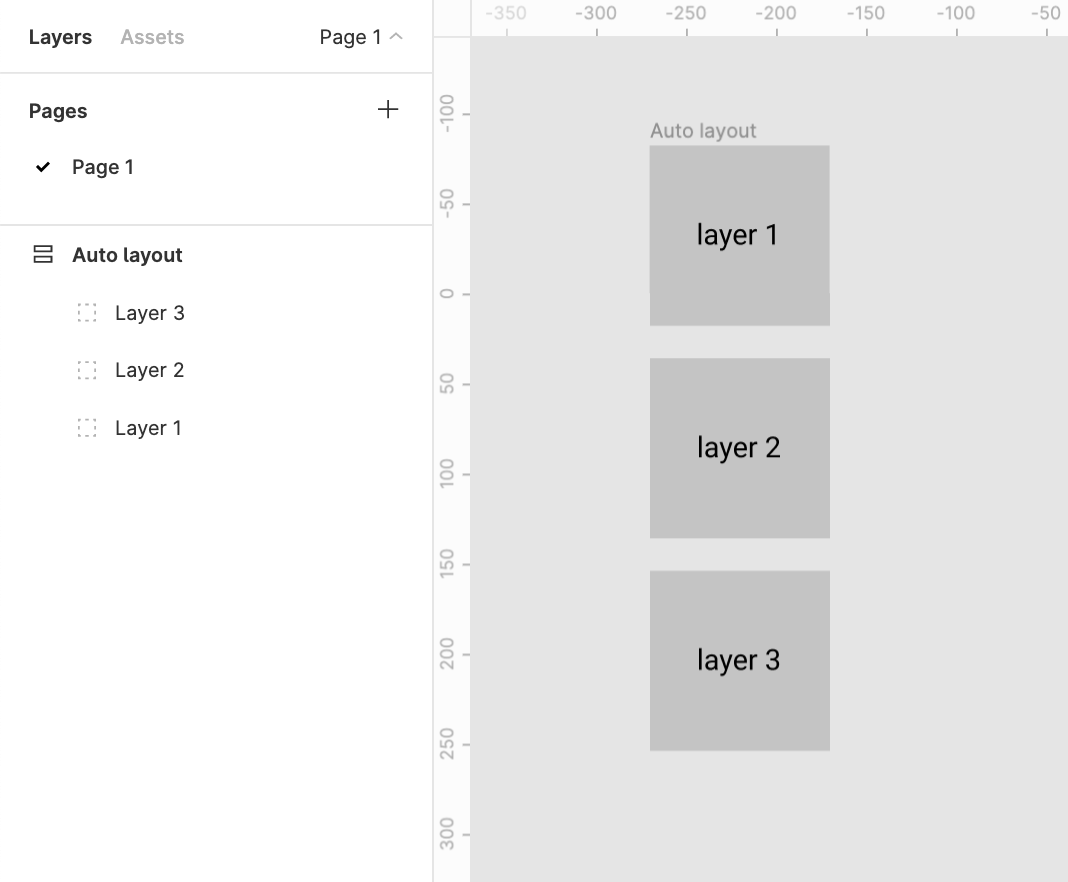
This creates two problems

1. Confusion
There’s a clear confusion of the order of layers shown in the layers menu and the representation in the workspace. This requires a bit of getting used to

2. Effects like drop shadow don’t work like they are expected to
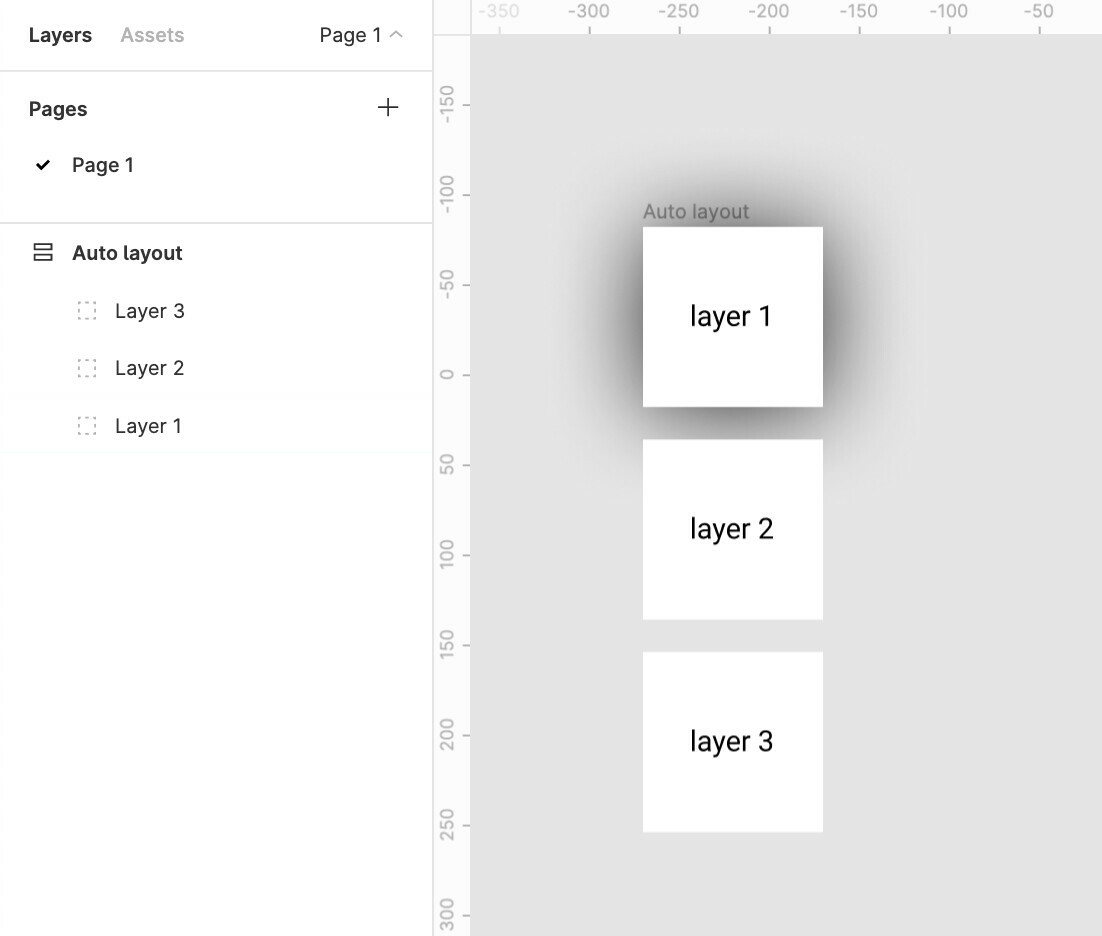
Applying a drop shadow to layer 1 does not cast the shadow on layer 2
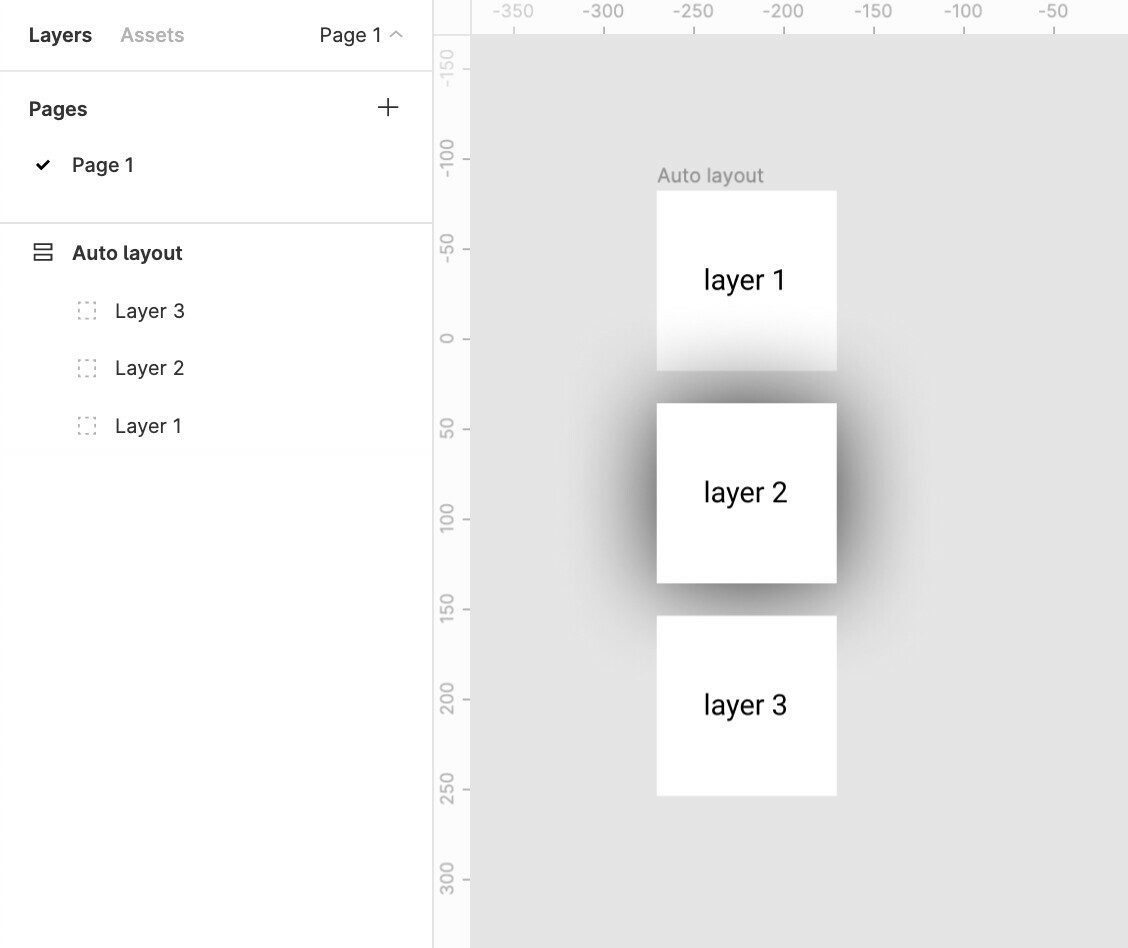
And applying a drop shadow to layer 2 casts a shadow over the top layer 1
The Order in the layer menu should be reversed.
Does anybody else see merit in this?

Update:
The same logic applies to horizontal auto-layouts.
The right most element is on top whereas the left most element should be on top majorly because we scan left to right hence the element on the lleft most extremity is to be scanned first.

for example:
Say we require a stack of layers to be shown which shuffles on drag
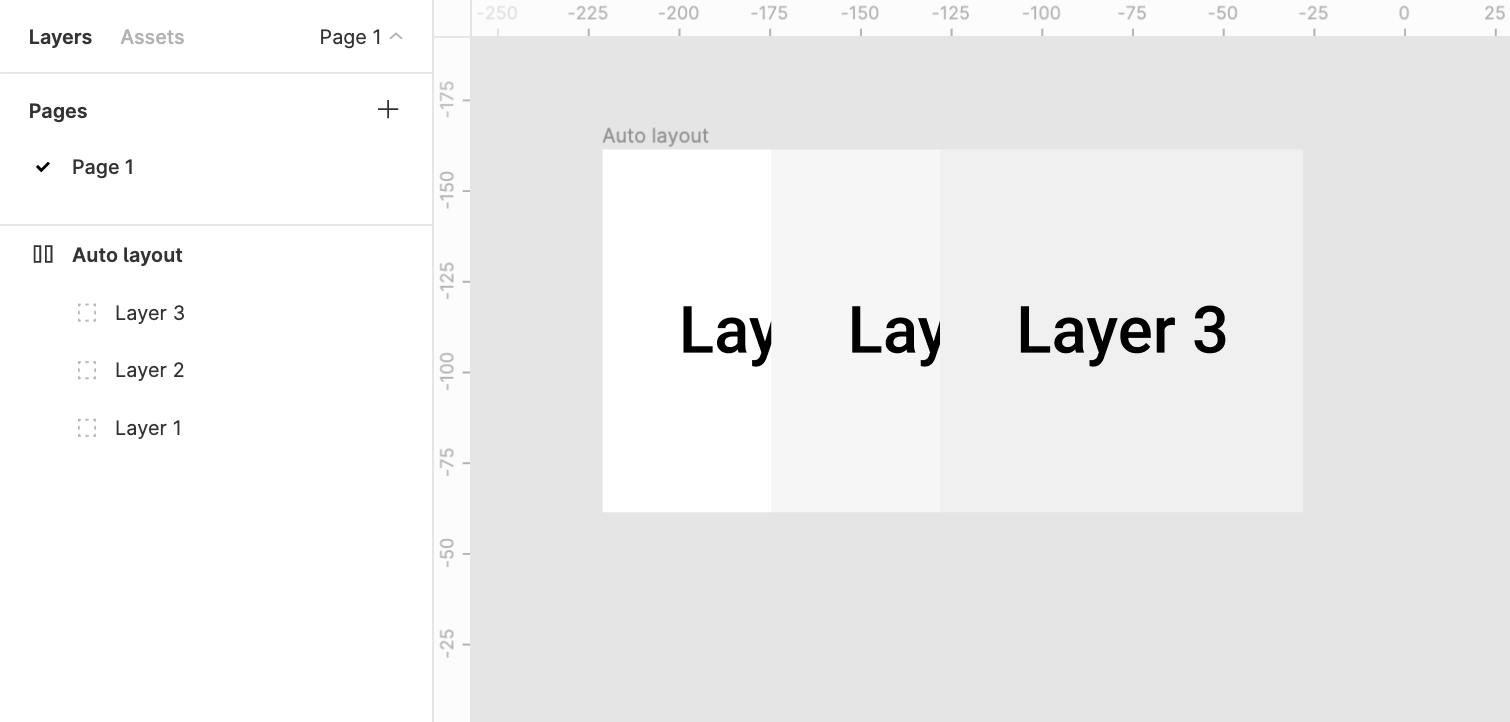
It would make more sense to bring layer1 above layer2 above layer3

80 replies

June 6, 2024

By default, the autolayout feature - canvas stacking should have first on top. Because while creating forms always the dropdown list comes behind the rest of the contents.

So please request the Figma team to make it by default to first on top.
If not, let me know. any other scenario where first on top by default is not required.

Thompson
New Participant
June 17, 2024

Add me to the “Default First on Top” gang. Why wouldn’t this be the default to begin with, what am I missing? Feels broken, man.

Brian_Smith1
October 4, 2024

How has @Customer_Support not seen this thread in years??? This is the most intuitive thing - it feels like a MAJOR oversight. You add a component designing from top to bottom / left to right… the order of layers should be top to bottom. BUT, as it is now… the more you add to a page, the more what you’ve already worked on gets buried in layers. It’s totally backwards… If I design a NAV > Header > Footer – the order in layers will be: Footer > Header > Nav. How does that make sense? You could also consider adding a sorting feature where you can auto arrange oldest > newest and vice-versa.

Reg
November 26, 2024

I’m just having the same problem. Layers in auto-layout have the reversed order vom top to bottom like the same ones without auto-layout. Totally confusing and unnecessary in my eyes. Is there a reason in that?

Jarek_Marciniak1
New Participant
March 12, 2025

How is this still an issue. The UX of this feature is like chewing glass... 💀

Hazy
New Member
May 5, 2025

Just found this thread as I remember using Figma ages ago and being frustrated by this. Picking it up again and I see nothing has changed. I just made a frame and duplicated it 5 times and THIS is the order it stacks the layers:


Is it me or is this totally counter-intuitive? Why do I want frame 5 at the top? Every time I make a new frame or duplicate a frame it _always_ adds it above and then I _always_ have to move it below. Surely there is a way of changing this default behavior? People above have said that you can sort it out in an auto layout, but I don’t want these frames in an auto layout. I want to work on them separately. 


Can anyone let me know if there is a way of changing this so that each new layer or duplicate layer appears below the last layer? Or at least below the layer being duplicated?

Casey_Arendt
New Member
February 20, 2026

They have “Canvas stacking” but the default is still “Last on top” which is death by a thousand paper cuts as you need to change this on every auto layout that you want to do any interactions with.


Dustin_Hansen2
Active Member
March 3, 2026

The “Canvas stacking” option seems to be missing for Auto Layout Grid… :/ 


Dustin_Hansen2
Active Member
March 3, 2026

Is it me or is this totally counter-intuitive? Why do I want frame 5 at the top?


I agree. I think it’s a holdover from tools like Photoshop and Illustrator, where layers are primarily used for stacking objects on top of each other (on the canvas), so when you add a new object it’s above / on top of the items below it, rather than hidden behind it.

For UI design it’s much more useful for layers to go from top to bottom, and this should be the default.

Marx_Oliva
New Member
March 27, 2026

Five years later and Figma is still recycling the same "it's on our radar" excuse.