

Israr_Choudhry
February 26, 2021

First on top layer order in Auto-Layout

  • February 26, 2021
  • 80 replies
  • 22893 views

Currently auto layout arranges layers from bottom up, i.e. the lower most layer in the layers list appears on top of every other layer on the workspace.
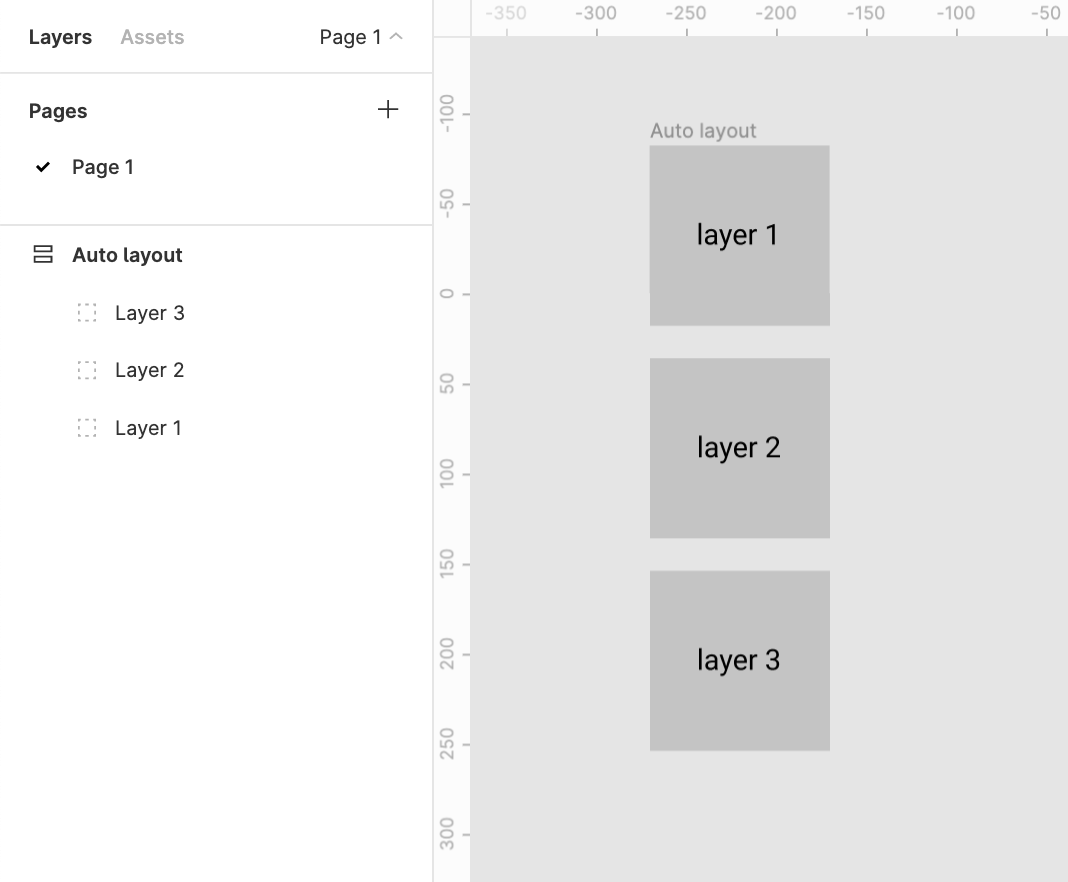
This creates two problems

1. Confusion
There’s a clear confusion of the order of layers shown in the layers menu and the representation in the workspace. This requires a bit of getting used to

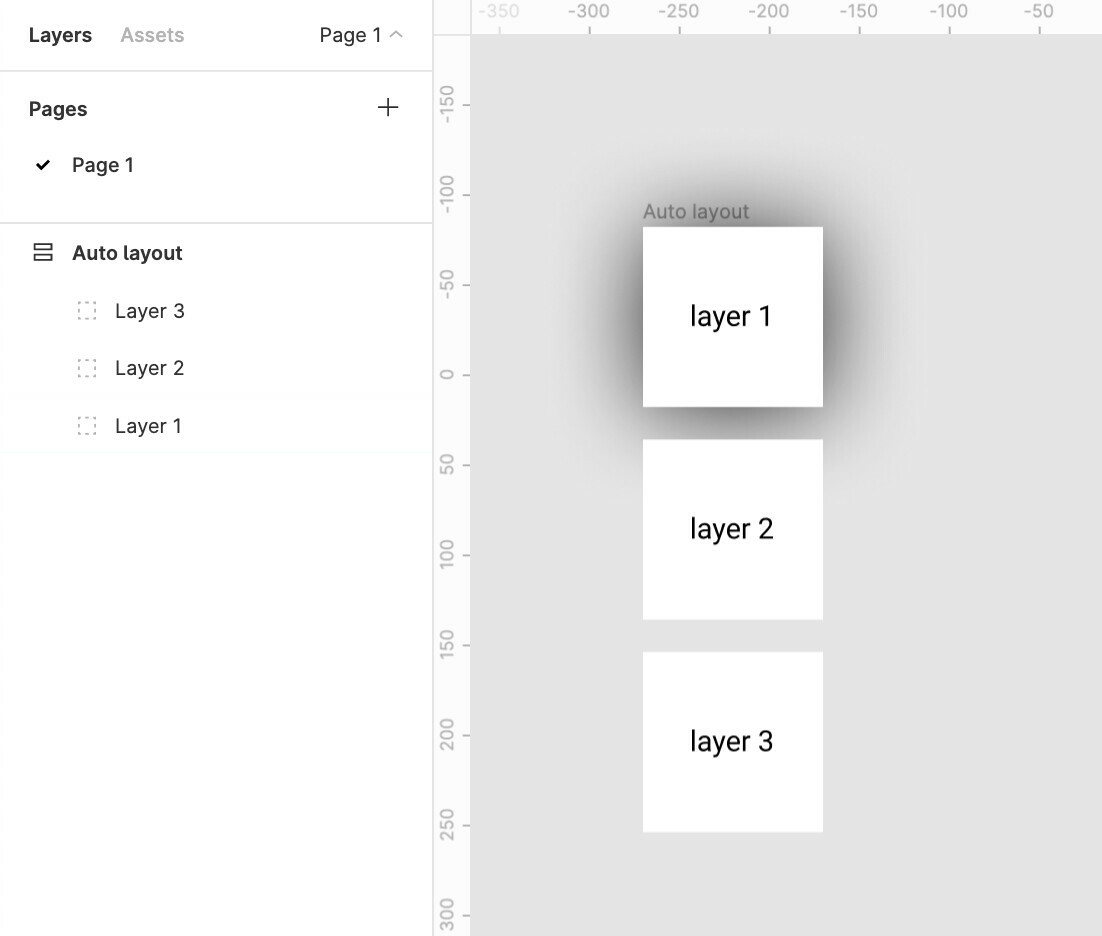
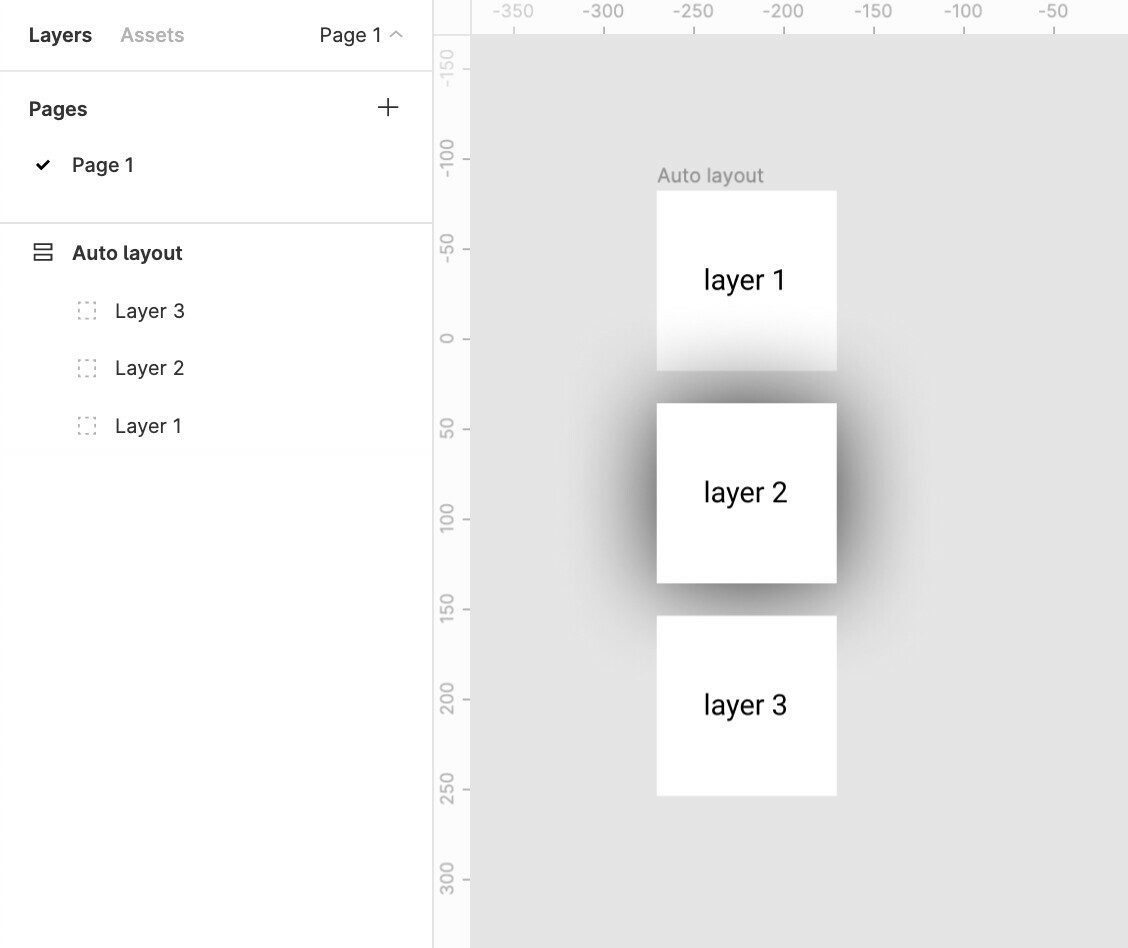
2. Effects like drop shadow don’t work like they are expected to
Applying a drop shadow to layer 1 does not cast the shadow on layer 2
And applying a drop shadow to layer 2 casts a shadow over the top layer 1
The Order in the layer menu should be reversed.
Does anybody else see merit in this?

Update:
The same logic applies to horizontal auto-layouts.
The right most element is on top whereas the left most element should be on top majorly because we scan left to right hence the element on the lleft most extremity is to be scanned first.

for example:
Say we require a stack of layers to be shown which shuffles on drag
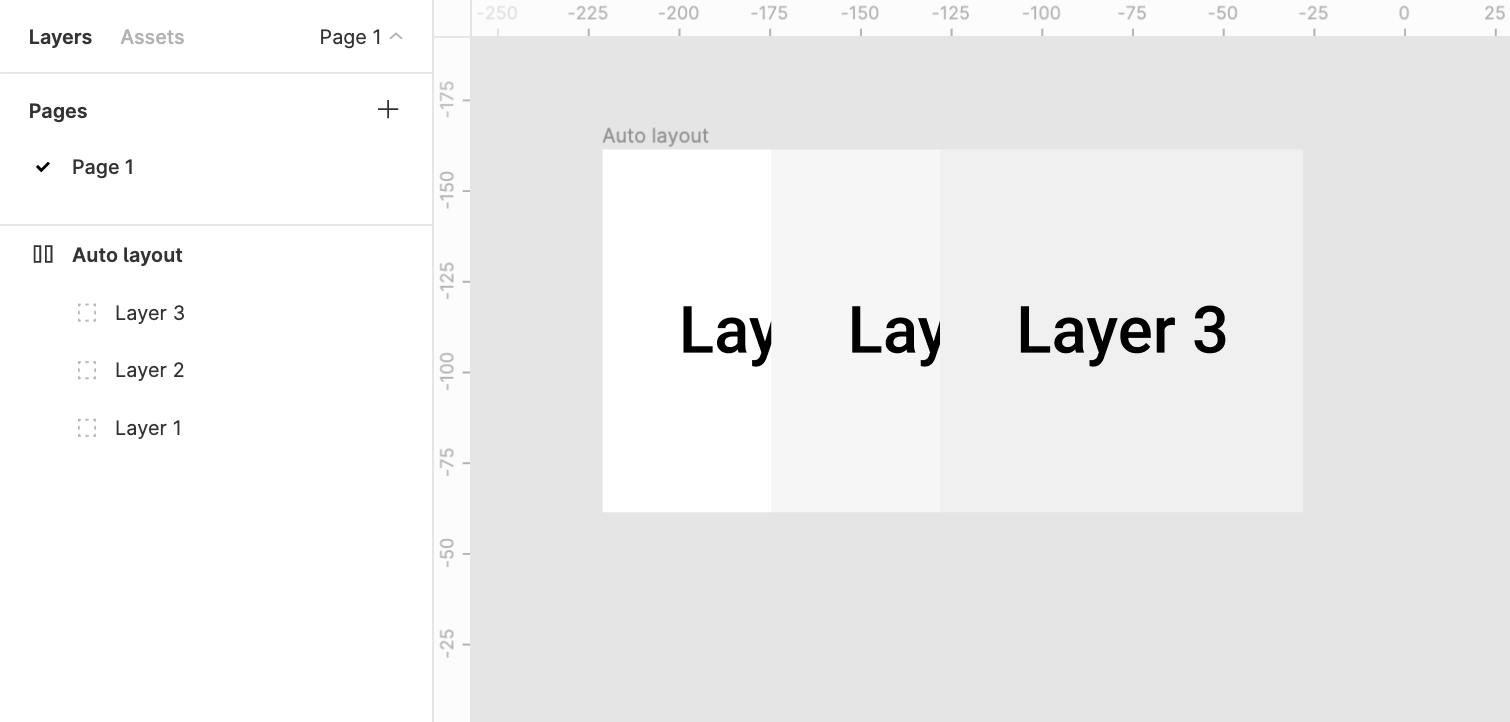
It would make more sense to bring layer1 above layer2 above layer3

80 replies

Omar_Chelbat
September 3, 2022

Thank you so much, I’ve been using this quite a lot. I’ve started running into issues a few patches ago where when I do it it will not only flip the order of the layers, but also turn the content upside down - so text will be flipped upside down making it impossible to read.

Any solution to this?

Arjen_Sol
September 5, 2022

The reverse layers order should no longer be an issue when using auto layouts. On may the 10th during Config 2022 Figma dropped a new release that fixed this issue. Figma changed the z index to be the other way around in the layers panel, meaning if you create an auto layout with multiple instances it will no longer reverse them in the layer panel. Check the video on the page for additional details. If by any change your work predating the 10th is behaving strangely I would suggest to remove the auto layout and adding a new one.

Manuel_Barrio
December 9, 2022

I really don’t understand why smart layout defaults to last on top.

In many years of using Figma, not once has that been my desired order. It’s always First on top.

I’m sure there might be some weird edge cases where it might become useful, but even if it’s just so that dropdown menus don’t “display” their content underneath other layers, that’s a good enough reason.

I’ve just found myself clicking endlessly through frames just to fix the problems w. as when I’m designing pages I’m not looking at the prototyping.

James_Wagstaff
New Member
December 16, 2022

Yeah - z-index would be lovely. My dropdowns are being hidden behind the layer below them and this would fix it. I

February 16, 2023

The solution is in the auto-layout settings:
2023-02-16 10_29_39-Reversal Chargeback - Dispute Create UI - Figma

Val_Halvorsen
March 2, 2023

I have the same issue, and it’s precisely because my dropdown menus are appearing underneath the next item in the auto-layout. I use auto-layout all the time, and it’s a pain to have to change to first on top all the time.

Richard_Roseboom
March 28, 2023

Please add this, it’s a pain for me too.

April 20, 2023

Second this.

This logic is unintuitive and forcing me to pick between auto layout frame and hovering interation

jamiegraydesign
August 15, 2023

I’m sure your stats show that everyone and their mother switches this parameter to first on top. People design things to be readable in the reading direction. Copy thus moves from top to bottom. It seems natural.

jamiegraydesign
August 16, 2023

yes inside the advanced auto layout settings as seen here: