

Israr_Choudhry
February 26, 2021

First on top layer order in Auto-Layout

  • February 26, 2021
  • 80 replies
  • 22893 views

Currently auto layout arranges layers from bottom up, i.e. the lower most layer in the layers list appears on top of every other layer on the workspace.
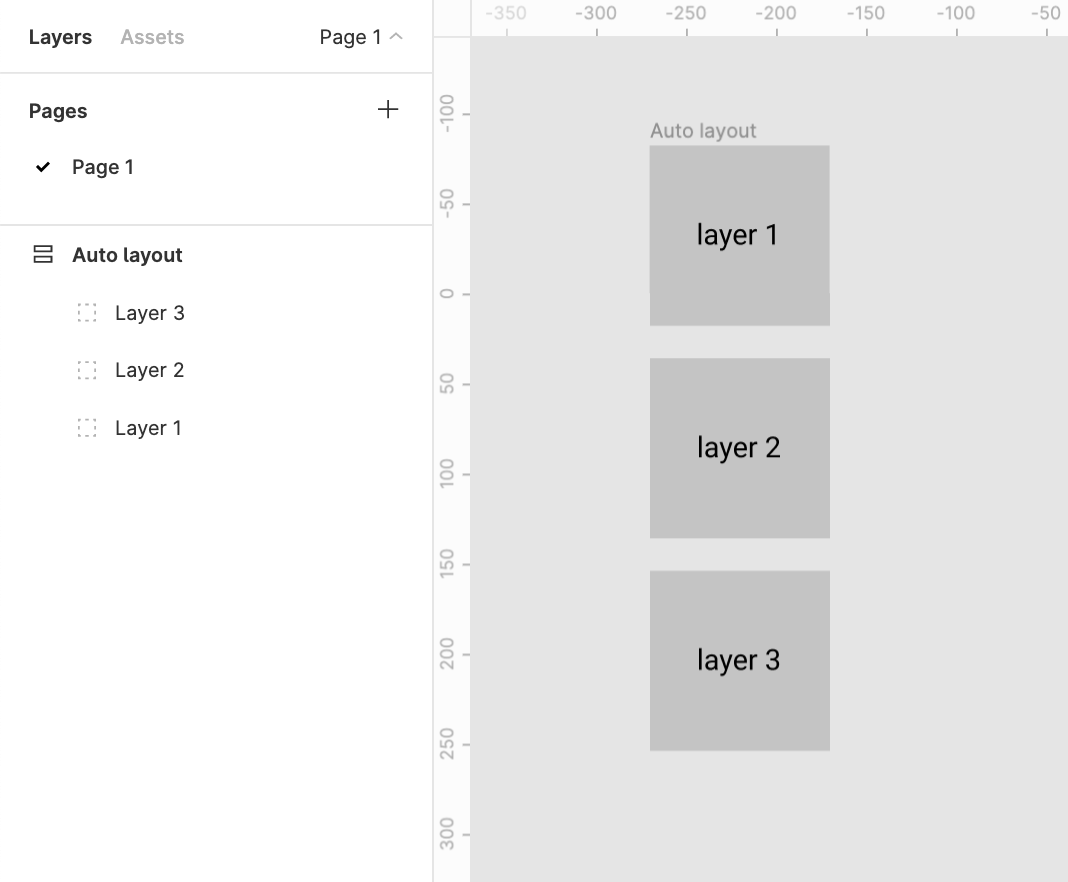
This creates two problems

1. Confusion
There’s a clear confusion of the order of layers shown in the layers menu and the representation in the workspace. This requires a bit of getting used to

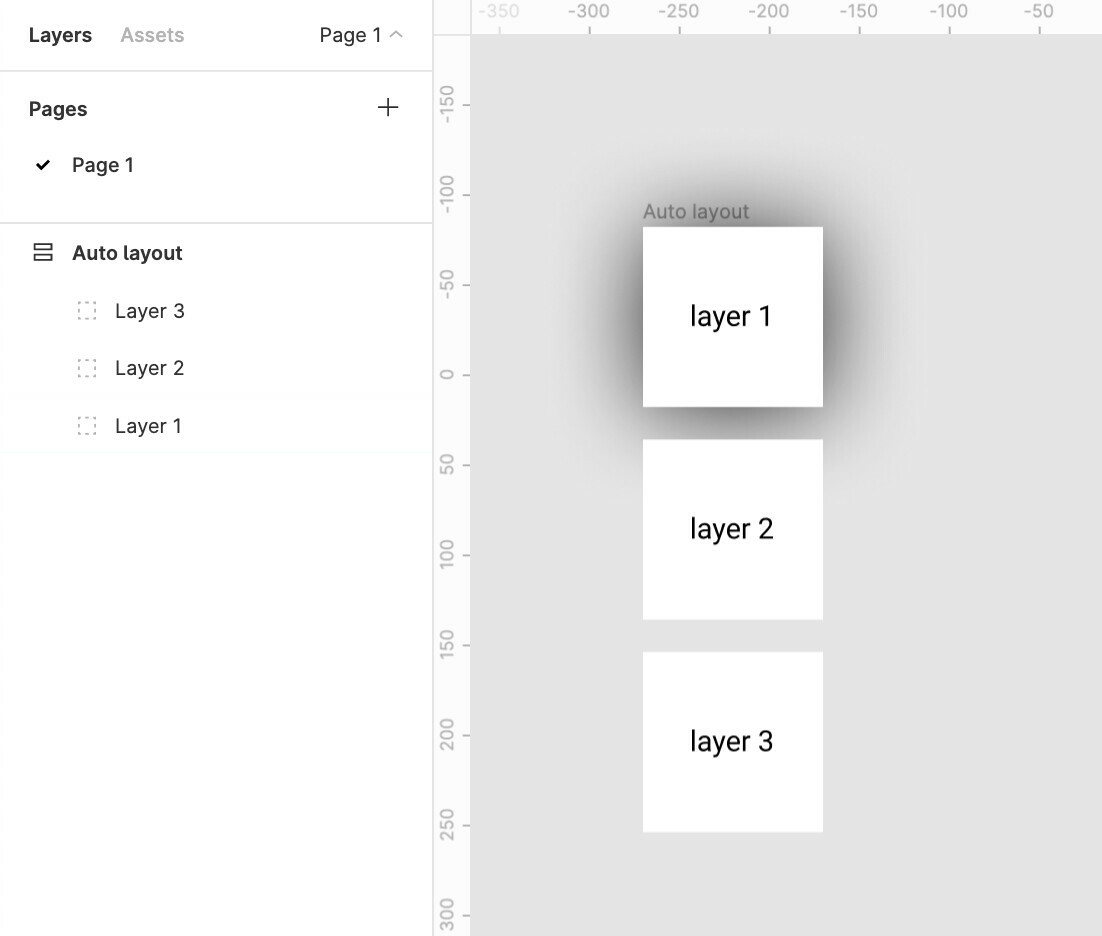
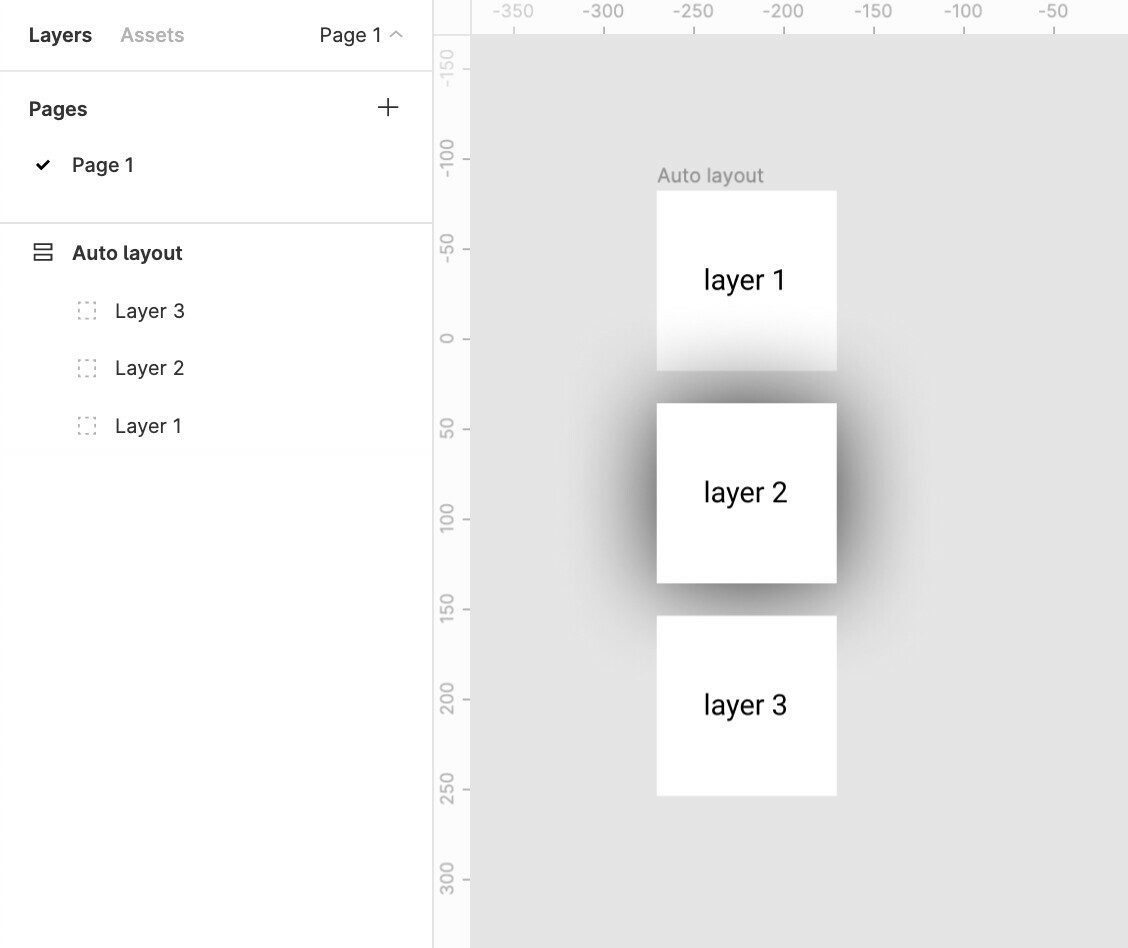
2. Effects like drop shadow don’t work like they are expected to
Applying a drop shadow to layer 1 does not cast the shadow on layer 2
And applying a drop shadow to layer 2 casts a shadow over the top layer 1
The Order in the layer menu should be reversed.
Does anybody else see merit in this?

Update:
The same logic applies to horizontal auto-layouts.
The right most element is on top whereas the left most element should be on top majorly because we scan left to right hence the element on the lleft most extremity is to be scanned first.

for example:
Say we require a stack of layers to be shown which shuffles on drag
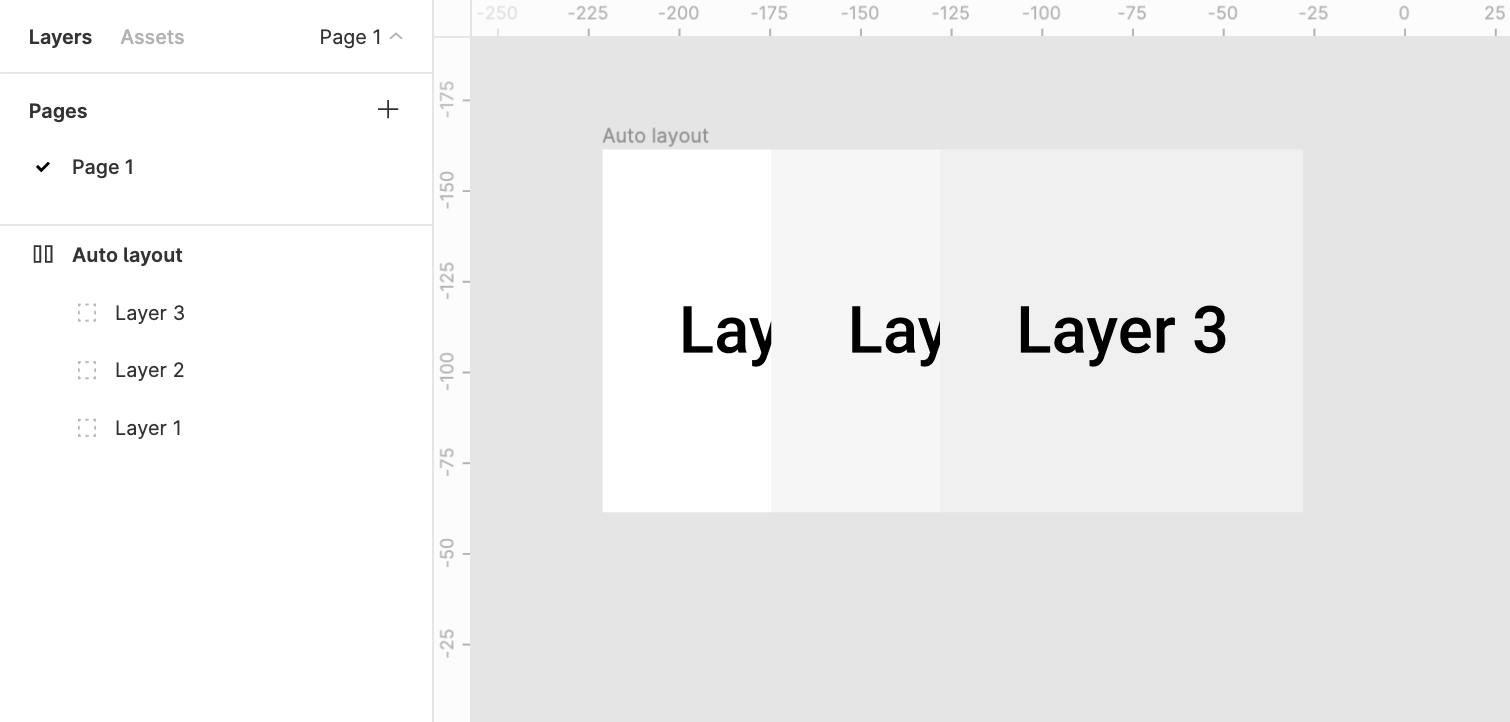
It would make more sense to bring layer1 above layer2 above layer3

80 replies

John_Wolfe
February 23, 2022

This is nuts.

February 24, 2022

so shadows would cast up the stack? so shadows cast by layers appear on top of layers higher in the stack?

a good analogy for the layer stack is stacking blocks. the first blocks you put down are at the bottom and new blocks go at the top of the stack.

using this framing i have no issues with handling the ordering or layering of the stack.

February 24, 2022

this would be a welcome improvement to auto-layout. currently it is too rigid and requires either not being used or cheating around, creating a lot of extra work, to have relatively simple effects like described in @Nate_Green’s post.

Nathan_Hall
New Member
March 9, 2022

Thank you. This is a clever work around. 👍t4: 🙏🏾 👏t4:

Sebastien_Cazalet
March 10, 2022

Very useful tip ! Thanks a lot !

Yariv
New Member
April 3, 2022

Same for me - i can relate 100%! I just wanted to write about this, and than i found this topic - its really annoying and confusing i must say. Not intuitive at all.
It shouldnt work with any work-arounds or tricks. It should work naturally and intuitive.
Whould be great if figma takes care of it.

Clarck
April 15, 2022

Thissss is a must!!! Its just makes more sense please fix this figma!!

Clarck
April 15, 2022

FIGMAAAAA DIX THIS NOW HAHAHA please

Clarck
April 15, 2022

@Figma_Support @Figma_Admin1 @Figma I know you’re better than this… figma look at the mirror and say “I’m going to fix this now” yes that’s it! come on you CAN DO IT.

Evgeny_Eryomin
May 11, 2022

Thanx Figma!