

First on top layer order in Auto-Layout
Currently auto layout arranges layers from bottom up, i.e. the lower most layer in the layers list appears on top of every other layer on the workspace.
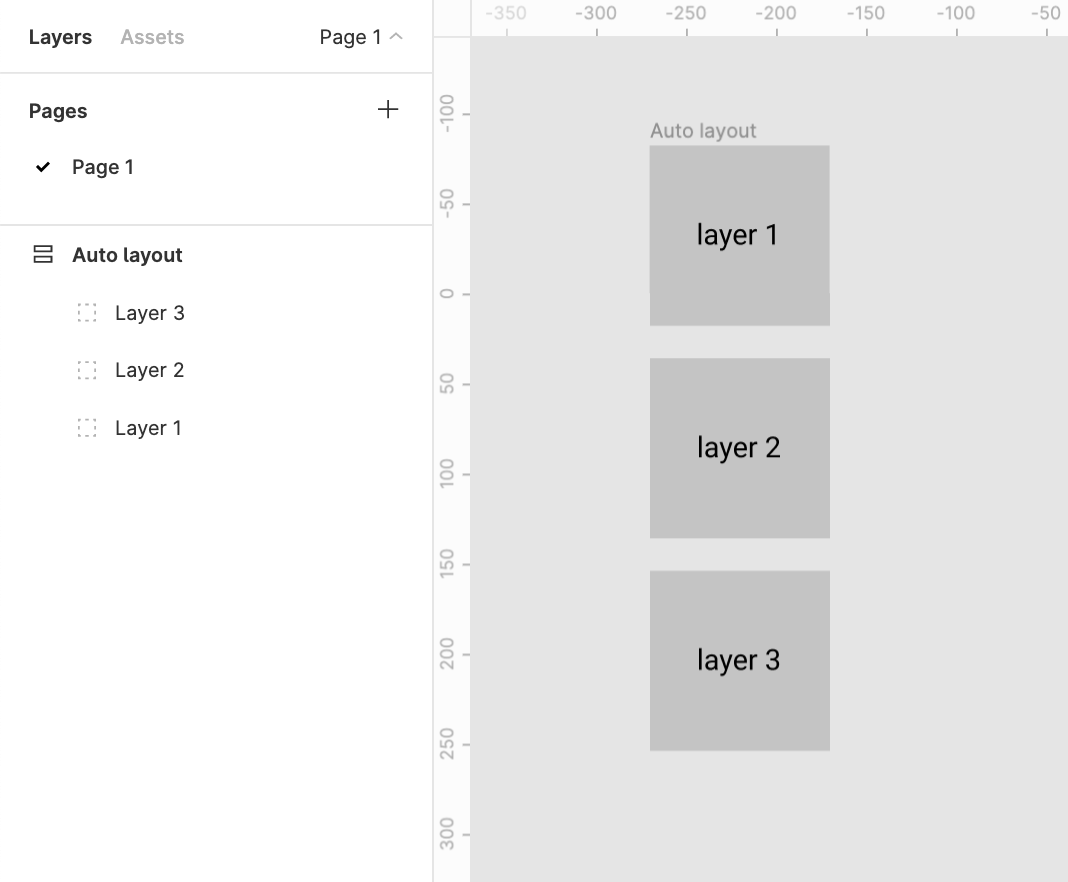
This creates two problems
1. Confusion
There’s a clear confusion of the order of layers shown in the layers menu and the representation in the workspace. This requires a bit of getting used to
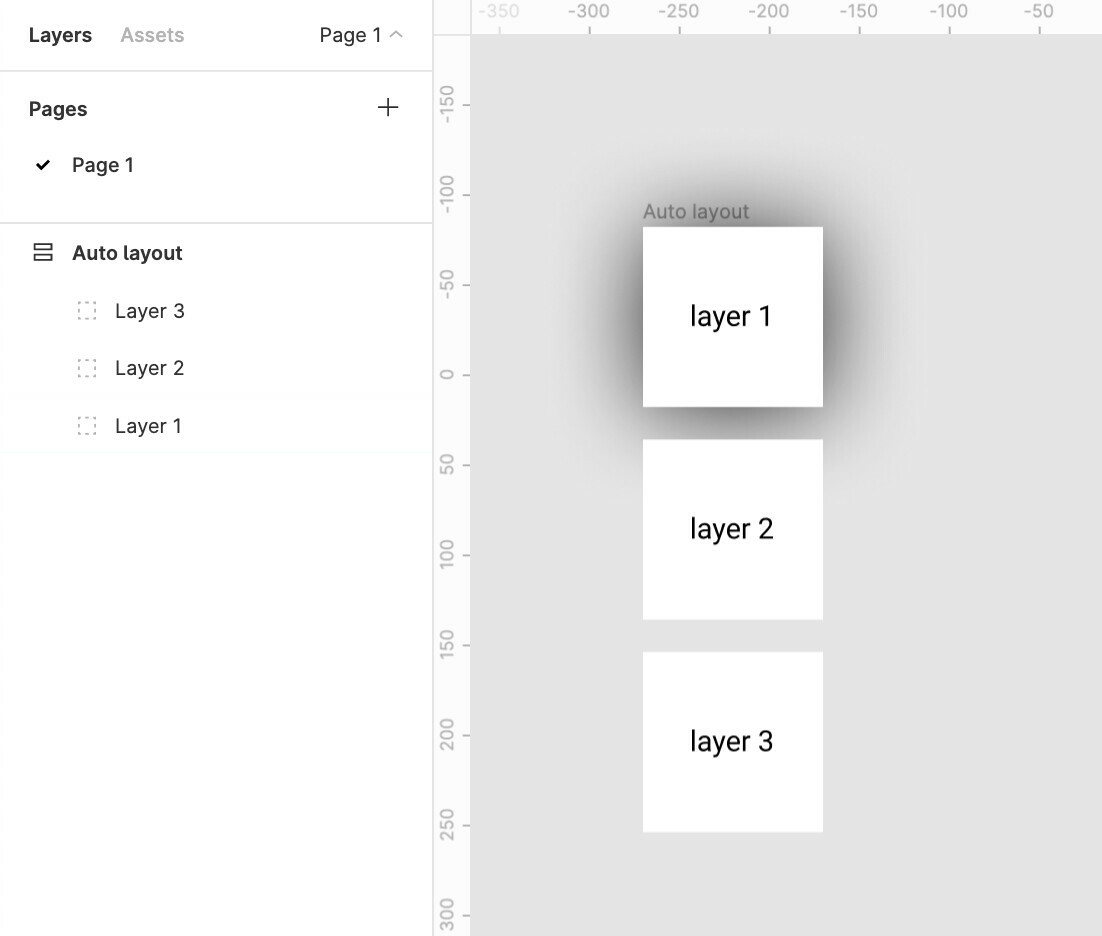
2. Effects like drop shadow don’t work like they are expected to
Applying a drop shadow to layer 1 does not cast the shadow on layer 2
And applying a drop shadow to layer 2 casts a shadow over the top layer 1
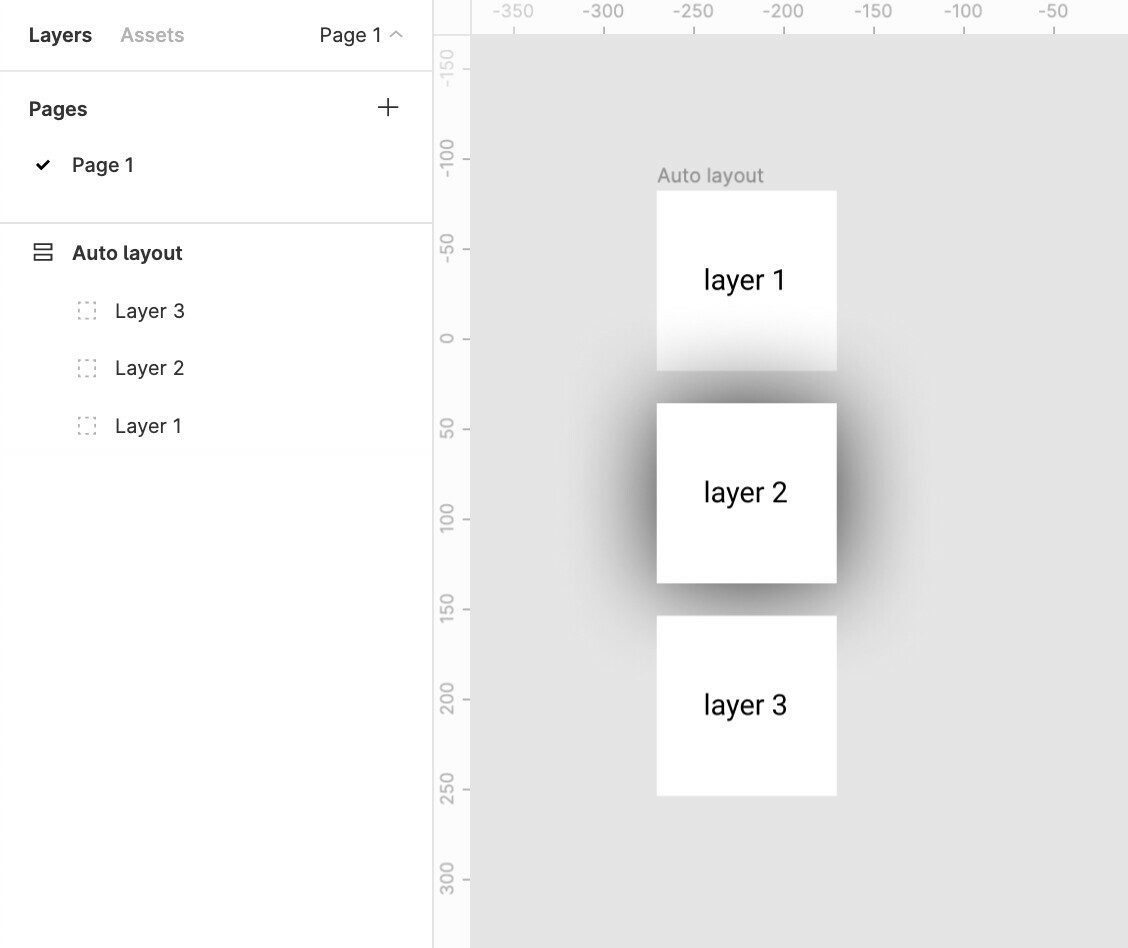
The Order in the layer menu should be reversed.
Does anybody else see merit in this?
Update:
The same logic applies to horizontal auto-layouts.
The right most element is on top whereas the left most element should be on top majorly because we scan left to right hence the element on the lleft most extremity is to be scanned first.
for example:
Say we require a stack of layers to be shown which shuffles on drag
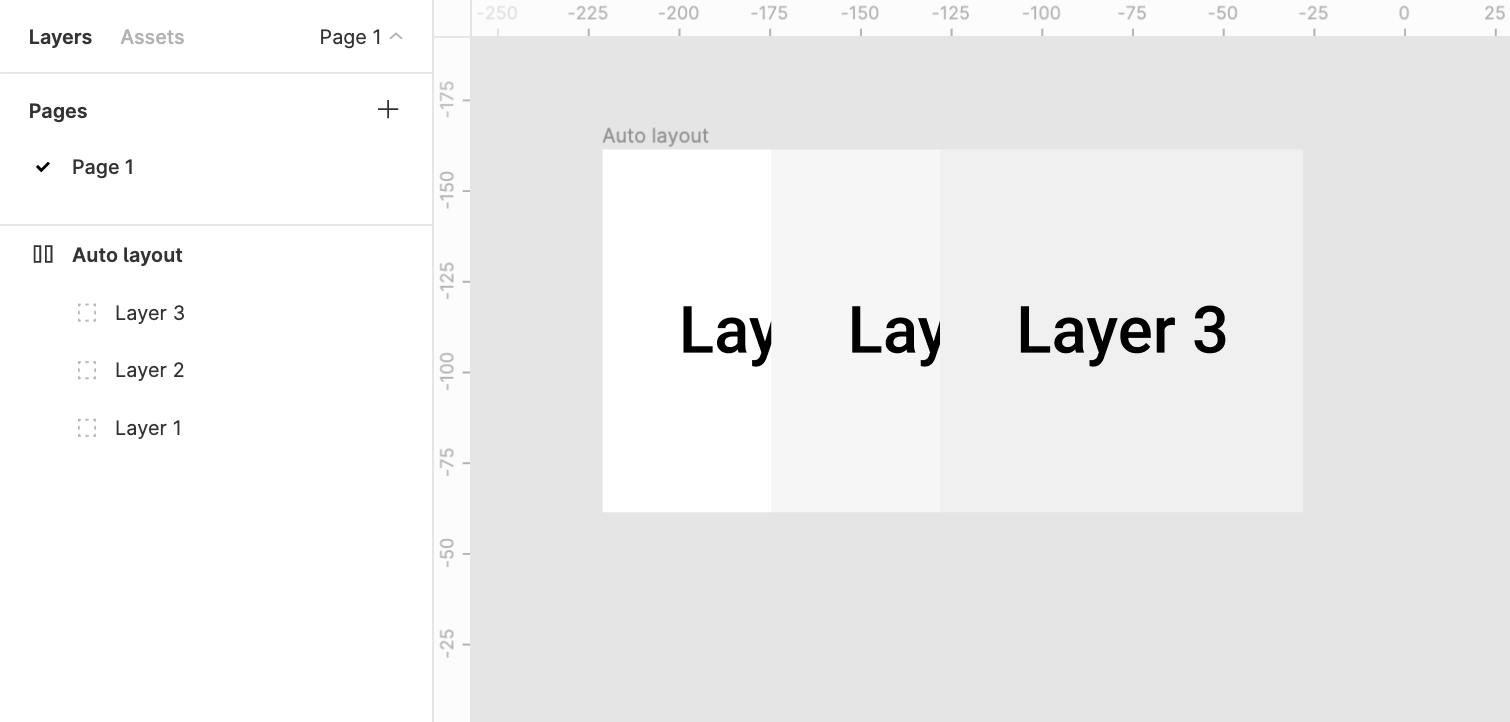
It would make more sense to bring layer1 above layer2 above layer3