Vozhegov Ivan
New Member
August 18, 2026
Question

Figma folders

  • August 18, 2026
  • 44 replies
  • 806 views

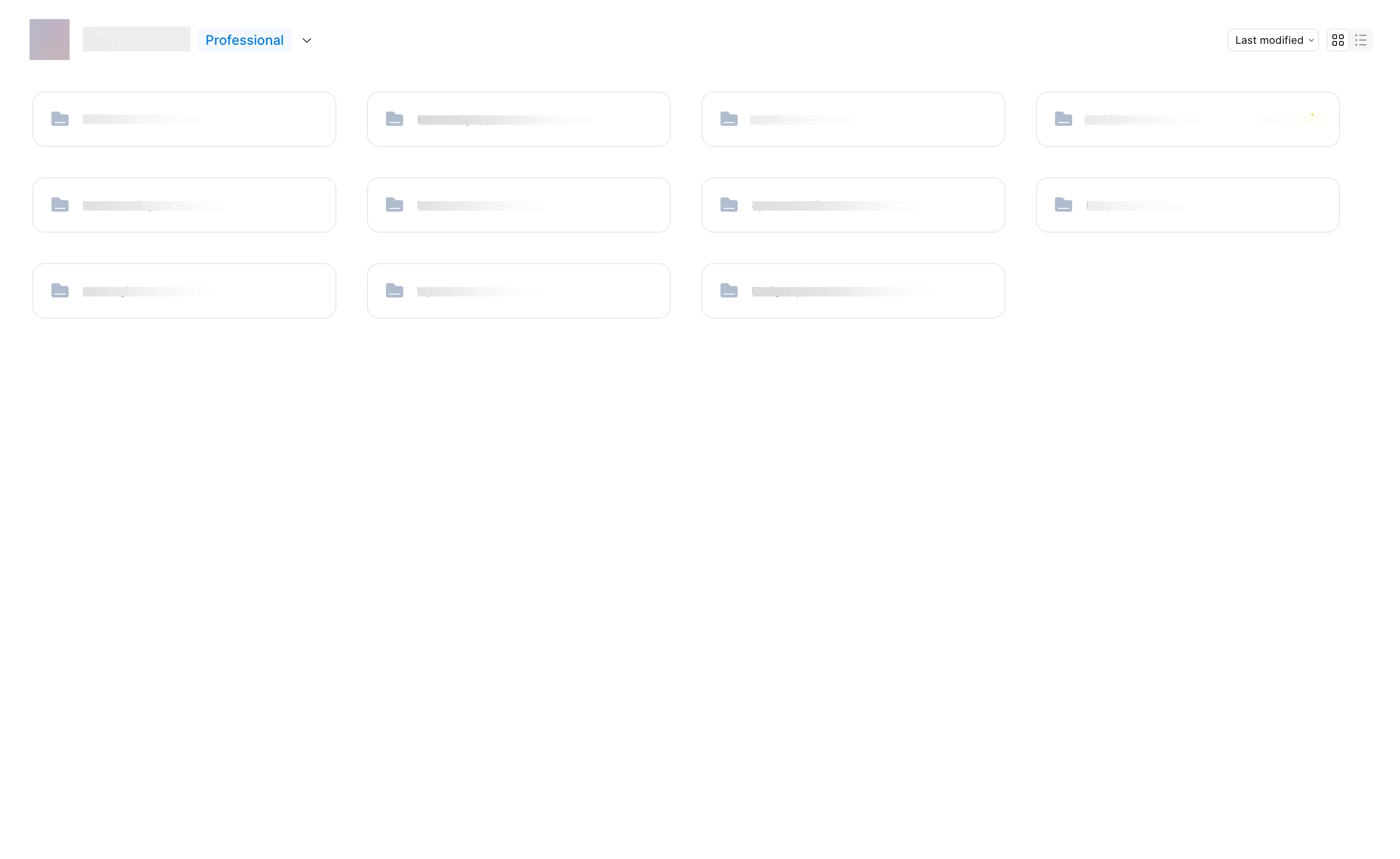
I’m working with a team on a large project, and we have a complex file structure. Removing the file previews has made it much harder to navigate our file system. Each group of files has its own color; previously, you could just glance at the main screen and understand where to go or see the file name in the preview. With only the folder icon and name, it’s much harder to remember where something is located. Please give us the option to revert to the previous interface with clear file previews.



44 replies

ZoeAddition
New Member
August 25, 2026

When you look at a folder that contains one subfolder and a few files, the folder is tiny and barely visible. So easy to glance over and not see.  

Folder color change doesn’t help with this bc a very tiny thing goes from one matte, low contrast shade to another matte, low contrast shade. 

Benz
New Member
August 26, 2026

Couldn’t agree more.

ArchieH
New Member
August 26, 2026

Don’t understand what is the different in between Grid vs List view with this new UI. Both has the same information. 

This change should have been tested first….

Tom_Mordasky
New Member
August 26, 2026

Folders are terrible, please let us go back to the old view

Julie_Mader-Meersman
New Member
August 27, 2026

Adding in my agreement with most feedback here that the current, thin folder “grid” view is totally ineffective. It feels like back door access to the wrong place without the visually identifying, larger preview cards of the files. If the structure of organizing via folders is necessary, don’t take away the viewability of what we’re working with. At a minimum, consider a toggle or slider that allows users to change the scale of the folders and the ability to see what’s inside of them. Aside from functionality being problematic (accessibility as mentioned, speed of use), it makes it much less engaging of an environment to work in. 

Sofia S.
New Member
August 27, 2026

I would like to agree here! This adds so much extra stress when looking for the files I need. Please revert 😭

ira sintsova
New Member
August 27, 2026

100% agree with all comments here. I make covers for all my files, it helps with navigation. And folders without a preview just ruined what i’d done 😢
Unfortunately, don’t see any pros for me in the update. Hope you’ll do smth with it 🙏
Thanks! 

Wilhelm_Rahn
August 27, 2026

I was genuinely excited for folders until I realized they completely killed project previews.

That's a massive downgrade. Colored folders don't make up for losing the ability to recognize projects at a glance.

If this was done to reduce the cost of loading thumbnails, I understand the technical reason. I just don't think it's worth sacrificing one of the most useful parts of the browsing experience.

Raven Ravensson
New Member
August 27, 2026

OMG, hate the folders, sorry. This feels like a huge step backwards. I’m a designer and work visually. I have created a lot of tiles for each project to visually and easily scan all projects and files. Please roll this back and think about how you can add this as a option for those who like to play with folders. A folder dosn’t need to be a folder, it can be a tile. You just choose to use tiles (can be a tile folder), folder or list view...

Owen designer
New Member
August 28, 2026

I would like to vote for previews as well. Maybe technicaly folders cannot do it, i dont know. Actually I remember that in some services folder show previwes, so I DO HOPE figma can get them back as well. It was a lot more effective before, NOW I have to read forler names before I find the one I need, colors dont help, I have to memorize it and how am I supposed to do so if they are not logically connected to the folder contets?