Vozhegov Ivan
New Member
August 18, 2026
Question

Figma folders

  • August 18, 2026
  • 44 replies
  • 805 views

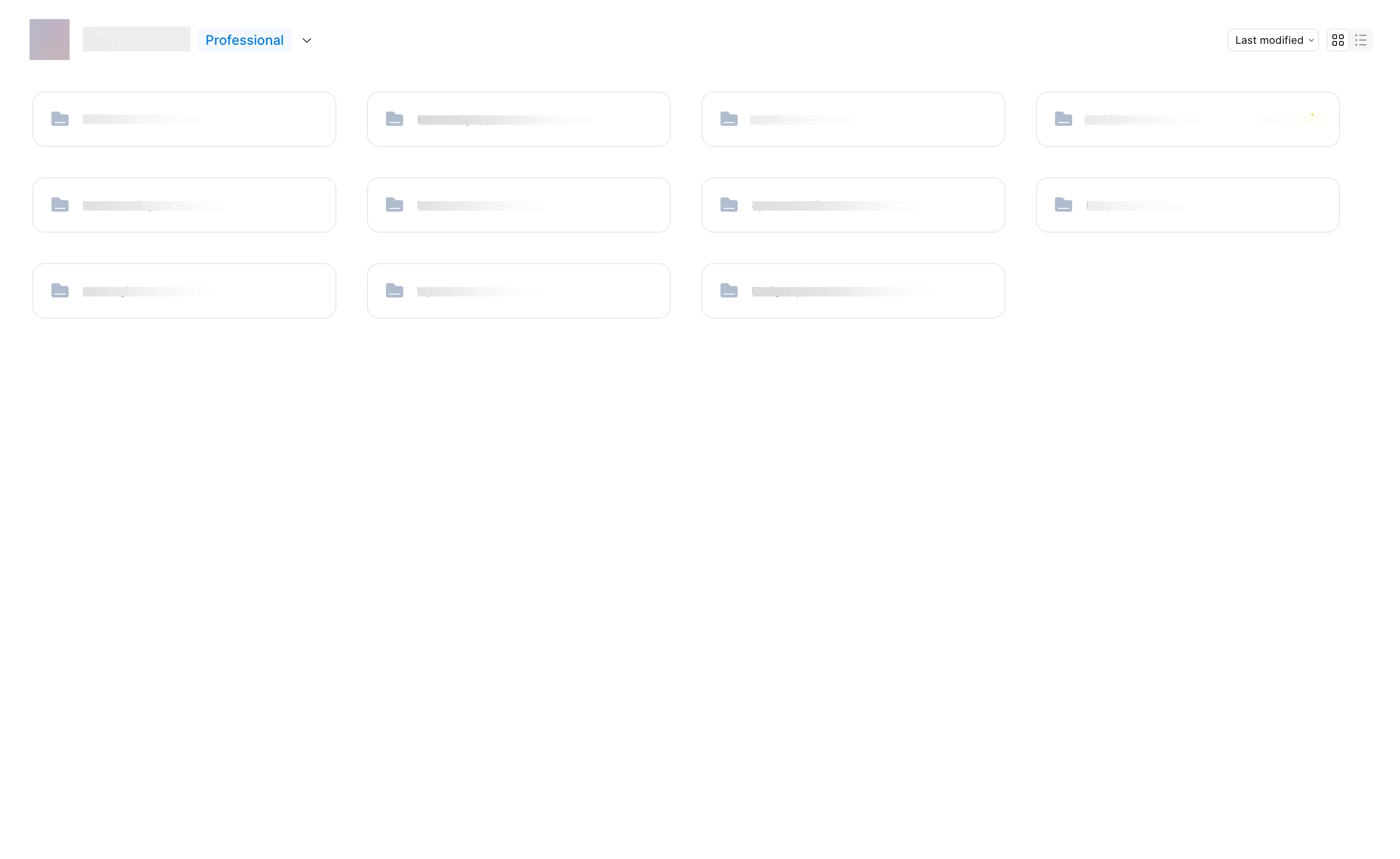
I’m working with a team on a large project, and we have a complex file structure. Removing the file previews has made it much harder to navigate our file system. Each group of files has its own color; previously, you could just glance at the main screen and understand where to go or see the file name in the preview. With only the folder icon and name, it’s much harder to remember where something is located. Please give us the option to revert to the previous interface with clear file previews.



44 replies

Karen_Alarcon
New Member
August 21, 2026

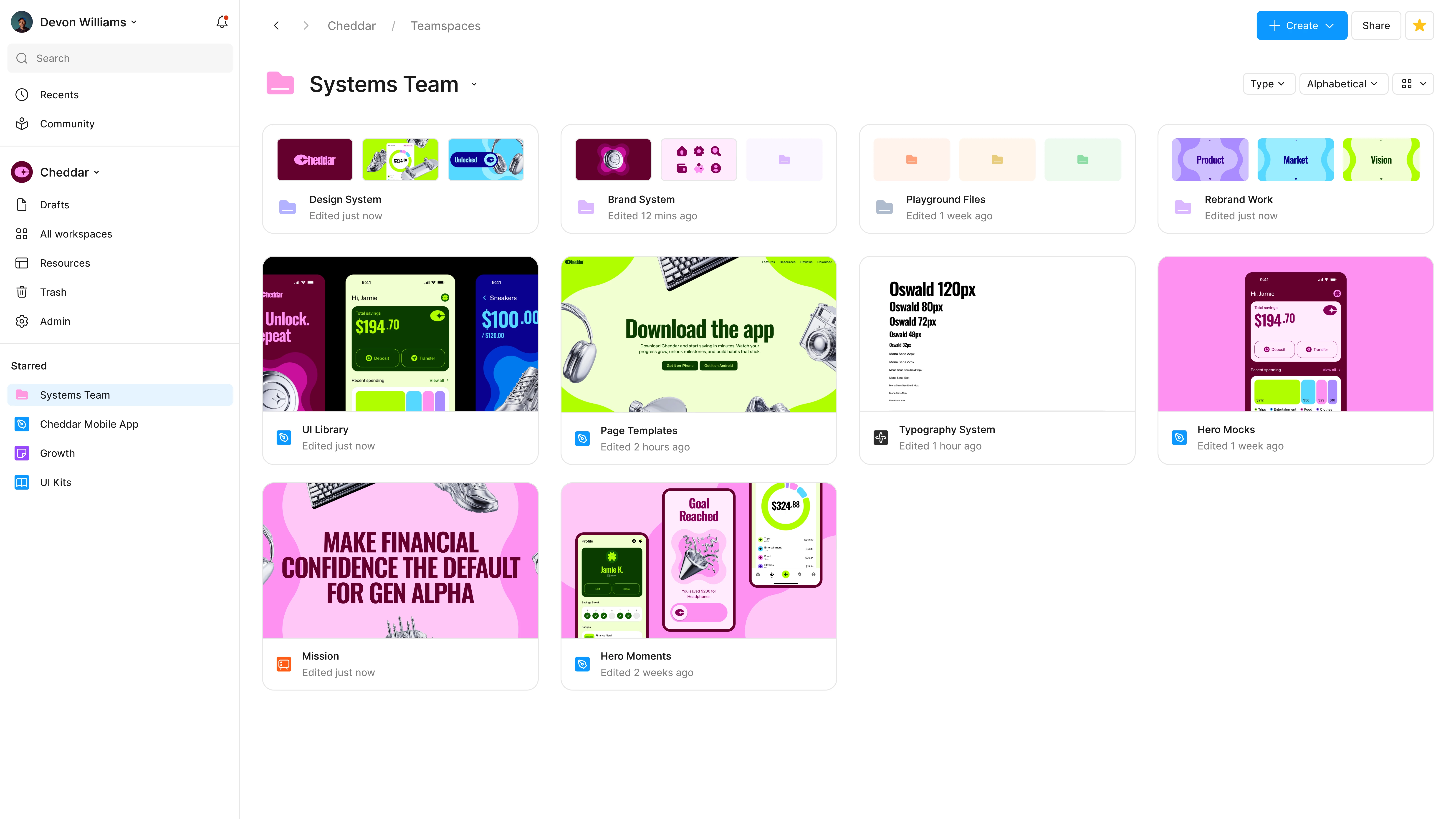
Please bring back the project previews for those folders, the thumbnails help to locate the files! The new grid view is almost the same as that table view, which doesn’t make sense.


This exactly, made an account just to comment on this. There is no value add to this update at least in the old version I can tell off the bat if a project/folder had 1 or multiple files w/o having to click on it

tutu12345678
New Member
August 24, 2026

After Projects migrated to Folders, our design team workflow became much less efficient. We lost the thumbnail preview on project cards, and now we have to click into each folder one by one to find files. Visual scanning is critical for designers, and only using folder color tags is not enough, especially for color‑blind teammates.Please add a toggle option to switch between compact list view and the old thumbnail card view, so teams can choose the layout that fits their workflow.

Teodora Danailova
New Member
August 24, 2026

+ 1 on this! This new folder design with no previews is so confusing.. designers are visual beings, I used to navigate folders by visually scanning the previews, but now they all look the same… color-coding the folders is not a viable solution I’m afraid… please make it an option to choose between new and old design at the very least, thank you!

Iain M Norman
New Participant
August 24, 2026

especially for color‑blind teammates

Indeed. I have a colleague that only sees three colours across the eight choices!


dmalxux
New Member
August 24, 2026

Hello!
I’d like to share some feedback regarding folders. I work on a large monitor, and I found the previous project layout more convenient. I could visually locate my project’s cover and open it without having to navigate into a folder. That’s no longer possible. Now I have to take extra steps to navigate into folders.

On top of that, the folders all look the same, so I spend more time searching for files and projects. On large monitors, the folders are very small, and I have to make an effort to click on them.

Please roll back these changes. I don’t see the value in this feature; the previous project format was much simpler than the current one. It would be better if you focused on adding the ability to bulk-add covers to a project, because doing this one by one is a real pain.

Translated with DeepL.com (free version)

Jaycee Lewis
Figmate
Figmate
August 24, 2026

Hey ​@dmalxux I moved your post to this thread so we can keep track of the Folders feedback in one place. — Jaycee

Anai_Taka_Taka_CSD
New Member
August 25, 2026

I’d also like to see folder previews brought back.

Our team intentionally designed cover images to help people quickly identify each folder’s purpose and navigate files using visual cues. This is especially valuable for new team members and stakeholders who may not be familiar with the file structure.

Without folder previews, it takes much longer to understand what each folder contains. This has made our workflow significantly less efficient and increasingly frustrating, while also taking away the value of the cover images we created.

Please consider restoring folder previews, or at least offering them as an optional view setting.

dmalxux
New Member
August 25, 2026

From a user experience perspective, I don't understand the point of the folders. The features that used to let me quickly access a file are now gone. It's unclear what prompted this update.


I have about 70 projects, and I used to have no trouble finding the files I needed, but now I don’t want to open a project unnecessarily because of these small folders.

Iain M Norman
New Participant
August 25, 2026

From a user experience perspective, I don't understand the point of the folders. The features that used to let me quickly access a file are now gone. It's unclear what prompted this update.


I have about 70 projects, and I used to have no trouble finding the files I needed, but now I don’t want to open a project unnecessarily because of these small folders.

I believe it was the nesting functionality that prompted it, which I love, just want some kind of visual card option to turn on as well.

Tom Reem
Figmate
Figmate
August 25, 2026

Hi everyone, I wanted to weigh in on the most recent posts about making folders easier to scan. That's the most common piece of feedback we've heard since folders shipped, and the team is working on an improvement — I can't share a timeline yet, but it's being actively worked on.

There's a fuller summary of where things stand pinned to the product update here: Rolling out: Projects become folders 📂 ✨

Thanks again for keeping us looped in with how it’s going.