

Jannis1
July 4, 2023
Solved

Variables do not update in design

  • July 4, 2023
  • 42 replies
  • 8767 views

I am working with a colleague and some local variables simply do not update in the design when she is entering new values in the local variables window. Some do, some don’t.

I on the other hand are able to update all variables with no issue.

Both are using latest Figma Version via App. Only difference she is working on Windows, I am on Mac.

This topic has been closed for replies.
Best answer by Celine_

Hi @Weston_Ballard ,
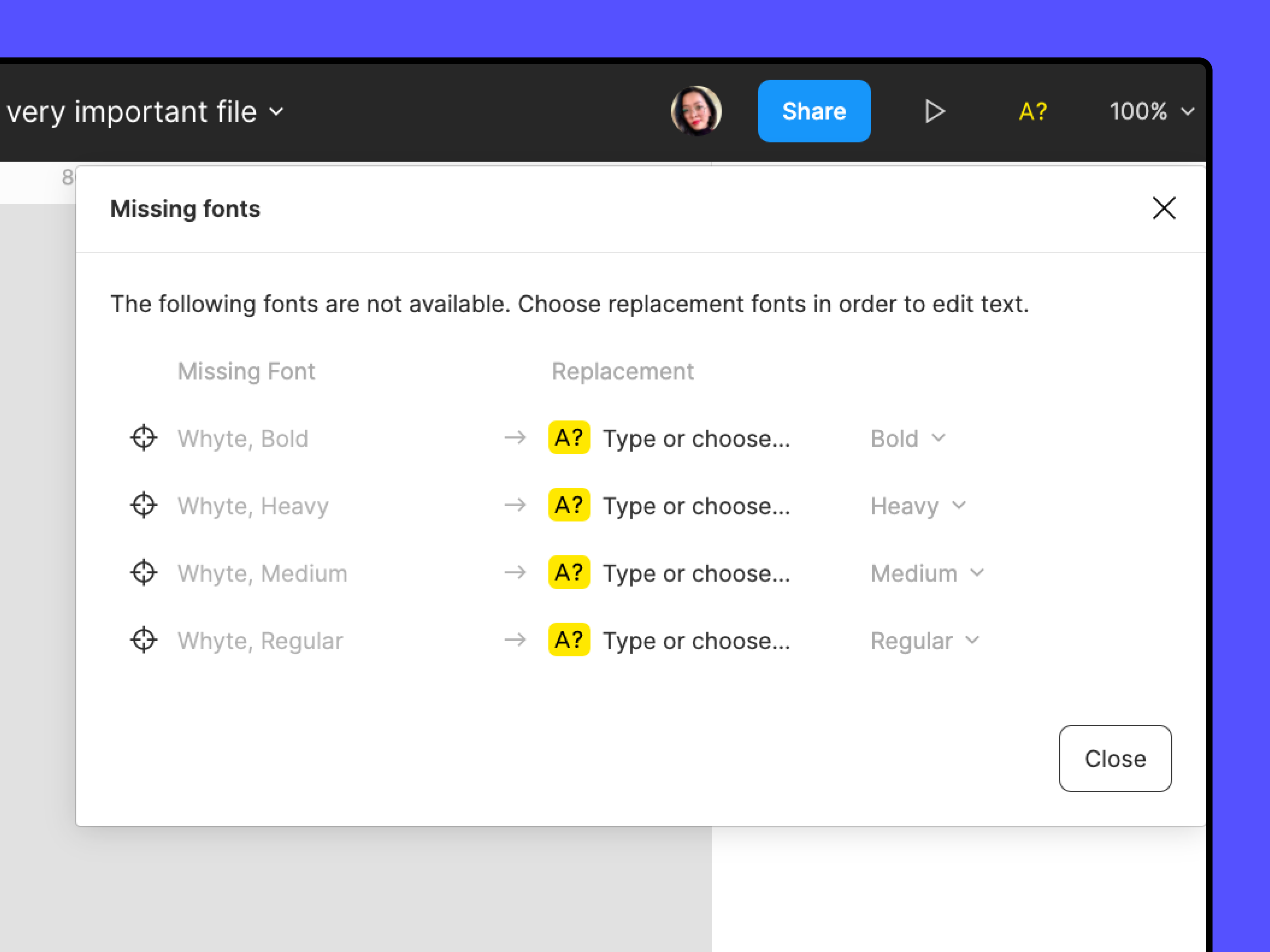
For visibility, I can see in the back end that the issue was related due to a missing font for your case. If you see a yellow A? icon:


Manage missing fonts, Manage conflicting fonts and Access local fonts on your computer might all be helpful in clearing those missing font warnings so that changes they make to the variables are reflected in the file’s text.

Still, I recommend you to reach out to the support team to have a deeper look at your file, as it may be another issue. Please contact the team by filling this form: here
Be sure to use your Figma account email, include a link to the file, and share it with support-share@figma.com as an Editor so they can take a closer look. Thank you!

42 replies

Courtney_Zavaleta
New Member
May 31, 2024

Are there still no updates on this? Funnily enough, I am working my way through this Figma tutorial on youtube and can’t follow along at 7:03. Was hoping to implement this in our design system to make things more consistent, but not looking good so far.

Terence_Curtis
New Participant
June 17, 2024

I am having the same problem. I just changed the opacity from 100% to 33% of a variable, published the variable, and then updated the variables in another file. The opacity change is not showing up.

In fact, I am having a general updating problem across many files. The changed in the styles and components are not showing up

Frannn
New Participant
July 15, 2024

I was experiencing a similar issue with font families and weights defined by variables within local styles. Updating variables would not update the actual font appearance in many elements.

Finally realized that variables where not the culprit, since I had the same issue when updating font sizes NOT using variables within local styles. Turns out only fonts within components would not update unless entering text frame edition.

Running the quick command (ctrl + /) “Regenerate all instances (slow)” after any local style update, including via variable changes, works for me so far. Might be useful to those that came upon this thread like me.

Joe12
July 16, 2024

Same issue when dealing with components. Variables dont update unless clicked all the way in the instance …Very frustrating 😠

HeidiTL
July 18, 2024

I’m having the very same issue. Still no fix for that?

July 30, 2024

Same issue as well. Is a fix coming?

Neil7
New Participant
August 12, 2024

Also have this issue, if the token doesn’t update automatically both the tokens and library are useless.

Franco7
August 13, 2024

Same here. Half of the file updated but other half not. I already tried using the ‘Regenerate all instances’ command but anything happened

September 4, 2024

Same issue here! Changing a variable in a referenced variable layer doesn’t update the respective typography styles in the UI.

September 4, 2024

If you’re experiencing the same issue, the solution is to update through the library. Here’s how:

  1. Go to the “Asset” tab.
  2. Click on the Library icon (it looks like a book).
  3. You’ll see two tabs: “Libraries” and “Updates.”
  4. Select the “Updates” tab to view the list of pending changes.
  5. Click “Update All” to refresh everything.

This should resolve the problem. Hope this helps!