

Adam_Gordon
New Participant
May 3, 2024
Question

Typography/Size Variables: Styles don't respect applied mode for variables

  • May 3, 2024
  • 41 replies
  • 2379 views

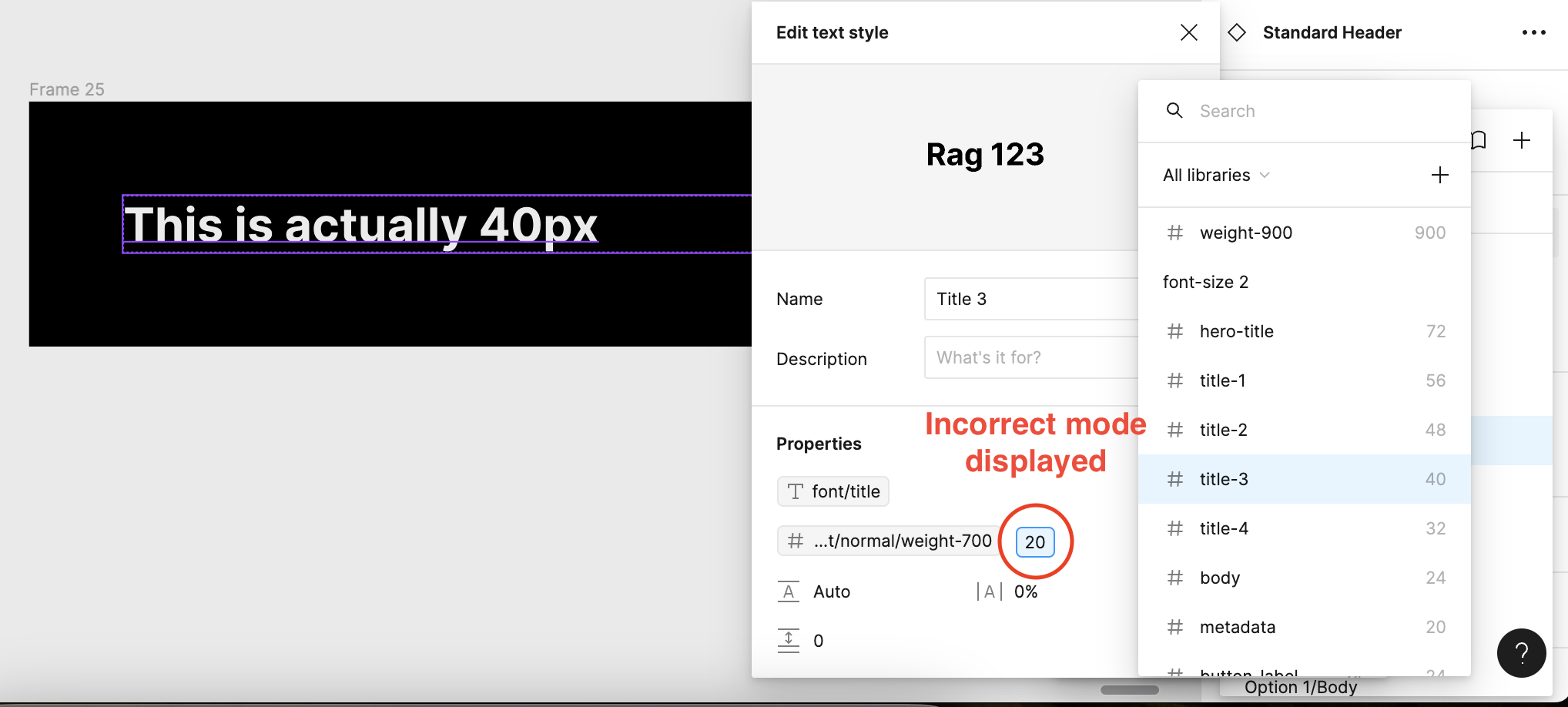
When applying text styles that have associated variables attached the values presented do not respect the applied mode. For instance I have a title that has a mode for Mobile (20px), and a mode for TV (40px), when i open up the style, the default mode (in this case mobile) is displayed instead of the TV mode size.
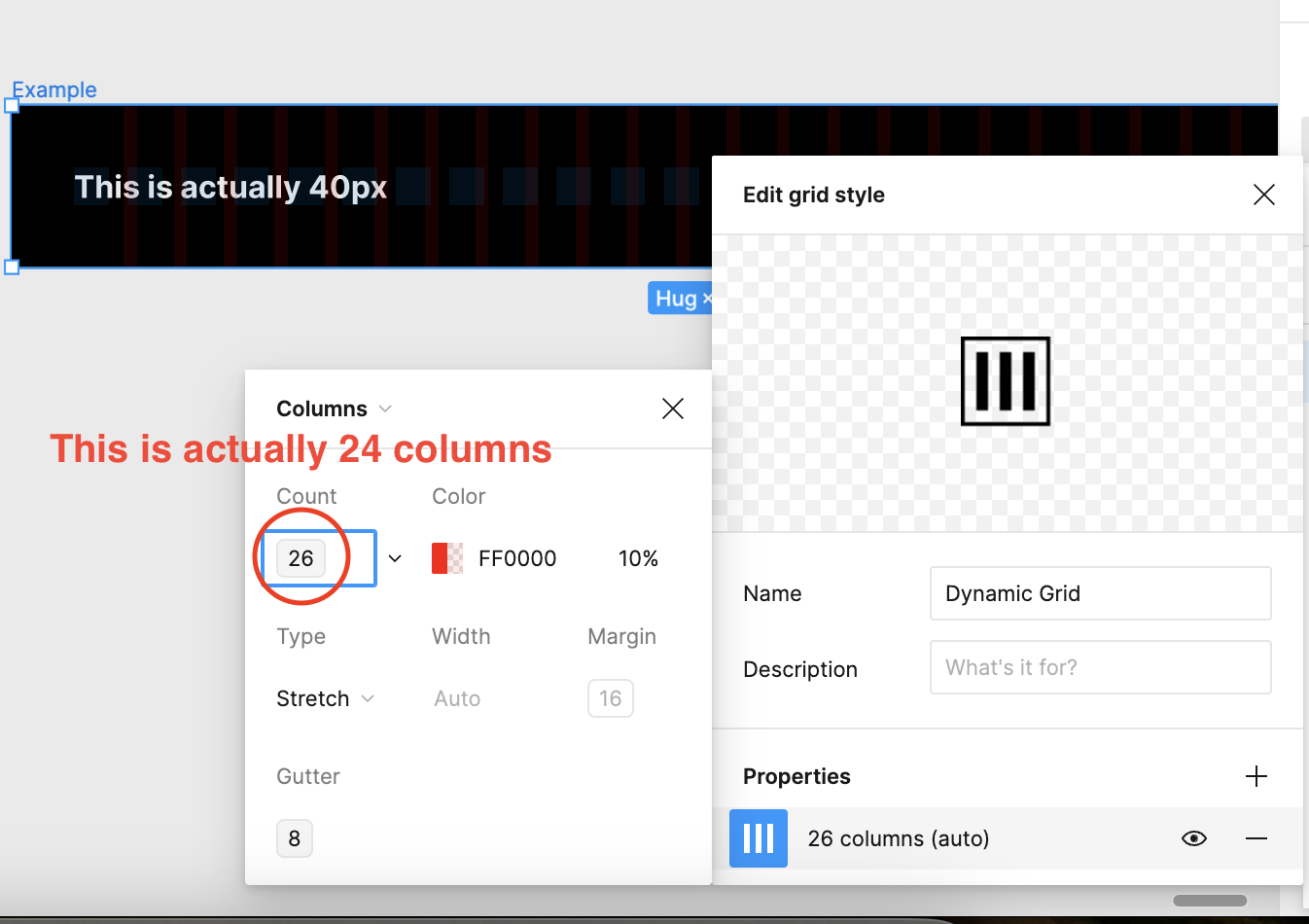
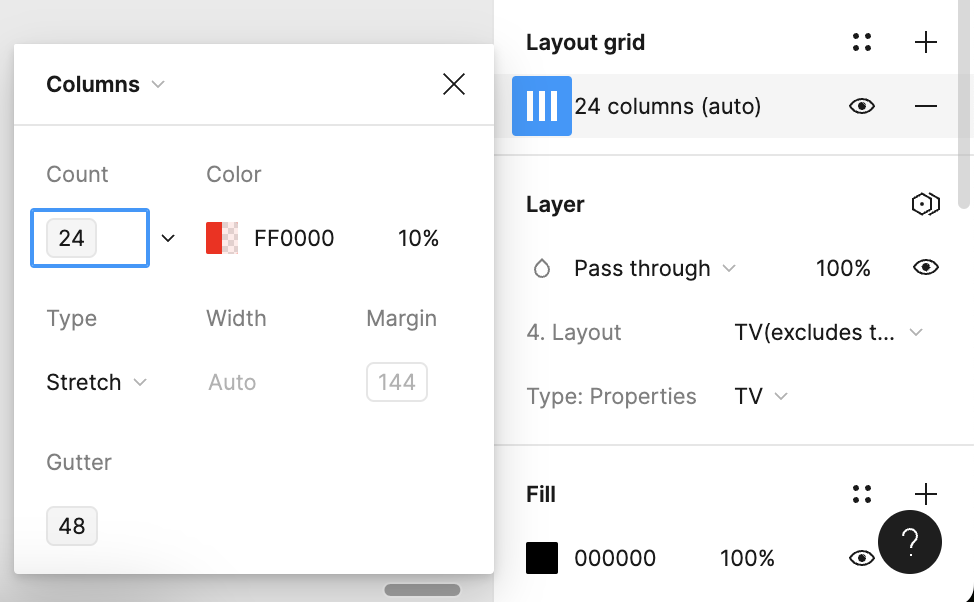
I have also observed this within grid layouts when applied it shows the default mode (26 columns). When in reality it is actually 24 columns, if you then detach the style it shows the correct number.
And when detached you can see it shows the correct value
Seems this was a major oversight, as it makes applying size variables pretty time consuming, as I have to check if I’ve chosen the correct size by clicking and opening up the variable list.

In short it seems to default to the first default mode, instead of respecting the chosen mode. It also only seems to affect styles.

Anyone else found this to be an issue?

41 replies

Dmitrii Danilevich
New Member
June 17, 2025

Hi everyone, I have the same issue, are there any updates on this so far?

Gayani_S
Figmate
Community Support
June 17, 2025

Hey ​@Dmitrii Danilevich, thanks for following up! The team is aware of the issue and it’s on their radar to improve in the future, but unfortunately, it’s not something we’re able to prioritize at the moment. We’ll make sure to share any updates on this post. 


Jason Pamental
New Member
August 5, 2025

@Gayani_S Please convey to your leadership the depth of our frustration. This is a significant failure on Figma’s part to support their own functionality. This bug makes it impossible for designers or engineers to see accurate type style information when using variable modes to theme. This is your own core functionality and is costing every organization that tries to use it valuable time in working around it. It’s now been over a year since it was reported and it’s incredibly frustrating for the response to be ‘we just can’t get to it right now’

ksn
Figmate
Community Support
August 5, 2025

Hi ​@Jason Pamental - stepping in for Gayani on this one. I know that my reply will likely be disappointing to hear, but we don’t have any updates on our end that we can provide at the moment.

We try our best to make sure every Figma user is able to work on their designs with as less friction as possible. Speaking for myself, I don’t want to make any promises on timeline or how this will be addressed.

However: what I can do is forward your recent comments as you requested, as I do want to advocate for you (and everyone else on this topic). I’ve gone ahead and done so, and your feedback has been acknowledged. 

Apologies that I can’t provide more info.


Sean_Cooley
New Participant
August 12, 2025

Colors have the same issue. Can’t believe this is still an issue 3 years after variables rolled out. When In the beginning we were directed to feed them to designers through styles. There’s also no way to cleanly implement composite typography tokens in Figma. We can’t expect designers to have to apply every property variable just to use some typography.


This needs to be addressed ASAP. Variables needs some love, it’s been half-baked for 3 years. 

Flarin
New Member
August 16, 2025

Even when default mode was deleted, and the new set to default, the old (from the old ‘Default’ mode) typography values are displayed. This is a 1-year-old bug. WTF Figma?


hummh
New Participant
October 15, 2025

Any news about this topic? 
Please don’t say its a feature.

YueNing
New Member
December 17, 2025

你好,我们的公司有一个庞大的设计师团队,同样面临着相似的问题,想知道figma在未来的更新计划中是否包含此问题

Ida Engmark
New Member
January 21, 2026

Running into this issue as well in our multi-brand, multi device design system / UI kit.

We rely on having very simple selection options because our Product managers are also using Figma and aren’t super users like designers. Using variable modes for typography I can greatly reduce the need to maintain different components for each brand or device, as well as reduce the risk that novice users select the wrong thing in their given context. And if they do it’s quickly fixed by changing the variable mode, not rebuilding the entire screen.

So here’s another bump to raise awareness about this issue 

csleh
New Member
January 28, 2026

Another request for having type variables update the display size. super frustrating to get desktop/mobile definitions and components all set up and have to manually change all the mobile sizes.