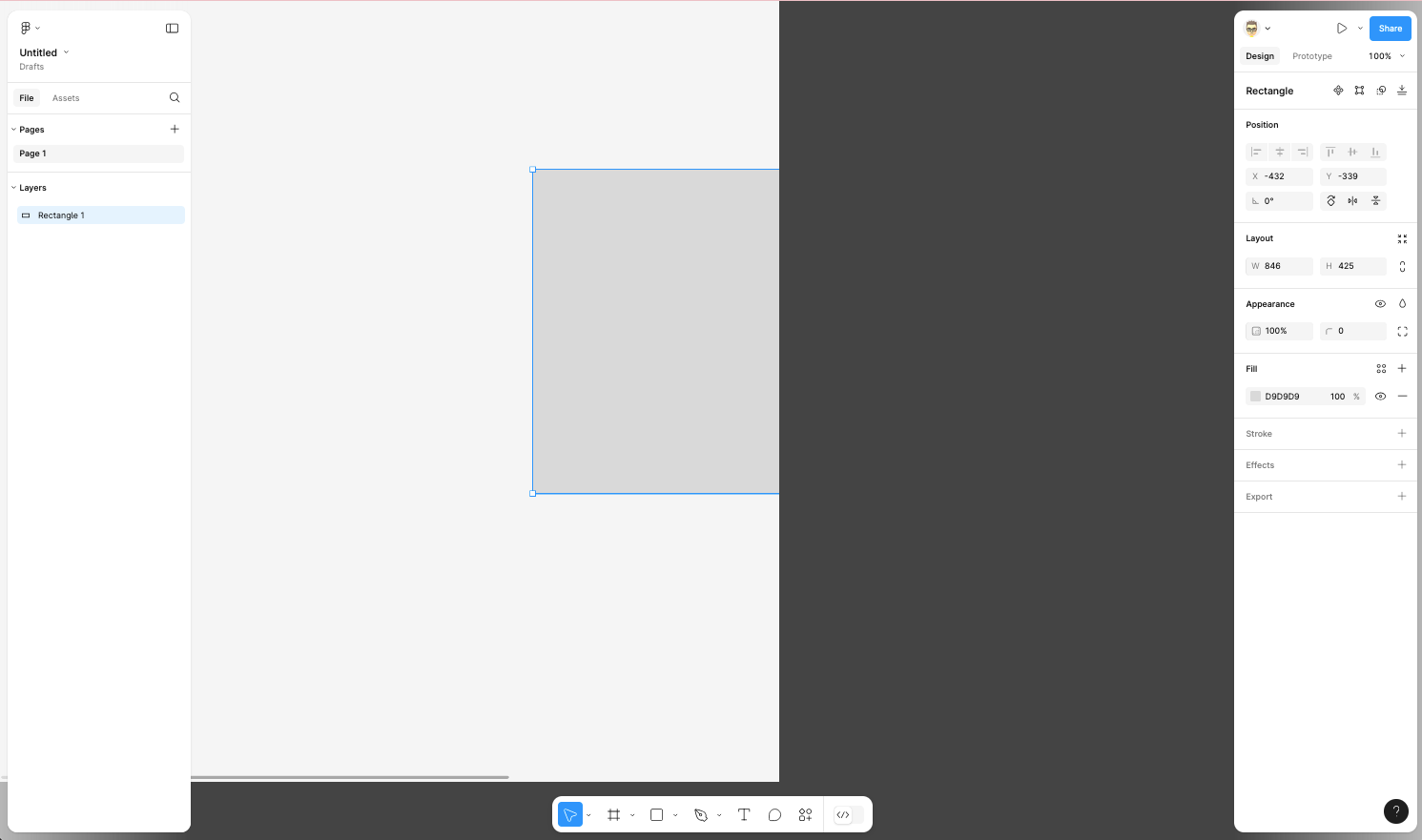
Hey @Calum_Benson - are you in the desktop app when you see this? If so, does the panel look weird when you are using Figma on the web? If you haven’t tried that yet, can you give it a go and let me know if it’s still showing this?
Also, can you try switching back to the old UI, then re-selecting the new UI, to see if that helps? YOu can do this by clicking the help module at bottom right hand corner (?) and selecting ‘Go back to previous UI’
Quick question @Calum_Benson – wanted to cover all bases, and I forgot to ask earlier: have you tried clearing your cache and cookies for Figma in Firefox? Does it still show this after?
I have this problem as well (using Firefox 134 on Linux) -- canvas is only half the window, resizing the window makes no difference. Same across different machines.
The problem is that the canvas element is being given a fixed width and height in the `style` property that is too small. If you change this in the web inspector it resizes effectively but the scaling is off so this isn’t really a solution.